

編輯:Android 開發教學
要在 App 的私有目錄裡建立檔案,關鍵是兩個方法:getFilesDir() 取得 files 目錄路徑,getCacheDir() 取得 cache 目錄路徑。兩者都位於 /data/data/<套件名>/ 底下,不需要任何權限。
package com.example.listfile;

import java.io.File;
import java.io.IOException;
import android.app.Activity;
import android.os.Bundle;
import android.os.Process;
import android.widget.TextView;

public class MainActivity extends Activity {

    @Override
    public void onCreate(Bundle savedInstanceState) {
        super.onCreate(savedInstanceState);
        int myProcessID = Process.myPid();

        File yygypath = this.getFilesDir();   // this.getCacheDir() 亦可
        String yygypathstr = yygypath.toString();

        File file = new File(yygypath, "yygytest");
        try {
            file.createNewFile();
        } catch (IOException e) {
            e.printStackTrace();
        }

        yygypathstr = yygypathstr + " pid is " + myProcessID;
        TextView tv = new TextView(this);
        tv.setText(yygypathstr);
        setContentView(tv);
    }

    public void onDestory() {
        super.onDestroy();
        this.finish();
        android.os.Process.killProcess(android.os.Process.myPid());
        System.exit(0);
    }
}
用 adb shell 觀察目錄內容:
root@generic:/data/data/com.example.listfile/files # ll
-rw------- u0_a53   u0_a53          0 2014-04-21 13:38 yygytest
root@generic:/data/data/com.example.listfile/files #
補充兩點:files 目錄適合放必須長期保留的資料,cache 目錄則是給暫存檔用,系統在空間不足時會自行清除,所以不要把唯一一份的重要資料只存在 cache 裡。另外,若日後想把檔案寫到外部儲存空間,才需要加上 WRITE_EXTERNAL_STORAGE 權限。
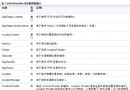 Android Location Service架構解析
定位服務是Android系統中常見的系統服務之一。它讓應用能取得裝置的位置資訊,並依需求切換網路定位或GPS定位。LocationManager的角色在android.l
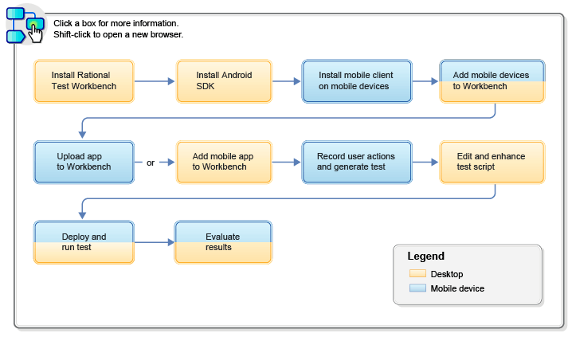 使用 IBM Rational Test Workbench 測試 Android App
IBM Rational Test Workbench 是一套整合功能、效能與介面測試的工具。RTW 8.5 加入行動應用測試能力,可支援 Android 與 iOS A
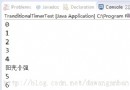 Android 多執行緒研究(2):定時器的用法
先來看一段最基礎的定時器程式碼: public static void main(String[] args) { new Timer().schedule(
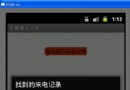 用 BroadcastReceiver 監聽來電並記錄通話狀態
BroadcastReceiver 是 Android 四大元件之一,可監聽系統廣播。若要常駐監聽來電,可監聽開機完成廣播,啟動背景 Service,再由 Telepho