

編輯:Android 開發教學
本文介紹在Android中使用各種控件(View),包括TextSwitcher、Gallery、ImageSwitcher、GridView、ListView與ExpandableList。
TextSwitcher——文字轉換器控件,改變文字時增加動畫效果;
Gallery——縮略圖瀏覽器控件;
ImageSwitcher——圖片轉換器控件,改變圖片時增加動畫效果;
GridView——網格控件;
ListView——列表控件;
ExpandableList——支援展開/收縮功能的列表控件。
1、TextSwitcher的Demo
textswitcher.xml
<?xml version="1.0" encoding="utf-8"?>
<LinearLayout xmlns:android="https://schemas.android.com/apk/res/android"
android:orientation="vertical" android:layout_width="fill_parent"
android:layout_height="fill_parent">
<Button android:id="@+id/btnChange" android:layout_width="wrap_content"
android:layout_height="wrap_content" android:text="改變文字" />
<TextSwitcher android:id="@+id/textSwitcher"
android:layout_width="fill_parent" android:layout_height="wrap_content" />
</LinearLayout>
_TextSwitcher.java
package com.webabcd.view;

import java.util.Random;
import android.app.Activity;
import android.os.Bundle;
import android.view.View;
import android.view.animation.Animation;
import android.view.animation.AnimationUtils;
import android.widget.Button;
import android.widget.TextSwitcher;
import android.widget.TextView;
import android.widget.ViewSwitcher;

public class _TextSwitcher extends Activity implements ViewSwitcher.ViewFactory {
@Override
protected void onCreate(Bundle savedInstanceState) {
super.onCreate(savedInstanceState);
this.setContentView(R.layout.textswithcer);
setTitle("TextSwithcer");
final TextSwitcher switcher=(TextSwitcher) findViewById(R.id.textSwitcher);
// 指定轉換器的 ViewSwitcher.ViewFactory
switcher.setFactory(this);
// 設置淡入和淡出的動畫效果
Animation in=AnimationUtils.loadAnimation(this, android.R.anim.fade_in);
Animation out=AnimationUtils.loadAnimation(this, android.R.anim.fade_out);
switcher.setInAnimation(in);
switcher.setOutAnimation(out);
// 單擊一次按鈕改變一次文字
Button btnChange=(Button) this.findViewById(R.id.btnChange);
btnChange.setOnClickListener(new View.OnClickListener() {
@Override
public void onClick(View v) {
switcher.setText(String.valueOf(new Random().nextInt()));
}
});
}
// 重寫 ViewSwitcher.ViewFactory 的 makeView(),返回一個 View
@Override
public View makeView() {
TextView textView=new TextView(this);
textView.setTextSize(36);
return textView;
}
}
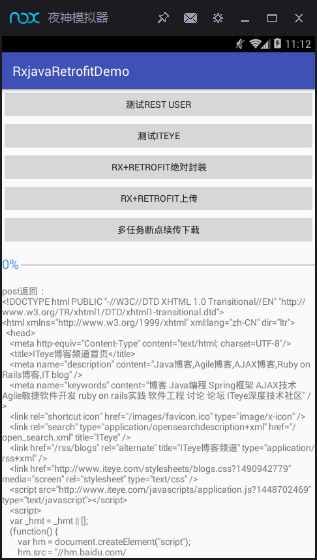 Retrofit + RxJava 網路請求封裝實戰:緩存與重試一次搞定
自己從零封裝一套 Retrofit + RxJava 的網路層,來回要處理的細節不少。這次直接採用 GitHub 上现成的封裝模組 rxretrofitlibrary,把
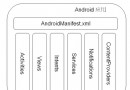 Android 核心設定檔 AndroidManifest.xml 結構全解析
一、關於 AndroidManifest.xml AndroidManifest.xml 是每個 Android 專案都必須具備的檔案,位於專案根目錄。它描述了 pack
 解決 Android 打包報錯:Unable to execute dex Multiple dex files define
本來以為不會再碰 Android 了,沒想到因為比賽又重操舊業。而 Android 的很多問題其實都源自 Eclipse 的不完善,比如今天遇到的這個: [2011-
 Android 事件分發機制解析下:ViewGroup 篇
ViewGroup 是一組 View 的集合,也是各種布局的父類。它除了能包含子 View,也能定義子元件的排列方式。自定義 ViewGroup 測試事件可建立一個繼承自