

編輯:Android 手機綜合
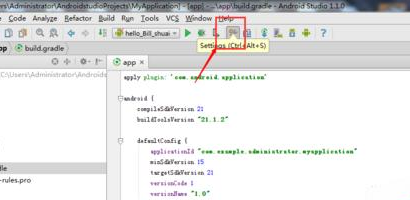
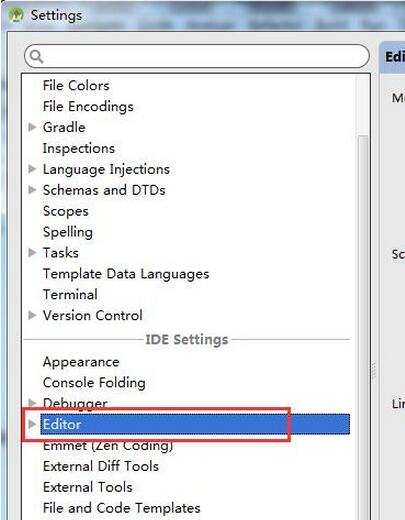
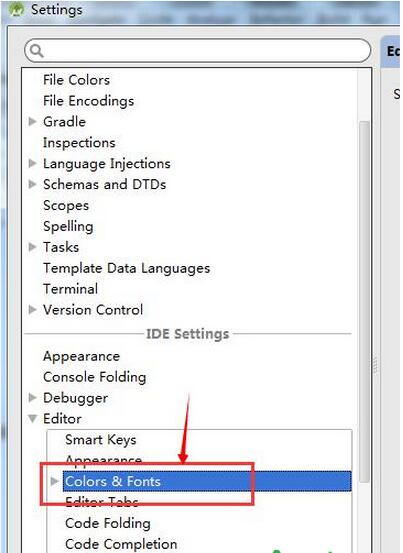
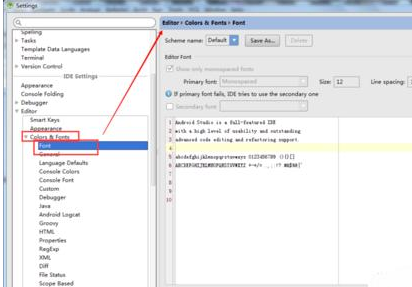
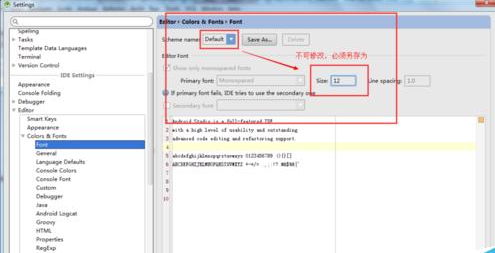
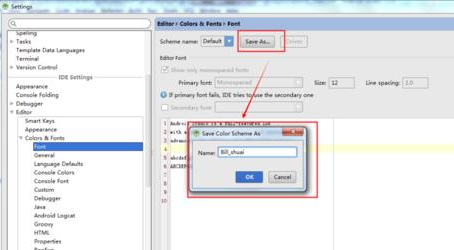
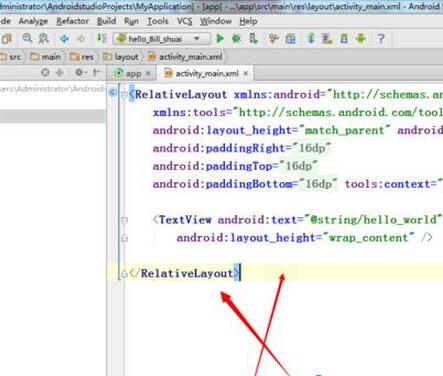
開啟 Android Studio 設定後,進入 Editor → Colors and Fonts → Font。預設方案無法直接修改,需先按 Save as 建立新方案。完成後即可調整字型大小,再按 Apply 套用。若希望整體閱讀更舒適,也可同步調整行距與程式碼色彩。
 Flyme帳戶怎麼設定?密碼與功能一次說明
不少魅族使用者對Flyme帳號的用途與設定方式仍不太清楚。簡單說,這是魅族自家推出的雲端服務,能把手機資料備份並同步到網路上,既方便也更安全。以下整理了帳戶設定與密碼相關
 手機硬件檢測安卓中文版評測:你的手機到底有什麼料
很多安卓用戶其實並不清楚自己的手機裡裝了什麼。型號是什麼?CPU 型號與時脈如何?記憶體實際可用多少?螢幕解析度是什麼規格?鏡頭支援哪些拍攝模式?問十個人,大概九個答不出
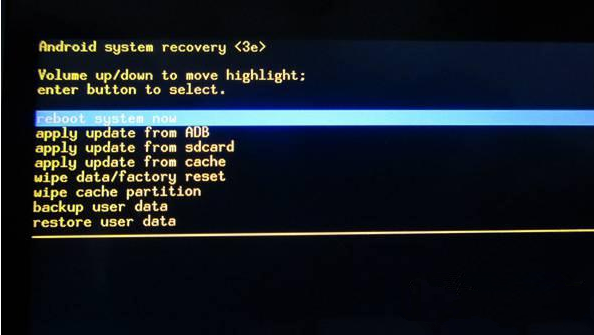 安卓手機 Recovery 模式怎麼進入?概念、按法與操作
問:安卓手機的 Recovery 模式怎麼進入? 答:先理解它是什麼,再記住按法。 Recovery 一般被稱為刷機模式或工程模式,功能上可以類比電腦的 GHOST 還原
 2013年四月十大安卓旗艦手機排行榜
Android 手機早已成為許多人購機的首選,因此在數量龐大的 Android 家族中,究竟哪些機型真正值得擁有,自然格外引人注目。假如你仍在幾款旗艦之間猶豫不決,不妨參