

編輯:Android 開發實例
想讓一張圖片疊在 Gallery 之上做出遮罩或邊框效果嗎?只要善用 RelativeLayout 的對齊屬性,讓 ImageView 覆蓋在 Gallery 上即可。以下是版面配置:
<RelativeLayout
xmlns:android="https://schemas.android.com/apk/res/android"
android:id="@+id/gallerylayout"
android:layout_width="fill_parent"
android:layout_height="fill_parent">
<Gallery
android:id="@+id/overview"
android:layout_width="fill_parent"
android:layout_height="wrap_content"
/>
<ImageView
android:id="@+id/navigmaske"
android:background="#0000"
android:src="@drawable/a2"
android:scaleType="fitXY"
android:layout_alignTop="@id/overview"
android:layout_alignBottom="@id/overview"
android:layout_width="fill_parent"
android:layout_height="wrap_content"
/>
</RelativeLayout>
關鍵在於兩個屬性:android:background="#0000" 將背景設為全透明,而 android:src="@drawable/a2" 指向的圖片要是 PNG 透明素材。透過 layout_alignTop 與 layout_alignBottom 讓 ImageView 上下都對齊 Gallery,就能完美覆蓋在其上,實現遮罩或裝飾效果。
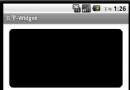 Android 實現圓角邊框:shape + corners 標籤用法詳解
本文說明如何用純 XML 的方式為控制項加上圓角背景,不必準備圖片素材。 做法是在 drawable-mdpi 目錄下定義一個 XML 檔,例如 corners_bg.x
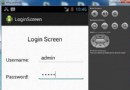 Android 登入功能實作全解析:從 textPassword 到三次失敗鎖定
登入畫面是大多數 App 的第一道門。它看似只是「兩個輸入框加一顆按鈕」,但真正做過就會發現,密碼欄的遮蔽設定、按鈕的事件綁定、錯誤態度的回饋、以及防止暴力嘗試的機制,每
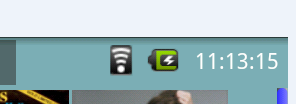 Android 監聽電池狀態並動態顯示電量與充電動態
本文講述如何在 Android 中監聽電池狀態,並動態顯示電量與充電情況,這是應用程式開發中非常常用的重要功能。分享給大家參考。具體方法如下: 使用 Android 系統
 Android 多語系支援:用 values 資源資料夾實作 App 在地化
一支上架 Google Play 的 App,面對的是全世界的使用者。要讓它在不同地區都讀起來順暢,就必須把介面文字、數字格式與其他資源依語言環境做調整。Android