

編輯:Android 開發實例
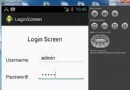
這個登入範例會限制使用者最多只能嘗試三次。每次輸入錯誤,剩餘次數會減少;當次數用完,登入按鈕將被停用。
畫面中需要使用者名稱、密碼、登入按鈕與剩餘次數文字。
<EditText
    android:id="@+id/editText1"
    android:layout_width="wrap_content"
    android:layout_height="wrap_content" />

<EditText
    android:id="@+id/editText2"
    android:layout_width="wrap_content"
    android:layout_height="wrap_content"
    android:inputType="textPassword" />
public void login(View view) {
    if (username.getText().toString().equals("admin") &&
        password.getText().toString().equals("admin")) {
        Toast.makeText(getApplicationContext(), "Redirecting...", Toast.LENGTH_SHORT).show();
    } else {
        Toast.makeText(getApplicationContext(), "Wrong Credentials", Toast.LENGTH_SHORT).show();
        counter--;
        attempts.setText(Integer.toString(counter));

        if (counter == 0) {
            login.setEnabled(false);
        }
    }
}
應用啟動後,會看到登入畫面與剩餘嘗試次數。

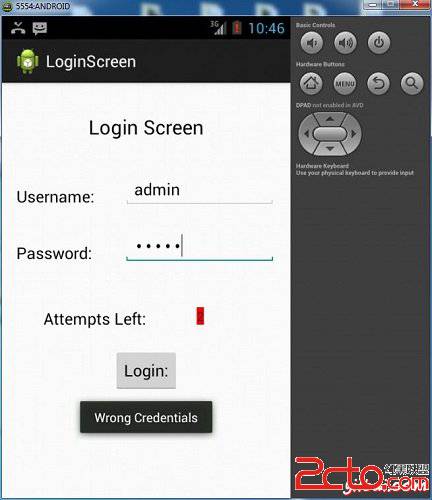
輸入錯誤的帳號或密碼後,會看到錯誤提示,剩餘次數也會減少。
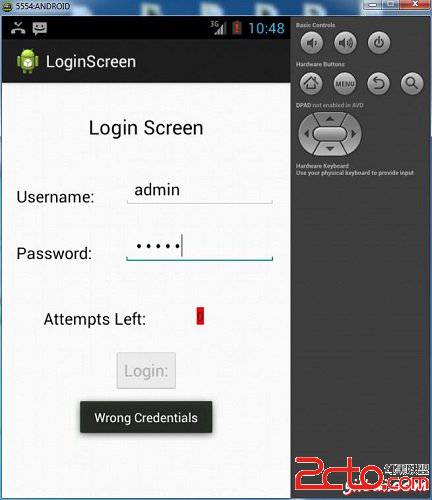
當三次嘗試都用完,登入按鈕會被停用。
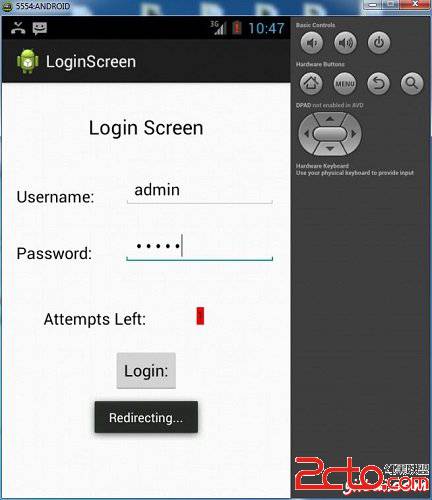
重新開啟應用並輸入正確的帳號與密碼,即可成功登入。
 Android 開發守則:多螢幕解析度相容的幾個關鍵做法
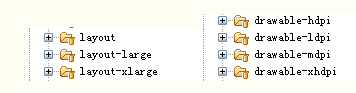
在打造 Android 應用時,畫面能否在不同尺寸的裝置上正確呈現,往往決定了使用者體驗的成敗。以下整理幾個實戰中累積的相容性原則。1. 佈局盡量採用線性佈局(Linea
 Android 多語言支援:用 values-it 資料夾讓 App 自動說義大利語
你的 App 可能同時裝在東京、羅馬與墨西哥城的手機上。如果介面永遠是同一種語言,等於自願放棄那些市場。Android 在資源系統的設計上早就想過這件事:只要依命名慣例準
 Android 登入功能實作:從輸入欄位到嘗試次數鎖定
登入畫面是許多 App 的第一道門檻,無論是自家服務的帳號,還是 Facebook、微博這類第三方授權。它看似簡單,實際上要顧到的細節不少:密碼必須遮蔽、錯誤要給明確回饋
 Android Spinner 載入動畫:按鈕觸發與顯示控制
Spinner 是 Android 中常見的等待提示元件。當使用者觸發某個操作,但系統需要一點時間處理時,可以用轉圈動畫告知目前仍在進行中。 基本設定 在版面配置中加入