

編輯:Android 開發實例
這篇把 API 文件中 style 底下的 theme 全部實測一遍。為了涵蓋不同版本,Level 11 以上用 3.0 模擬器,Level 11 以下則用 2.3.3(Nexus One)的環境。設定方式統一是在 AndroidManifest.xml 中,透過 activity 標籤的 android:theme 屬性指定。
系統預設主題,也就是當 activity 沒有明確指定 theme 時所採用的樣式。
The default system theme. This is the theme used for activities that have not explicitly set their own theme.
You can count on this being a dark background with light text on top, but should try to make no other assumptions about its appearance. In particular, the text inside of widgets using this theme may be completely different, with the widget container being a light color and the text on top of it a dark color.
重點在最後一句:不要對元件的外觀做任何過多假設。你能確定的只有「深色背景配淺色文字」這件事,元件容器本身可能是淺底深字。
什麼都不顯示。適合那些只是執行一段邏輯、在 resume 之前就自己 finish 掉的 Activity。
Default theme for activities that don't actually display a UI; that is, they finish themselves before being resumed.
預設(深色)主題的變體,去掉標題列。
原文:Variant of the default (dark) theme with no title bar
預設主題的變體,沒有標題列且填滿整個螢幕。
原文:Variant of the default (dark) theme that has no title bar and fills the entire screen
Special variation on the default theme that ensures the background is completely black. This is useful for things like image viewers and media players. If you want the normal (dark background) theme do not use this, use Theme.
它保證背景是「真正的全黑」,適合圖片檢視器、媒體播放器這類需要純黑底襯托內容的場景。若只是想要一般的深色主題,應該用 Theme 而不是這個。
黑底主題去掉標題列。
原文:Variant of the black theme with no title bar
黑底、無標題列、全螢幕。
原文:Variant of the black theme that has no title bar and fills the entire screen
Theme for a light background with dark text on top. Set your activity to this theme if you would like such an appearance. As with the default theme, you should try to assume little more than that the background will be a light color.
淺底深字,與 Theme_Black 剛好相反。同樣地,除了「背景是淺色」之外不要多做假設。
淺底、無標題列。
原文:Variant of the light theme with no title bar
淺底、無標題列、全螢幕。
原文:Variant of the light theme that has no title bar and fills the entire screen
Default theme for dialog windows and activities, which is used by the Dialog class. This changes the window to be floating (not fill the entire screen), and puts a frame around its contents. You can set this theme on an activity if you would like to make an activity that looks like a Dialog.
整個 Activity 會以浮動視窗的形式出現,內容外圍有框線。實測必須自行指定大小,否則內容會顯示不全。
Default dark theme for panel windows. This removes all extraneous window decorations, so you basically have an empty rectangle in which to place your content. It makes the window floating, with a transparent background, and turns off dimming behind the window.
相當於把 Dialog 的所有元素都拿掉,只剩一個空的矩形框,且視窗浮動、背景透明、 disable 掉背後的調暗效果。需自訂大小否則顯示不全。
面板主題的淺色版本,其餘行為與 Theme_Panel 相同。需自訂大小。
供輸入法使用的面板式主題。
Default theme for windows that want to have the user's selected wallpaper appear behind them.
讓使用者挑選的桌布透出來當背景。
Theme for a wallpaper's setting activity that is designed to be on top of a dark background.
專供桌布的設定畫面使用,設計前提是它會疊在深色背景之上。(實測時發現畫面上變暗的是前一層介面而非桌布本身,這點值得留意。)
同上,但設計前提是疊在淺色背景之上。
桌布背景、無標題列。
原文:Variant of the translucent theme with no title bar
桌布背景、無標題列、全螢幕。
原文:Variant of the translucent theme that has no title bar and fills the entire screen
Default theme for translucent activities, that is windows that allow you to see through them to the windows behind. This sets up the translucent flag and appropriate animations for your windows.
會把啟動這個 Activity 之前的畫面保留下來、以半透明方式呈現在背後,並套用對應的轉場動畫。適合做浮層式的操作介面。
半透明、無標題列。
原文:Variant of the translucent theme with no title bar
半透明、無標題列、全螢幕。
原文:Variant of the translucent theme that has no title bar and fills the entire screen
這些主題其實可以沿著三個維度來拆解:底色(預設深色/Black 純黑/Light 淺色)、視窗形態(正常、Dialog 浮動框線、Panel 空白矩形、Translucent 半透明、Wallpaper 桌布透出)、裝飾(要不要標題列、要不要全螢幕)。看懂這個結構之後,遇到沒見過的組合名稱也能推測出它的行為。
另外提醒兩點:使用 Dialog 與 Panel 系列時務必自行處理視窗尺寸,否則內容會被裁切;而 Theme 系列對元件外觀不做保證,因此版面不要假設元件一定是深底或淺底,該指定的顏色還是要自己指定。
 ListView 動態修改字體大小的實例講解
本文實現一個小效果:點擊列表中某一項,該項的文字變大。核心思路只有兩個方法——自定義 Adapter 的 getView() 負責渲染,setOnItemClickLis
 Android 音樂播放器:MediaPlayer 播放與跳轉
若要在 Android App 中播放音樂,MediaPlayer 是最直接的選擇。它可以播放 raw 資源中的音訊檔,也能搭配 SeekBar 做進度控制。 載入音樂檔
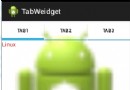 Android TabWidget 切換卡片的實現應用
TabWidget 常用於實作多標籤切換畫面,類似傳統電話簿的分頁效果。它的核心容器是 TabHost,每個 Tab 都可以對應自己的內容布局,並透過 addTab 加入
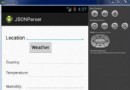 Android JSON 解析器:從結構化資料中讀取所需欄位
JSON 是什麼?JSON(JavaScript Object Notation)是一種輕量級、易於閱讀與撰寫的資料交換格式。相較於 XML,JSON 的語法更簡潔,特別