

編輯:Android 開發實例
稍早已發表過一篇「使用 Gallery 實現縮圖瀏覽器」,今天要介紹的是另一款性質相近、但呈現方式截然不同的控制項。它以「網格」的形式排列內容,也就是說,當我們用它來展示一組圖片時,圖片會以類似九宮格的效果整齊鋪陳,而它的名字也正呼應了這個特性——網格控制項 GridView。
先來看看如何在版面配置中宣告這個控制項。
<GridView xmlns:android="https://schemas.android.com/apk/res/android"
android:id="@+id/gridView"
android:layout_width="fill_parent"
android:layout_height="fill_parent"
android:padding="10px"
android:verticalSpacing="10px" //垂直間隔
android:horizontalSpacing="10px" //橫向間隔
android:numColumns="auto_fit" //自適應列數
android:columnWidth="60px" //列寬
android:stretchMode="columnWidth" //縮放與列寬大小同步
android:gravity="center">
</GridView>
接著,只要為 GridView 指定一個自訂的轉接器就行了。這裡我們同樣用它來顯示圖片。
GridView gridView = (GridView) findViewById(R.id.gridView);
gridView.setAdapter(new ImageAdapter(this));
至於轉接器的具體定義,可以參考「使用 Gallery 實現縮圖瀏覽器」這篇文章——它的原理與功能幾乎完全一致,差別僅在於呈現的方式不同,因此這裡就不再贅述了。
 Android Spinner 載入動畫實作指南
當 App 執行網路請求或讀取資料時,使用者需要知道系統正在忙碌。Android 的 ProgressBar 可分為進度條與 Spinner;若任務總長度未知,Spinn
 Android MediaPlayer:打造自己的音樂播放器
要在 Android 上播放音訊或影片,最直接的方式就是使用 MediaPlayer 類別。它是系統內建媒體播放服務的 Java 介面,音訊、影片、串流都吃得住,同時 a
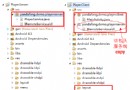 Android 進程間通訊原理剖析:AIDL 與 Service 實戰
Service 的兩種型態 · 本地服務(Local Service):在同一個 APK 內被呼叫 · 遠端服務(Remote Service):由另一個 APK 呼叫,
 Android 左右滑動與索引圖示效果實作
在許多圖片瀏覽或引導頁面中,常會看到左右滑動切換圖片,並在下方顯示對應索引圖示的效果。這個功能可以透過 Gallery 與 ImageView 組合完成。自訂 Galle