編輯:Android開發教程
我們在前面例子Android RoboGuice 使用指南(4):Linked Bindings 時為簡單 起見,定義MyRectangle和MySquare時為它們定義了一個不帶參數的構造函數,如 MyRectangle的如下:
public class MyRectangle extends Rectangle{


 public MyRectangle(){
 super(50,50,100,120);
 }
 public MyRectangle(int width, int height){
 super(50,50,width,height);
 }
}
實際上可以不需要這個不帶參數的構造函數,可以使用Instance Bindings ,Instance Bindings可以將一個類型綁定到一個特定的實例對象,通 常用於一個本身不依賴其它類的類型,如各種基本類型,比如:
bind

(String.class)
 .annotatedWith(Names.named("JDBC URL"))
 .toInstance("jdbc:mysql://localhost/pizza");
bind(Integer.class)
 .annotatedWith(Names.named("login timeout seconds"))
 .toInstance(10);
修改MyRectangle和MySquare的定義如下:
public class MySquare extends MyRectangle {
 @Inject
 public MySquare(@Named("width") int width){
 super(width,width);
 }
}
...
public class MyRectangle extends Rectangle{

 @Inject
 public MyRectangle(@Named("width") int width,
 @Named("height")int height){
 super(50,50,width,height);
 }
}
去掉了無參數的構造函數,可以將標注為@Named(“width”)的int 類 型綁定到100,添加下面綁定:
bind(Integer.class)
 .annotatedWith(Names.named("width"))
 .toInstance(100);
bind(Integer.class)
 .annotatedWith(Names.named("height"))
 .toInstance(120);
運行這個例子,可以得到和前面例子同樣的結果。 此時使用Injector 構造一個MyRectangle 實例時,Injector自動選用帶參數的那 個構造函數,使用100,120為width和height注入參數,返回一個MyRectangle對 象到需要引用的地方。
盡管可以使用Instance Bindings將一個類型映射 到一個復雜類型的類實例,但RoboGuice不建議將Instance Bindings應用到復雜 類型的實例,因為這樣會使應用程序啟動變慢。
正確的方法是使用 @Provides 方法,將在下面介紹。
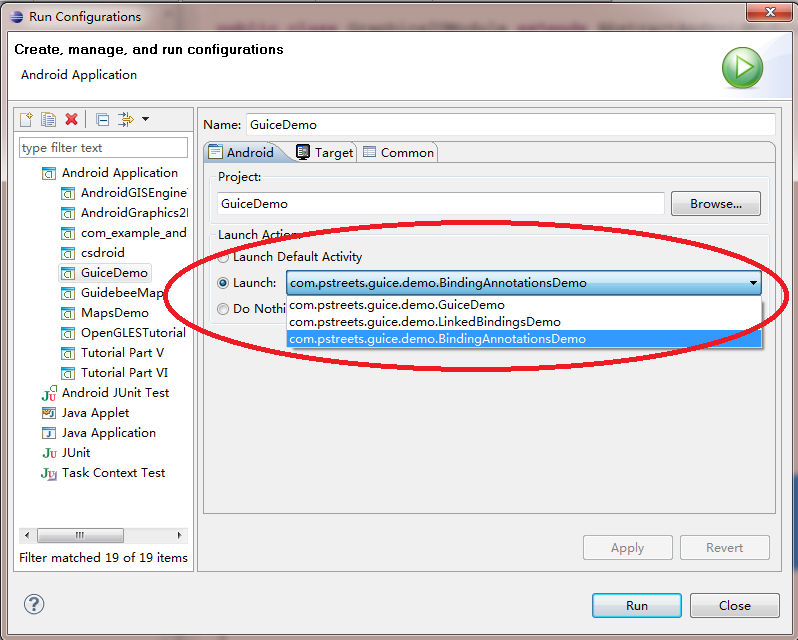
注:GuiceDemo 中的例子沒用使用列表 的方法來顯示所有示例,如需運行所需示例,可以通過Run Configuration-> 設置Launch 的Activity:
查看全套文章:http://www.bianceng.cn/OS/extra/201301/34950.htm
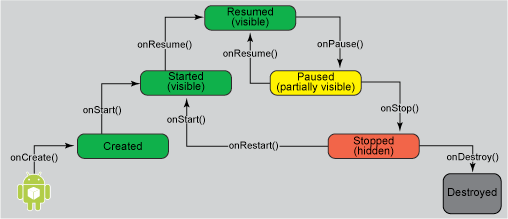 面向大眾的移動技術:Android應用程序生命周期中的活動與圖標
簡介如今移動設備的功能已經強大到難以置信,比眾多開發人員用來編寫首個程序的桌面計算機還 要強大得多。因此,大家很容易忘記移動設備仍然屬於資源有限的環境。開發移動應用程序時
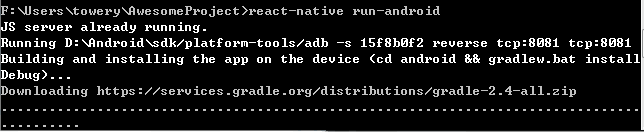 React Native Android gradle下載慢有關問題解決
React Native Android gradle下載慢問題解決很多人會遇到 初次運行 react-native run android的時候 gradle下載極慢,
 Android Studio如何自動(auto)添加import 語句
Eclipse自動添加import語句, 使用Ctrl + Shift + o組合, 可以自動查找java的import語句進行添加;Android默認是Alt+Ente
 Android GUI系統之SurfaceFlinger(11) SurfaceComposerClient
1.1.1 SurfaceComposerClient圖 11?28 每個應用程序在SurfaceFlinger中都對應一個ClientSurfaceFlinger運行於