編輯:Android開發教程
Android SDK集成了Apache HttpClient模塊。要注意的是,這裡的Apache HttpClient模塊是 HttpClient 4.0(org.apache.http.*),而不是常見的 Jakarta Commons HttpClient 3.x (org.apache.commons.httpclient.*)。
HttpClient常用 HttpGet和HttpPost這兩個類,分別對應Get方式和Post方式。
無論是使用HttpGet,還是使用HttpPost,都必須通過如下3步來訪問HTTP資源。
1.創建HttpGet或HttpPost對象,將要請求的URL通過構造方法傳入HttpGet或 HttpPost對象。
2.使用DefaultHttpClient類的execute方法 發送HTTP GET或HTTP POST請求,並返回HttpResponse對象。
3.通過HttpResponse接口的getEntity方法返回響應信息,並進行相應的處理。
如果使用HttpPost方法提交HTTP POST請求,則需要使用HttpPost類的setEntity方法 設置請求參數。參數則必須用NameValuePair[]數組存儲。
下面給出一些實例:
Get方式:
// HttpGet方式請求
public static void requestByHttpGet() throws Exception {
    String path = "https://reg.163.com/logins.jsp?id=helloworld&pwd=android";
    // 新建HttpGet對象
    HttpGet httpGet = new HttpGet(path);
    // 獲取HttpClient對象
    HttpClient httpClient = new DefaultHttpClient();
    // 獲取HttpResponse實例
    HttpResponse httpResp = httpClient.execute(httpGet);
    // 判斷是夠請求成功
    if (httpResp.getStatusLine().getStatusCode() == HTTP_200) {
        // 獲取返回的數據
        String result = EntityUtils.toString(httpResp.getEntity(), "UTF-8");
        Log.i(TAG_HTTPGET, "HttpGet方式請求成功,返回數據如下:");
        Log.i(TAG_HTTPGET, result);
    } else {
        Log.i(TAG_HTTPGET, "HttpGet方式請求失敗");
    }
}
public String doGet()
    {
        String uriAPI = "http://XXXXX?str=I+am+get+String";
        String result= "";
//      HttpGet httpRequst = new HttpGet(URI uri);
//      HttpGet httpRequst = new HttpGet(String uri);
//      創建HttpGet或HttpPost對象,將要請求的URL通過構造方法傳入HttpGet或HttpPost對象。
        HttpGet httpRequst = new HttpGet(uriAPI);

//      new DefaultHttpClient().execute(HttpUriRequst requst);
        try {
   //使用DefaultHttpClient類的execute方法發送HTTP GET請求,並返回HttpResponse對象。
            HttpResponse httpResponse = new DefaultHttpClient().execute(httpRequst);//其中HttpGet是HttpUriRequst的子類
            if(httpResponse.getStatusLine().getStatusCode() == 200)
            {
                HttpEntity httpEntity = httpResponse.getEntity();
                result = EntityUtils.toString(httpEntity);//取出應答字符串
            // 一般來說都要刪除多余的字符
                result.replaceAll("\r", "");//去掉返回結果中的"\r"字符,否則會在結果字符串後面顯示一個小方格
            }
                   else
                        httpRequst.abort();
           } catch (ClientProtocolException e) {
            // TODO Auto-generated catch block
            e.printStackTrace();
            result = e.getMessage().toString();
        } catch (IOException e) {
            // TODO Auto-generated catch block
            e.printStackTrace();
            result = e.getMessage().toString();
        }
        return result;
    }
 Android簡明開發教程四:Android應用基本概念
Android平台的一個顯著的特點是“低耦合”。Activity是Android應用的一個最基本的用戶UI模塊。如果采用Windows Form
 Android 系統中 Location Service 的實現與架構
前言定位服務是移動設備上最常用的功能之一,下文以 Android 源碼為基礎,詳細分析了 Android 系統中定 位服務的架構和實現。定位服務是 Android 系統提
 Android屬性動畫之實現靈動菜單效果
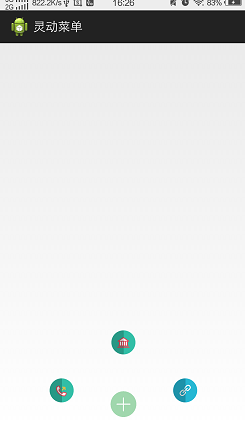
前段時間,我學習了自定義View,基本能夠繪制一些比較好看的控件,那麼今天開始,我將會學習屬性動畫。前面我也簡單的看過屬性動畫的概念,然後也是看了一下效果,了解了一些基本
 Android ApiDemos示例解析(20) App->Alarm->Alarm Service
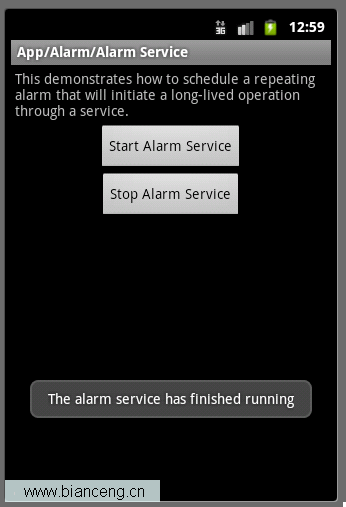
Alarm Service和Alarm Controller 例子非常類似,只是Alarm Service是用來Schedule一個Service,而前面的例子是來 Sc