編輯:Android開發教程
先明確幾個概念的區別:
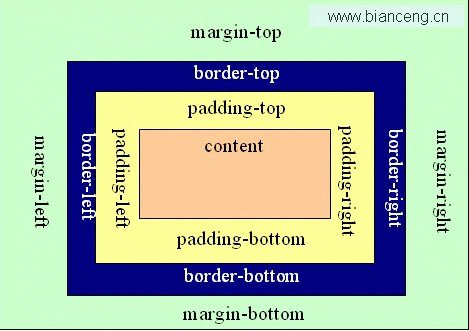
padding margin:都是邊距的含義,關鍵問題得明白是什麼相對什麼的邊距
padding:是 控件的內容相對控件的邊緣的邊距.
margin :是控件邊緣相對父空間的邊距
android:gravity是 對該view 內容的限定.
比如一個button 上面的text. 你可以設置該text 在view的靠左,靠右等位置.該屬性就干了這 個.
android:layout_gravity 是用來設置該view中的子view相對於父view的位置.
比如一個button 在 linearlayout裡,你想把該button放在靠左,靠右等位置就可以在linearlayout中通過該屬性設置
XML 布局文件
<?xml version="1.0" encoding="utf-8"?>
<LinearLayout xmlns:android="http://schemas.android.com/apk/res/android"
    android:orientation="horizontal"
    android:layout_width="fill_parent"
    android:layout_height="wrap_content"
    android:gravity="center_vertical">

    <ImageView android:id="@+id/ivLogo"
        android:layout_width="50dp"
        android:layout_height="50dp"
        android:src="@drawable/icon"
        android:paddingLeft="5dp" />

    <RelativeLayout android:id="@+id/rl_name"
        android:layout_width="wrap_content"
        android:layout_height="wrap_content"
        android:gravity="right"
        android:padding="10dp">

        <TextView android:id="@+id/tvApplicationName"
            android:layout_width="wrap_content"
            android:layout_height="wrap_content"
            android:textSize="16dp" />
    </RelativeLayout>

    <RelativeLayout android:id="@+id/rl_score"
        android:layout_width="fill_parent"
        android:layout_height="wrap_content"
        android:gravity="right"
        android:padding="10dp">

        <TextView android:id="@+id/tvRating"
        android:layout_width="wrap_content"
            android:layout_height="wrap_content"
            android:text="5.0" />

        <RatingBar android:id="@+id/ratingbar"
            android:layout_width="wrap_content"
            android:layout_height="wrap_content"
            android:numStars="5"
            style="?android:attr/ratingBarStyleSmall"
            android:layout_below="@id/tvRating" />
    </RelativeLayout>

</LinearLayout>
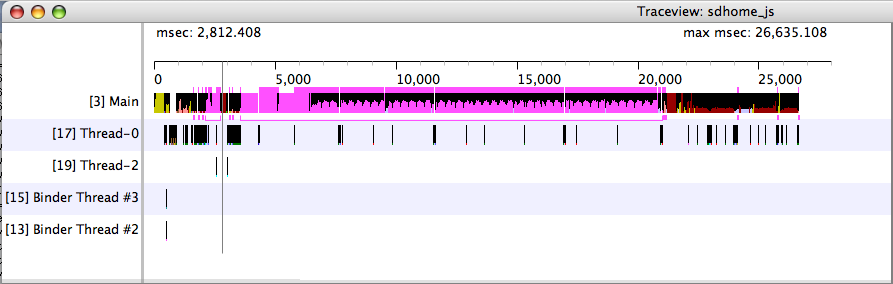 Android代碼調試工具traceview 和 dmtracedump簡介
Android 程序調試工具 Google為我們提供的代碼調試工具的亮點:traceview和 dmtracedump 。有了這兩個工具,我們調試程序分析bug
 實現Android CI
CI在web-based application上已經有了非常成熟的實現,由此也積累了大量的優秀實踐。但這些實踐在 Android平台中是否適用? 已知的CI工具是否能夠
 如何apk反編譯破解Android程序
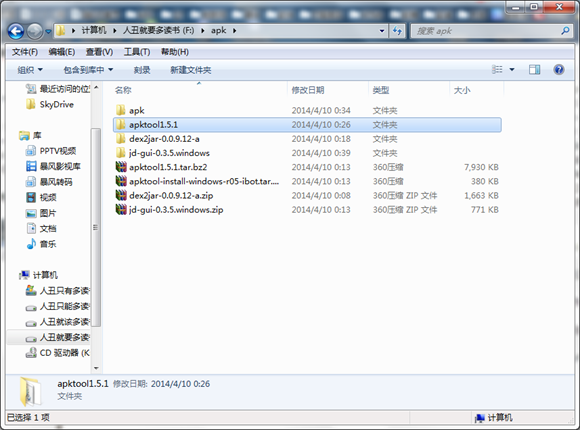
把apktool-install-windows-r05-ibot文件裡的兩個文件剪切到apktool1.5.1目錄。新建一個文件夾把需要破解的apk應用程序放進去。在此
 Android Xposed框架中如何創建模塊
當然,你可以去學習如何創建一個Xposed模塊。所以你可以閱讀這篇教程(官方教程)去學習怎樣解決這個問題。這不僅僅講解如何新建模塊、如何編寫模塊,我們要往更深處思考,為什