

編輯:初階開發
我們幾乎每天都會用百度或 Google 搜尋,輸入框裡才打兩個字,候選詞就自動跳出來。這種效果在 Android 上要怎麼做?其實只要把 AutoCompleteTextView 這個 Widget 搭配 ArrayAdapter,就能做出類似的提示體驗。
三步即可完成:先在 Layout 中放一個 AutoCompleteTextView;接著準備一組字串陣列;最後透過 setAdapter 把 ArrayAdapter 掛上去。掛好之後,只要輸入 ab,所有含 ab 的字串就會自動列入候選。
<?xml version="1.0" encoding="utf-8"?>
<LinearLayout xmlns:android="https://schemas.android.com/apk/res/android"
    android:orientation="vertical"
    android:layout_width="fill_parent"
    android:layout_height="fill_parent"
    >
    <TextView
        android:layout_width="fill_parent"
        android:layout_height="wrap_content"
        android:text="Please input:"
        />
    <AutoCompleteTextView
        android:id="@+id/actv"
        android:layout_width="fill_parent"
        android:layout_height="wrap_content"
        />
</LinearLayout>
package com.android.test;

import android.app.Activity;
import android.os.Bundle;
import android.widget.ArrayAdapter;
import android.widget.AutoCompleteTextView;

public class AutoCompleteTextViewDemo extends Activity {

    private AutoCompleteTextView actv;
    private static final String[] autoStrs = new String[]{"a","abc","abcd","abcde","ba"};

    public void onCreate(Bundle savedInstanceState) {
        super.onCreate(savedInstanceState);
        setContentView(R.layout.main);

        // 透過 findViewById() 取得 actv
        actv = (AutoCompleteTextView) findViewById(R.id.actv);

        // 建立 ArrayAdapter 並把 autoStrs 字串陣列帶入
        ArrayAdapter<String> adapter = new ArrayAdapter<String>(this,
                android.R.layout.simple_dropdown_item_1line, autoStrs);
        actv.setAdapter(adapter);
    }
}
這個範例的資料是寫死在程式裡的,實務上更常見的是把 adapter 換成自訂的 CursorAdapter 或繼承 BaseAdapter 的實作,資料來源改為資料庫或網路 API,並自行覆寫 getFilter 控制比對邏輯。另外可搭配 setThreshold(1) 調整觸發提示所需的最小字元數,或實作 OnItemClickListener 處理使用者選中候選後的後續動作。
 Android 開發講義(四):純委託寫法與 UID 權限機制
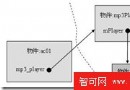
範例三:採單純委託 撰寫步驟 Step-1:建立 Android 專案 Px03。 Step-2:ac01 直接持有 mp3Player 物件,UI 結構與前兩版一致:
 HTC Hero 玩家自製 ROM:把 Android 2.1 裝進 Hero
HTC Hero 是一款硬體配置相當堅實的智慧型手機,對不同版本的 Android 系統展現出不錯的相容性。先前就曾有用戶把 HTC 新機 Espresso 內建的 An
 讓 Android 應用相容多種螢幕解析度
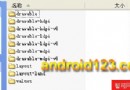
Android 裝置解析度差異大,常見包含 QVGA、HVGA、WVGA、FWVGA 等。若圖片資源未針對不同解析度設計,可能出現拉伸或顯示異常。Resource 目錄可
 Android ApiDemo 圖形與視圖(五):Spinner、Tab 頁籤與 WebView 入門
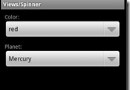
本篇是 ApiDemo「Graphics and Views」系列筆記的收尾,涵蓋第 70 到 76 號範例:下拉選單 Spinner、三種不同風格的 Tab 實作、帶切