

編輯:進階開發
現在的 Android 手機大多內建重力感應器,能偵測手機的翻轉,進而實現螢幕自動旋轉、重力感應遊戲等功能。要啟用螢幕自動旋轉其實很簡單,但伴隨而來的副作用更需要妥善處理。
只要在 AndroidManifest.xml 對應的 Activity 加上 screenOrientation="sensor" 屬性即可:
<activity
    android:name=".demo"
    android:label="@string/app_name"
    android:screenOrientation="sensor" >
</activity>
螢幕自動旋轉帶來一個困擾:當視窗或佈局切換時,Activity 的 onCreate() 會被重複觸發。由於初始化資料通常寫在 onCreate 裡,重複執行可能釀成意料之外的後果。
在 Activity 加入 configChanges 屬性,並在 Java 中重載 onConfigurationChanged(),即可避免旋轉時重新走一次 onCreate:
<activity
    android:name="demo"
    android:configChanges="orientation|keyboardHidden"
    android:label="@string/app_name" >
</activity>
@Override
public void onConfigurationChanged(Configuration newConfig) {
    super.onConfigurationChanged(newConfig);
    if (this.getResources().getConfiguration().orientation == Configuration.ORIENTATION_LANDSCAPE) {
        // 橫向處理
    } else if (this.getResources().getConfiguration().orientation == Configuration.ORIENTATION_PORTRAIT) {
        // 縱向處理
    }
}
此外還有介面設計層面的考量。多數 Android 手機採用 HVGA、WVGA 解析度,螢幕視覺上偏「狹長」,直向看似合適的版面,橫向翻轉後往往顯示得別扭。這時可以把控制項由垂直線性版面改為水平線性版面。
做法是自訂一個繼承自 LinearLayout 的版面類別,覆寫 onMeasure()。當螢幕寬高改變時系統會呼叫此方法,我們便能取得新的寬高並據此調整:
@Override
protected void onMeasure(int widthMeasureSpec, int heightMeasureSpec) {
    int screenWith = View.MeasureSpec.getSize(widthMeasureSpec);
    int screenHeight = View.MeasureSpec.getSize(heightMeasureSpec);

    if (screenWith < screenHeight) {          // 直向版面
        this.setOrientation(VERTICAL);
        for (int i = 0; i < getChildCount(); i++) {
            View childView = getChildAt(i);
            if (childView instanceof CakyCanvas) {
                LayoutParams params = new LayoutParams(screenWith, screenHeight * 2 / 5);
                updateViewLayout(childView, params);
            } else if (childView instanceof CakyExplainCanvas) {
                LayoutParams params = new LayoutParams(screenWith, screenHeight * 3 / 5);
                updateViewLayout(childView, params);
            }
        }
    } else {                                  // 橫向版面
        this.setOrientation(HORIZONTAL);
        for (int i = 0; i < getChildCount(); i++) {
            View childView = getChildAt(i);
            if (childView instanceof CakyCanvas) {
                LayoutParams params = new LayoutParams(screenWith * 2 / 5, screenHeight);
                updateViewLayout(childView, params);
            } else if (childView instanceof CakyExplainCanvas) {
                LayoutParams params = new LayoutParams(screenWith * 3 / 5, screenHeight);
                updateViewLayout(childView, params);
            }
        }
    }
    super.onMeasure(widthMeasureSpec, heightMeasureSpec);
}
處理螢幕旋轉可以分成三個層次:先用 screenOrientation 開啟自動旋轉,再用 configChanges 與 onConfigurationChanged 攔截旋轉事件避免重複初始化,最後在版面層級透過覆寫 onMeasure 依寬高動態調整控制項排布,做出真正自適應的體驗。
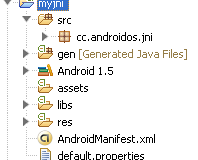 NDK 入門專案實戰(五)
7. 加入 Android 專案中運行 把 apps\myjni\libs 整個資料夾複製到 Android 專案底下: 運行 Android 專案,並用 adb sh
 Android 系列教學:Activity 生命週期實戰演示
Activity 的生命週期是 Android 開發的核心概念之一。本文透過一個可實際運行的範例,示範各生命週期方法的執行順序,幫助你真正理解 Activity 從建立到
 Android 那些事兒(一):成長中的 Android
Android 是近年行動裝置行業最火熱的詞彙之一。本文從互動設計的角度出發,分三部分聊聊 Android 的那些事兒。 第一部分:成長中的 Android◆ 什麼是 A
 SurfaceView 繪圖攻略:覆蓋刷新與髒矩形刷新實作
在 Android 上做遊戲,SurfaceView 幾乎是標配。它最大的好處是擁有獨立的繪圖表面,可以在自己的執行緒裡不停重畫,不必受 View 單執行緒模型拖累。以下