

編輯:進階開發
初學 Android 時,畫面之間傳遞資料是很實用的技能。本文整理兩種常見做法:透過 Intent 傳遞,以及透過 SharedPreferences 暫存。
傳字串時,在來源 Activity 中:
String text = "hello";

Intent intent1 = new Intent(ActivityMain.this, Activity2.class);

intent1.putExtra("activity1", text);

startActivity(intent1);
傳物件時,物件需實作 Serializable 介面,再用 Bundle 包裝:
Bundle mbundle = new Bundle();

mbundle.putSerializable("user", userList.get(position));

Intent in = new Intent(getApplicationContext(), activity2.class);

in.putExtras(mbundle);

startActivity(in);
在目標 Activity 中接收:
// 接收字串

Bundle extras = getIntent().getExtras();

if (extras != null) { textView.setText(extras.getString("activity1")); }

// 接收物件

Bundle bundel = getIntent().getExtras();

User user = (User) bundel.get("user");
在來源 Activity 中寫入:
SharedPreferences sp = getSharedPreferences("textinfo", 0);

Editor editor = sp.edit();

editor.putString("text", "hello");

editor.commit();

startActivity(new Intent(getApplicationContext(), activity2.class));
在目標 Activity 中讀取:
SharedPreferences share = getSharedPreferences("textinfo", 0);

String text = share.getString("text", null);

msgTextView.setText(text);
Intent 適合即時、一次性的資料傳遞;SharedPreferences 則適合需要持久保存的簡單鍵值資料。
 Android 多任務的真相:便利的通知機制與尚未補齊的短板
Android 手機平台的強大之處不勝枚舉,這裡先談幾項基本特性。有些功能在國內難以實現,但已支援中文的語音搜尋,多少看出 Google 對中國市場的重視。 地圖與瀏覽
 不是蜂巢!Google 公布 Android 3.0 官方標識是一隻蜜蜂
Android 3.0 Honeycomb(蜂巢)已在 2011 年 CES 上亮相,最終預覽版 SDK 也釋出,稍後的 Google I/O 大會還會重點講解。不過在此
 Android 實例剖析筆記(六)
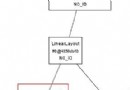
2. UI 優化 Android 的 tools 目錄下提供了許多實用工具,這裡介紹其中一個用於查看當前 UI 結構視圖的工具 hierarchyviewer。打開 t
 Dashboard:Android 使用者自訂 UI 設計模板解析
Dashboard(儀表板)原本是 Apple 在 Mac OS X v10.4 Tiger 中推出的應用,作為執行各類 widget 小程式的基礎。在 Android