

編輯:進階開發
先前我們談過錄音與錄影的實作,這次來看播放。Android 內建的 VideoView 幾乎把播放器的髒活都包好了,只要指定影片路徑再叫 start() 就能跑起來。
import android.app.Activity;
import android.os.Bundle;
import android.view.View;
import android.view.View.OnClickListener;
import android.widget.Button;
import android.widget.VideoView;

public class VideoPlayer extends Activity {
    /** Called when the activity is first created. */
    @Override
    public void onCreate(Bundle icicle) {
        super.onCreate(icicle);
        setContentView(R.layout.main);

        final VideoView w = (VideoView) findViewById(R.id.vdoplayer);

        Button cmdload = (Button) this.findViewById(R.id.cmd_load);
        cmdload.setOnClickListener(new OnClickListener() {
            public void onClick(View arg0) {
                w.setVideoPath("/sdcard/android/kongfu.mp4");
            }
        });

        Button cmdplay = (Button) this.findViewById(R.id.cmd_play);
        cmdplay.setOnClickListener(new OnClickListener() {
            public void onClick(View arg0) {
                w.start();
            }
        });

        Button cmdpause = (Button) this.findViewById(R.id.cmd_pause);
        cmdpause.setOnClickListener(new OnClickListener() {
            public void onClick(View arg0) {
                w.pause();
            }
        });
    }
}<?XML version="1.0" encoding="utf-8"?>
<LinearLayout XMLns:android="https://schemas.android.com/apk/res/android"
android:orientation="vertical"
android:layout_width="fill_parent"
android:layout_height="fill_parent" >
<Button android:id="@+id/cmd_load"
android:layout_width="fill_parent"
android:layout_height="wrap_content"
android:text="load" />
<Button android:id="@+id/cmd_play"
android:layout_width="fill_parent"
android:layout_height="wrap_content"
android:text="Play" />
<Button android:id="@+id/cmd_pause"
android:layout_width="fill_parent"
android:layout_height="wrap_content"
android:text="pause" />
<VideoView android:id="@+id/vdoplayer"
android:layout_width="fill_parent"
android:layout_height="300px" />
</LinearLayout>三個按鈕分別負責載入、播放與暫停,邏輯非常直白。實務上有兩點要留意:一是寫死的路徑(這裡是 /sdcard/android/kongfu.mp4)在正式版本中應改為動態選擇;二是 VideoView 的尺寸最好別用 px,改用 dip 或 match_parent 之類的單位,換到不同解析度的裝置上才不會跑掉。
 Android 單元測試入門:JUnit 在 Android 上的正確用法
Android 應用程式是 Google 策略的重要一環。最上層是各類應用軟體——通話、簡訊等,這些由各公司自行以 Java 開發,並搭配 junit.jar,理論上已具
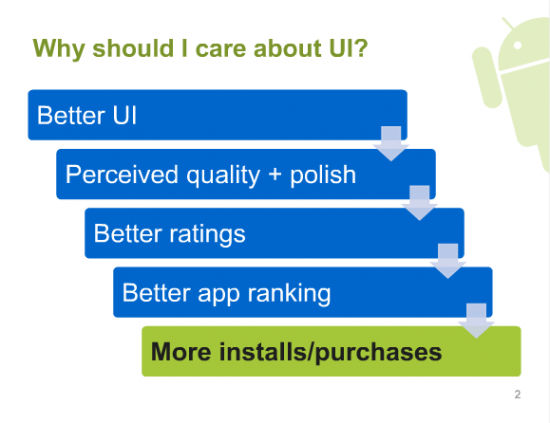 圖解 Android UI 設計官方教程:五不要與核心設計模式
先前我們分享過《MeeGo 行動終端裝置開發 UI 設計基礎教程》,同時也收到不少讀者在找 Android UI 開發的教材。這次整理自 Android 官方開發者部落格
 Android Dashboard 設計模板的實際產品案例
本文整理幾個採用 Android Dashboard 設計模板的實際產品,讓抽象的模式變得更具體。 在 Google 開發者日(GDD)上,Dashboard 是以推薦信
 Win7 建置 Android 開發環境(2):三個環境變數怎麼設
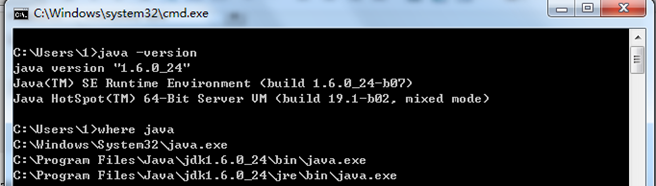
PATH PATH 讓系統可以在任何路徑下辨識 java 命令,設為: %JAVA_HOME%\bin;%JAVA_HOME%\jre\bin CLASSPATH CLA