

編輯:進階開發
新手在做 Android 開發時,常對 Thread、Message、Handler 與 Looper 的關係不太清楚,於是容易碰到這類錯誤:
The content of the adapter has changed but ListView did not receive a notification. Make sure the content of your adapter is not modified from a background thread but only from the UI thread.
意思是:你在背景執行緒中修改了 Adapter 的內容,但 ListView 並沒有收到通知,導致它顯示的資料與實際不符。
一、把修改動作搬回 UI 執行緒。Adapter 內容的變更必須在 UI 執行緒中進行。實作上可以透過 Handler 把訊息拋回主執行緒處理,這是 Android 中最典型的執行緒溝通方式。
二、明確發出通知。在資料變更後呼叫 Adapter 的 notifyDataSetChanged(),讓 ListView 知道該重新綁定。不過具體要不要呼叫、在哪裡呼叫,仍得依你的程式結構而定。
如果能提供更具體的程式碼,通常可以給出更精準的診斷,但這兩點已能涵蓋絕大多數案例。
 Android+ARM 組合在 Computex 2009 大放異彩
報告中寫道:「Android 是首款受到強力消費品牌青睞的 Linux 作業系統,而它背後的這隻強力推手,正是 Google。」 報告也坦承,Android 目前仍
 解讀Android 2.0的多重難題:支付、功能缺口與應用商店
Android 2.0系統要在國內落地,面臨不少問題,其中最棘手的是支付環節。易聯致遠CTO姚尚朗表示,開發者與用戶都期待更多元的支付平台。 從1.6到2.0的規格演進
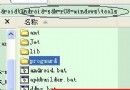 Android 2.3 SDK 新特性實測:用 ProGuard 混淆你的 APK
Android 2.3 SDK 有兩個容易被忽略、但對正式發布很有幫助的變化,都與程式碼混淆有關。 變化一:tools 目錄裡出現了 proguard 裝好 2.3 之
 多彩的 Android 手機系統:從 Dalvik 到應用市場的產業鏈效應
Dalvik 虛擬機器依賴 Linux 的一些特性,例如執行緒機制與底層記憶體管理;Linux 核心同時充當硬體與軟體堆疊之間的硬體抽象層。理解這一層關係,大致就掌握了