

編輯:進階開發
Android 的 NIO 大致分三大塊:ByteBuffer、FileChannel 與 SocketChannel。本篇先談前兩者。
傳統 IO 以串流(Stream)為核心,讀寫是阻塞的:呼叫 thread 會停在那一行直到資料到來。NIO 改為事件驅動,方法執行完立即返回,資料則由 ByteBuffer 承載。這個轉變讓「一條執行緒管理數千連線」成為可能。
ByteBuffer 位於 java.nio,除了 Boolean 之外,Java 每種基本型別都有對應的 Buffer:DoubleBuffer、FloatBuffer、IntBuffer、LongBuffer、ShortBuffer,另外還有一個特殊的記憶體映射型 MappedByteBuffer。
值得注意的是,Buffer 家族裡沒有字串型別。要處理字串,仍需回頭使用 ByteBuffer,再搭配 java.nio.charset 當中的 CharsetEncoder / CharsetDecoder 做編解碼,GBK、UTF-8 之間的轉換也靠這組類別。
static ByteBuffer allocate(int capacity);        // 在 Java 堆內配置
static ByteBuffer allocateDirect(int capacity);  // 配置直接緩衝區
兩者的差別在於 allocateDirect 配置的是堆外記憶體,OS 可以直接對它做 I/O,不必多一次複製,因此適合頻繁大量搬運的情境;代價是配置與回收成本較高。此外也能用 put(ByteBuffer src) 從另一個 Buffer 建構,或用 wrap() 從既有 byte[] 包裝。
final byte[] array();                              // ByteBuffer → byte[]
static ByteBuffer wrap(byte[] array);              // byte[] → ByteBuffer
static ByteBuffer wrap(byte[] array, int start, int len);
第二個參數是起始位移,第三個是長度。
put(byte b)      putChar(char value)     putInt(int value)
putFloat(float)  putLong(long value)     putDouble(double value)

// 定位版本
ByteBuffer put(int index, byte b);
這裡有個 C++ 開發者常忽略的細節:Java 的型別寬度是固定的——byte 1 位元組、char 2 位元組、int 與 float 4 位元組、long 與 double 8 位元組。每次寫入都會推進內部 position,位置計算錯就會讀出亂碼。
byte get()          float getFloat()        int getInt()
double getDouble(int index)                 // 定位版本
final ByteOrder order();                          // 查詢目前序
final ByteBuffer order(ByteOrder byteOrder);      // 設定
Java 預設使用 BIG_ENDIAN(大端序),這與多數 C 環境的小端序相反。ByteOrder 有 BIG_ENDIAN 與 LITTLE_ENDIAN 兩個常數;傳入 null 等同設為 LITTLE_ENDIAN,ByteOrder.nativeOrder() 則取目前平台的原生序(Android 多為小端)。與 C 伺服器通訊時,這一點必須明確對齊,否則整數會全變成天文數字。
FileChannel 位於 java.nio.channels,是 NIO 對應檔案裝置的通道類別:
String infile  = "/sdcard/cwj.dat";
String outfile = "/sdcard/android123-test.dat";

FileInputStream  fin  = new FileInputStream(infile);
FileOutputStream fout  = new FileOutputStream(outfile);

FileChannel fcin  = fin.getChannel();
FileChannel fcout  = fout.getChannel();

ByteBuffer buffer = ByteBuffer.allocate(1024);   // 1KB 緩衝區

while (true) {
    buffer.clear();              // 每次使用前必須清空
    int r = fcin.read(buffer);
    if (r == -1) break;          // 讀到檔尾

    buffer.flip();               // 寫出前必須翻轉
    fcout.write(buffer);
}
clear() 與 flip() 這對方法定義在父類別 java.nio.Buffer,查 Android SDK 文件時要特別注意 Inherited Methods 那一段,否則會以為它們不存在。
兩者的語意完全不同,混淆是最常見的錯誤:clear() 把 position 歸零、limit 設為 capacity(準備「寫入」);flip() 把 limit 設為目前的 position、position 歸零(準備「讀出」)。
若不想自己管理緩衝區,FileChannel.transferTo(long position, long count, WritableByteChannel target) 能直接由核心層完成複製,速度更快。下一篇談 SocketChannel。
 探索最新的Android開發環境:從Windows Mobile程序員的視角
Android是Google開發的、以Linux平台為基礎的開源手機作業系統,開發語言以Java為主,這大幅降低了入門門檻,也拉高了它的使用率。 為什麼一個Window
 Eclipse 開發 Android 入門(8):動手做你的第一個應用
Eclipse 產生的範例程式能跑,但你真正想要的是一個實際的應用。接下來我們會走一遍完整的設計流程,做出一個能部署到裝置上的小程式。 大部分開發者(包括我)每天都來一杯
 Android 2.3 SDK 新特性實測:用 ProGuard 混淆你的 APK
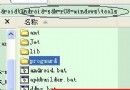
Android 2.3 SDK 有兩個容易被忽略、但對正式發布很有幫助的變化,都與程式碼混淆有關。 變化一:tools 目錄裡出現了 proguard 裝好 2.3 之
 快速上手Android指令:TestSuite、TestCase與adb實作
Android是個以Linux核心為基礎的軟體平台與作業系統,最早由Google發起。要靈活操作它,命令列幾乎是繞不開的一關,以下就從測試結構談到實際指令,希望讀完能替你