

編輯:關於 Android 程式設計
OkHttpUtils 是基於 OkHttp 二次封裝的網路請求框架,除了基本的 GET/POST 之外,還內建大檔案續傳、進度回呼、表單多檔上傳、鏈式呼叫、Gson 自動解析、HTTPS 與自簽憑證支援,以及 Cookie 的自動管理。本文示範最常見的場景:下載新版本 APK 並即時更新進度對話框。
//download the new app private void downLoadNewApp(NewVersion.XianzaishiRfBean version) { if (StringUtils.isEmpty(version.getUrl())) { ToastUtils.showToast("新版本的APP url為空"); enterLoginActivity(); return; } final ProgressDialog dialog = new ProgressDialog(this); dialog.setTitle("正在下載"); dialog.setMessage(version.getDes() + ""); dialog.setCancelable(false); dialog.setProgressStyle(ProgressDialog.STYLE_HORIZONTAL); dialog.show(); if (!NetUtils.hasNet(SplashActivity.this)) { ToastUtils.showToast("請檢查網絡環境"); return; } System.out.println("SplashActivity.downLoadNewApp=" + version.getUrl()); OkHttpUtils .get() .url(version.getUrl()) .build() .execute(new FileCallBack(Environment.getExternalStorageDirectory().getAbsolutePath(), Conts.NEW_APP_NAME) { @Override public void onError(Call call, Exception e, int id) { enterLoginActivity(); System.out.println("SplashActivity.onError=哈哈哈"); ToastUtils.showToast("下載更新包失敗"); } @Override public void inProgress(float progress, long total, int id) { super.inProgress(progress, total, id); dialog.setProgress((int) (100 * progress)); } @Override public void onResponse(File response, int id) { Intent intent = new Intent(); intent.setAction(Intent.ACTION_VIEW); intent.addCategory(Intent.CATEGORY_DEFAULT); intent.setDataAndType(Uri.fromFile(response), "application/vnd.android.package-archive"); startActivityForResult(intent, 0); } }); }
1. 先做前置檢查。下載地址為空、網路不通這兩種狀況都應該在啟動下載前攔下來,避免後續流程空轉。這裡同時把 ProgressDialog 建好並設為不可取消(setCancelable(false)),防止使用者誤觸中斷更新。
2. 用 FileCallBack 承接結果。回呼裡有三個關鍵方法:
inProgress(float progress, long total, int id):框架把 0~1 的浮點進度傳回來,乘以 100 塞進水平進度條即可。onError(Call call, Exception e, int id):下載失敗時提示訊息並導回登入頁。onResponse(File response, int id):檔案落地後,用 ACTION_VIEW 搭配 application/vnd.android.package-archive MIME 類型拉起系統安裝器。下載到外部儲存空間需要 WRITE_EXTERNAL_STORAGE 權限;在 Android 8.0 以上安裝未知來源應用還必須額外引導使用者授予「允許安裝未知應用」權限,否則 ACTION_VIEW 會被系統攔下。此外,正式專案建議改用 FileProvider 取代 Uri.fromFile,因為後者在高版本系統會觸發 FileUriExposedException。
以上示範了 OkHttpUtils 搭配進度回呼完成 App 更新的完整思路,實際落地時記得補上權限與版本相容處理。
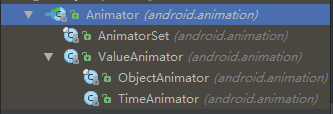 Android 屬性動畫詳解:ObjectAnimator、ValueAnimator 與組合動畫
前言 屬性動畫是 Android 3.0 之後加入的重要動畫能力。相比傳統補間動畫,它能更直接地操作物件屬性,也能應用於非 View 物件,因此成為現代 Android
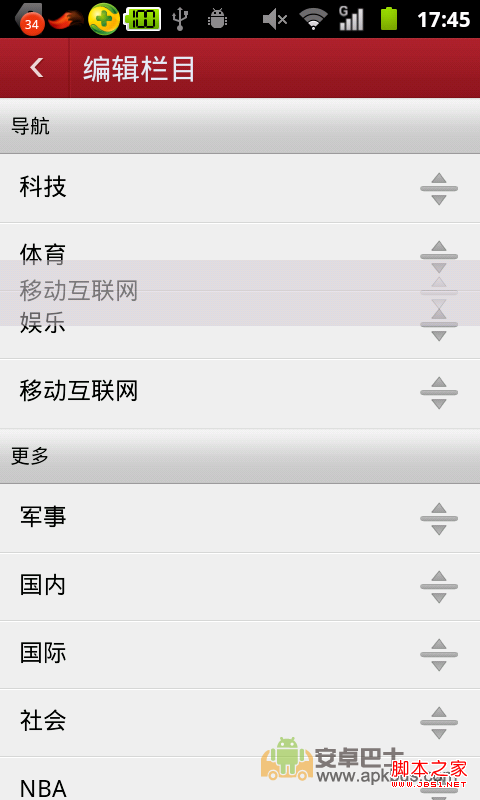 Android ListView 與 GridView 拖拽移位實作
ListView 與 GridView 的拖曳排序,核心概念是攔截觸控事件、建立拖曳影像、計算目標位置,最後更新資料順序。這種互動常見於桌面、書籤、播放清單與設定頁。 L
 Android 5.0 共享元素轉場動畫實戰:從 RecyclerView 到詳情頁的平滑過渡
Android 5.0 共享元素轉場動畫實戰 Android 5.0 以後,Activity 轉場動畫變得相當容易。只要使用 ActivityOptionsCompat
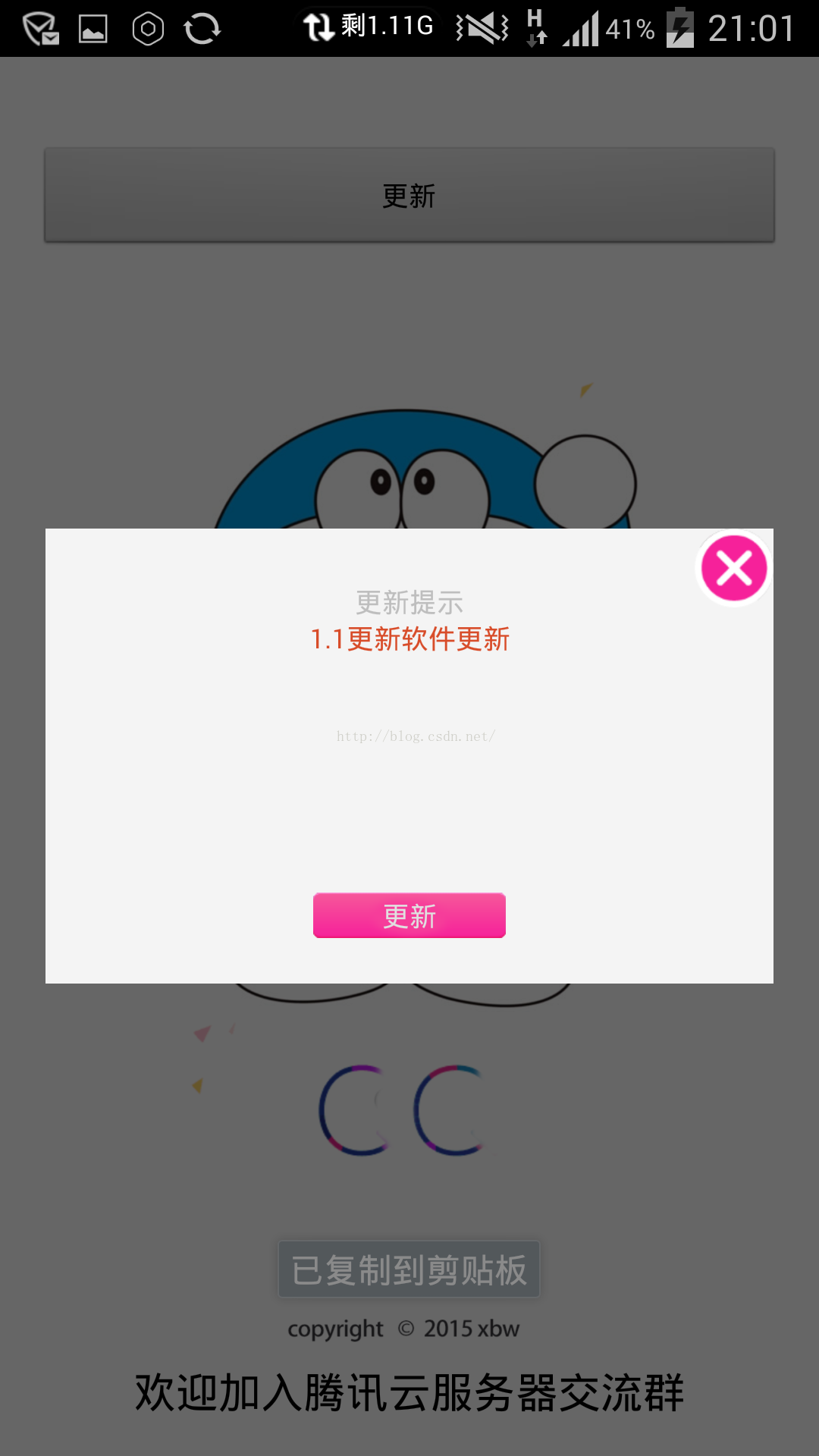 Android 應用線上更新機制解析
線上更新的基本概念 許多應用程式在啟動時會檢查是否有新版本。常見流程是向伺服器請求版本資訊,與本機版本比較,若需要更新則提示使用者,並下載新的 APK。 下圖為專案結