

編輯:關於 Android 程式設計
做 Service 練習時,我在 onCreate、onStart、onDestroy 三個方法裡都像 Activity 那樣呼叫了 Toast.makeText,並用兩個按鈕觸發服務的啟動與銷毀,結果卻發現——Toast 一條都沒跳出來。這個問題值得細細拆解。
DemoService 代碼如下:
@Override public void onCreate() { super.onCreate(); Toast.makeText(getApplicationContext(), "Service is created!", Toast.LENGTH_LONG).show(); } @Override public void onStart(Intent intent,int startId) { super.onStart(intent, startId); Toast.makeText(getApplicationContext(), "Service is on!", Toast.LENGTH_LONG).show(); } @Override public void onDestroy(){ super.onDestroy(); Toast.makeText(getApplicationContext(), "Service is off!", Toast.LENGTH_LONG).show(); }
運行之後,這幾條信息全都沒顯示。
一開始我以為是 Context 取錯了。Service 裡直接呼叫 getApplicationContext() 拿到的是 Service 的 Context,而 Toast 理應需要主 UI 的 Context 才能顯示。翻查 Google 對 Toast 的說明,有一句話很關鍵:
“A toast can be created and displayed from an Activity or Service. If you create a toast notification from a Service, it appears in front of the Activity currently in focus.”
(https://developer.Android.com/guide/topics/ui/notifiers/toasts.html)
照這句話看,Service 中建立的 Toast 應該會顯示在 Activity 的前景上,那為什麼沒效果呢?再來看看 makeText 方法,果然還是 Context 的問題——Toast 需要在 Activity 的主線程上運行才能正常工作。
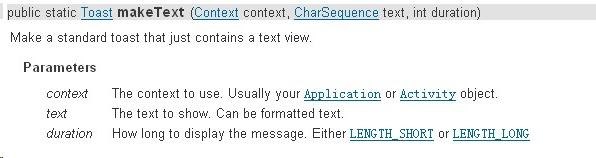
那如何拿到主線程 UI 的 Context 呢?可以透過 Handler 把任務運行於主線程之上。再來看 Toast.show 方法的源碼:
public void show() { ... service.enqueueToast(pkg, tn, mDuration); //將該toast插入到一個消息隊列中 ... }
原理上,Android 大致是「消息隊列 + 消息循環」的架構:主線程從消息隊列取消息並處理,而 Handler 就是一個向隊列插入消息的工具類。於是我重構了原本的代碼:
@Override public void onCreate() { super.onCreate(); handler=new Handler(Looper.getMainLooper()); handler.post(new Runnable(){ public void run(){ Toast.makeText(getApplicationContext(), "Service is created!", Toast.LENGTH_LONG).show(); } }); } @Override public void onStart(Intent intent,int startId) { super.onStart(intent, startId); handler=new Handler(Looper.getMainLooper()); handler.post(new Runnable(){ public void run(){ Toast.makeText(getApplicationContext(), "Service is on!", Toast.LENGTH_LONG).show(); } }); } @Override public void onDestroy(){ super.onDestroy(); handler=new Handler(Looper.getMainLooper()); handler.post(new Runnable(){ public void run(){ Toast.makeText(getApplicationContext(), "Service is off!", Toast.LENGTH_LONG).show(); } }); }
改完之後再運行,效果如下:
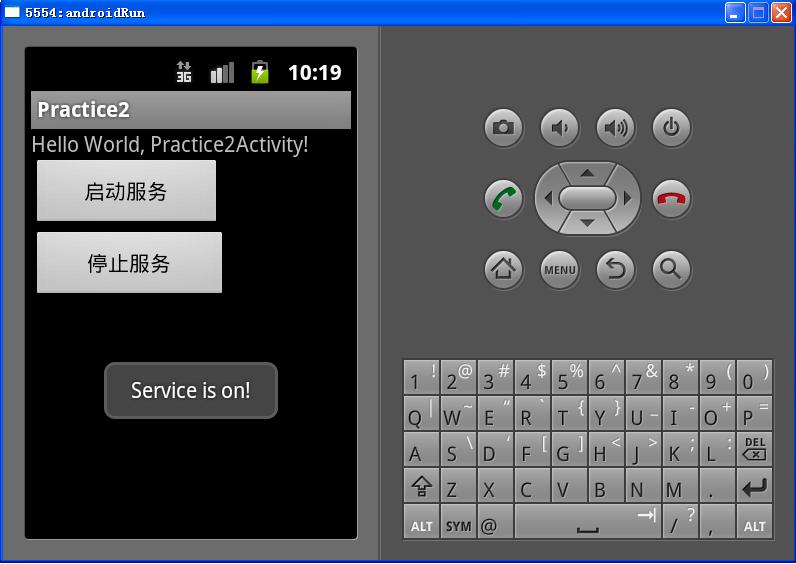
總結:在 Android 裡使用 Toast,必須把它放到主線程中才能正常顯示。用 Handler 綁定 Looper.getMainLooper() 就是最直接的辦法。希望這篇踩坑記錄能幫你少走一點彎路。
 Android APK 反編譯詳解:取得 Java 原始碼
在此鄭重聲明,貼出這篇文章的目的不是為了破解他人軟體,而是抱持一種學習的態度;不過透過這種方式,確實也能用來漢化一些國外軟體。 準備工具 要反編譯 APK 取得 Jav
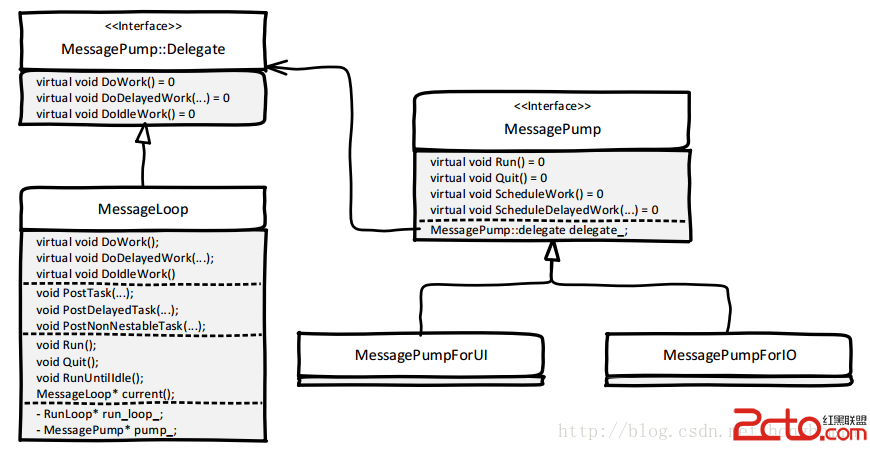 Chromium on Android:主消息循環如何整合進 Android 系統
剛接觸 Chromium on Android 時,最好奇的一件事是:Chromium 的主消息循環究竟怎麼整合到 Android 應用程式裡?Android 程式一旦啟
 Android 官方指南:全面支持不同屏幕尺寸的實現之道
本文將介紹如何讓你的應用自適應各種屏幕尺寸,主要途徑包括:讓布局充分自適應、按屏幕配置加載合適的 UI、確保正確的布局用在正確的設備上,以及提供能隨屏幕伸縮的圖片。 使用
 安卓手機防中毒指南 四招遠離惡意流氓軟件
智能手機越來越深入生活,伴隨而來的隱患也層出不窮。其中讓人最頭疼的,莫過於惡意流氓軟件與手機病毒。究竟該如何守住自己的手機?小編整理了四個實用的自保技巧。 一、挑一個靠