

編輯:關於 Android 程式設計
先看目標效果:

網上大量教程用的是這種土辦法:在需要懸浮的區域之外,再寫一個一模一樣的 layout,初始可見性設為 gone。當內容滑動到那個位置時,把替身布局設為 VISIBLE,視覺上就變成「懸停在頂部不動」。
這個方案缺點明顯:布局重復、狀態需要手動同步,一旦懸浮區域結構複雜就很難維護。
更省事的做法是借助 Design Support Library,讓系統幫你處理懸停邏輯:
<android.support.design.widget.CoordinatorLayout xmlns:android="https://schemas.android.com/apk/res/android" xmlns:app="https://schemas.android.com/apk/res-auto" xmlns:tools="https://schemas.android.com/tools" android:layout_width="match_parent" android:layout_height="match_parent" android:fitsSystemWindows="true" tools:context="com.peipei.app.MainActivity"> <android.support.design.widget.AppBarLayout android:layout_width="match_parent" android:layout_height="250dp"> <android.support.design.widget.CollapsingToolbarLayout app:layout_scrollFlags="scroll" app:contentScrim="#000000" android:layout_width="match_parent" android:layout_height="220dp"> <TextView android:text="banner區域" android:gravity="center" android:textColor="#ffffff" android:background="#987545" android:layout_width="match_parent" android:layout_height="220dp"/> </android.support.design.widget.CollapsingToolbarLayout> <TextView android:gravity="center" android:layout_width="match_parent" android:layout_height="30dp" android:text="懸浮的部分"/> </android.support.design.widget.AppBarLayout> <android.support.v4.widget.NestedScrollView android:layout_width="match_parent" android:layout_height="match_parent" app:layout_behavior="@string/appbar_scrolling_view_behavior"> <TextView android:layout_width="wrap_content" android:layout_height="wrap_content" android:layout_margin="@dimen/text_margin" android:text="@string/large_text"/> </android.support.v4.widget.NestedScrollView> </android.support.design.widget.CoordinatorLayout>
CollapsingToolbarLayout 之外、AppBarLayout 之內——這是它不會被捲走的原因。CollapsingToolbarLayout 設置 app:layout_scrollFlags="scroll",聲明它參與滾動。app:layout_behavior="@string/appbar_scrolling_view_behavior"。記得根布局必須是 CoordinatorLayout,否則整套約定不生效。
最終效果:
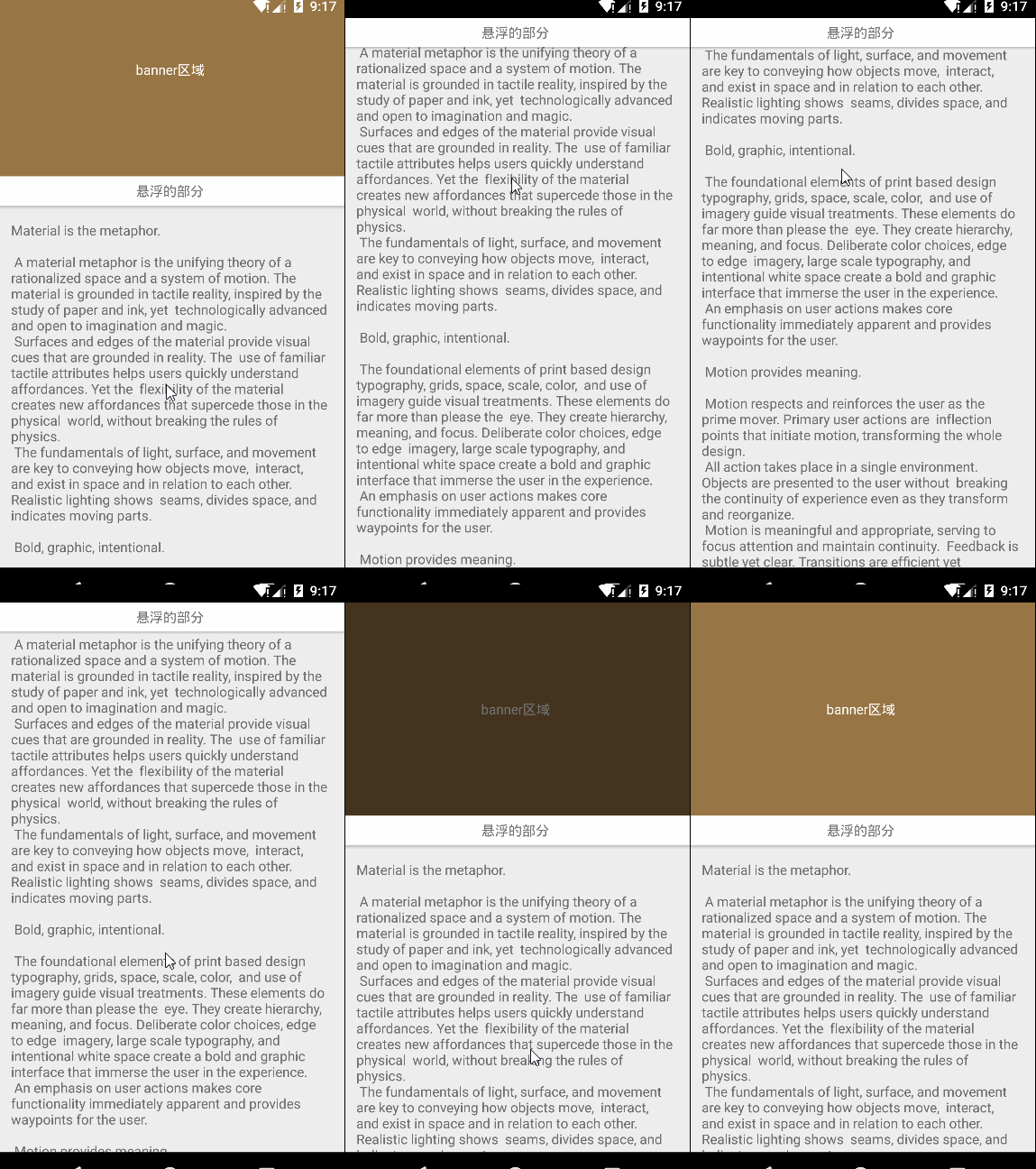
對比之下,第二種方案不用維護重復布局,也不用手動記錄滑動距離,代碼量更少也更可靠,推薦優先使用。
 Android 7.0 PowerManagerService 解析(三):updatePowerStateLocked 的五個階段
前面我們已經理清了兩條主線:進程要用電時向 PMS 申請 WakeLock,用完之後釋放。而無論是申請還是釋放,PMS 的最終動作都是同一個——呼叫 updatePowe
 MSM8909 + Android 5.1.1 平台 SPI 驅動開發實錄(PSAM 部分)
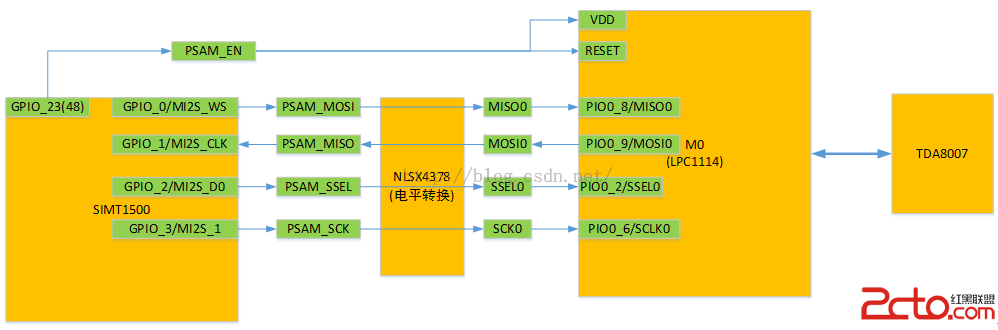
一、硬件設計 圖 1 SPI 的四根信號線各司其職: CS:片選信號; SCK:時鐘信號; MISO:主設備輸入、從設備輸出; MOSI:主設備輸出、從設備輸入。
 自動填入簡訊驗證碼:監聽廣播、解析內容到回填輸入框
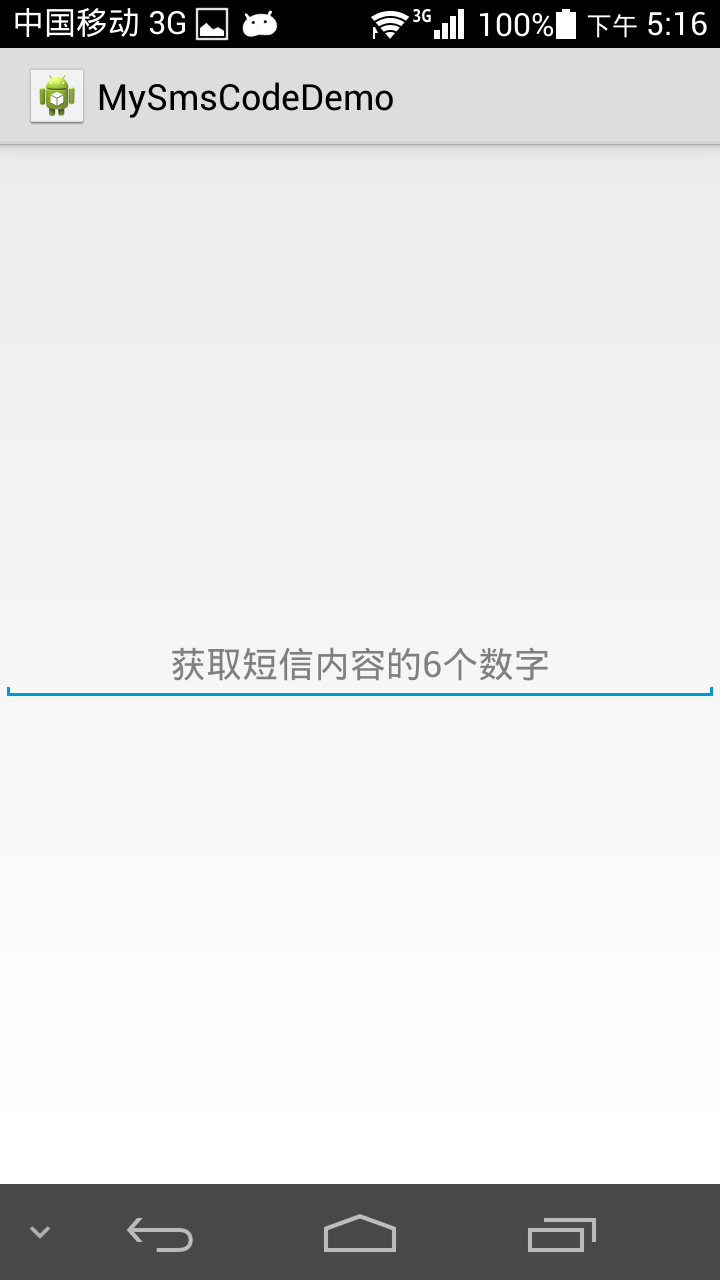
「輸入驗證碼」這個環節,如果每次都要跳出簡訊 App 記下六個數字再切回來,體驗相當糟。Android 可以監聽簡訊接收廣播,從內容中擷取數字後直接回填。以下拆解四個步驟
 Android 仿圓盤旋轉菜單的實作解析
傳統底部導航雖然實用,但在某些品牌或活動頁中,圓盤式旋轉菜單更有記憶點。這類效果通常不是真的做出圓形排列,而是利用圖片素材與旋轉動畫營造層層展開的錯覺。 布局結構 可用