

編輯:關於 Android 程式設計
本文把 Android 開發過程中經常卡住的小問題整理成清單,每一項都附上可直接複製的寫法。
用 <include> 標籤即可,把重複的區塊抽成獨立檔案再引入,能有效減少重複定義、讓結構更清楚:
<LinearLayout>
    <include layout="@layout/buttom">
</LinearLayout>
if (android.os.Build.VERSION.SDK_INT > 10) {
    // 4.0 以上的處理
}
在需要的 Activity 上加上這兩行:
android:screenOrientation="portrait"          // 鎖定直向顯示
android:configChanges="keyboardHidden|orientation"  // 旋轉時不重建 Activity
第二行的意思是把 orientation 變更交給系統自行重繪,而不是走一次完整的生命週期重建流程。
this.requestWindowFeature(Window.FEATURE_NO_TITLE);
這行必須放在 super.onCreate(savedInstanceState); 之前,否則會無效。
Intent mIntent = new Intent();
ComponentName comp = new ComponentName("com.android.settings", "com.android.settings.WirelessSettings");
mIntent.setComponent(comp);
mIntent.setAction("android.intent.action.VIEW");
startActivity(mIntent);
把 ComponentName 換成其他 Settings 內的 Activity,就能跳到對應的設定頁。
在目前的專案上按右鍵 → Properties → Android,點 Add 按鈕把要參照的專案加入,再按 Apply 即可。
String.valueOf(intValue);      // int 轉 String
Integer.parseInt(strValue);    // String 轉 int
第二種寫法要注意:字串若為 null 或非數字內容會丟出例外,正式環境記得包上 try-catch 或先檢查。
 手機 SD 卡顯示「已損壞」?免格式化修復教學
手機用久了,有些人會突然看到「SD 卡已損壞,您可能需要重新格式化」的提示,卡片就此無法使用。身邊就有朋友遇到这种状况,直接格式化雖然省事,但裡面的照片和檔案也就跟著沒了
 Android AIDL 與遠程 Service:音樂播放器進度同步範例
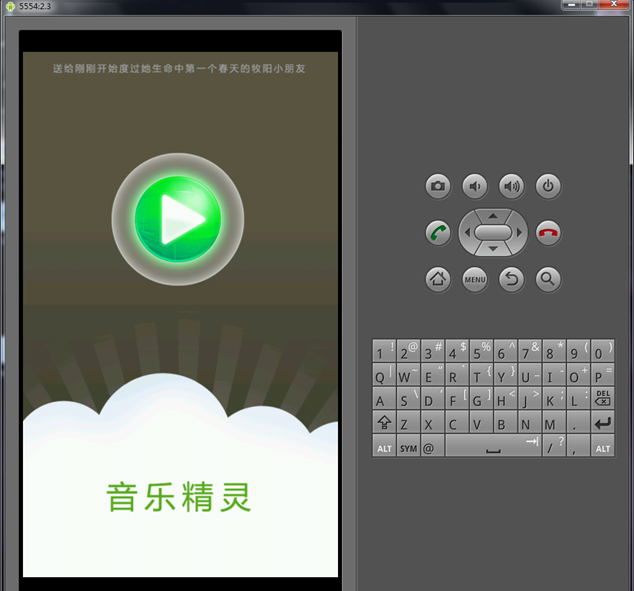
AIDL 的價值在於讓不同進程之間可以像呼叫本地物件一樣操作遠端 Service。以音樂播放器為例,當播放服務在背景執行時,Activity 仍需要同步進度與控制播放,這
 基於 Android 4.0 的 ListView 網絡數據加載:線程、Handler 與圖片緩存的完整實踐
翻了不少 Android 入門視頻,講 ListView 的內容大多基於 Android 2.2。那個年代在主線程裡直接發網絡請求不會有任何問題,但在 Android 4
 Android 自訂處理崩潰異常並回報
不論是使用者還是開發者,都常遇到程式異常退出的情況。對開發者而言,不可能在每一台手機上測試所有情境,因此最好的做法是:當使用者遇到崩潰時,讓應用自動收集錯誤資訊並回報到伺