

編輯:關於 Android 程式設計
開發時經常遇到這種需求:把使用者的偏好設定(例如偏好的主題色)、與特定帳號綁定的設定、或「首次登入才顯示引導頁」這類一次性旗標存到本機。這時首選就是 SharedPreferences——Android 專門用來存放輕量鍵值對的元件,落地形式是一個 XML 檔。
它由兩個接口組成,職責分得很清楚。
SharedPreferencesImpl:定義了 Editor 接口、edit() 方法、多個 getXxx() 方法,以及一個變更監聽器。getXxx() 負責讀,監聽器負責通知。
Editor:負責寫,包含多個 putXxx() 與 commit()。為什麼要把寫入獨立成一個接口?因為要保證資料寫入的完整性。當你一次要寫多筆鍵值對時,它們不會逐筆落盤,而是先全部暫存在記憶體裡的 HashMap,最後一次性寫入檔案。整個過程可以概括為:先 commitToMemory,再 writeToFile。
寫入前要先取得 SharedPreferences 物件,需要兩個要素:Context 與檔名。實際存放路徑為:
/data/data/{packageName}/shared_prefs/{name}.xml
其中 {name}.xml 就是你在程式裡指定的名字。呼叫 context.getSharedPreferences(name, mode) 即可取得對應物件,mode 決定讀取方式。
寫入:
// 第一步:實例化 SharedPreferences 對象
SharedPreferences mySharedPreferences = getSharedPreferences("test", Activity.MODE_PRIVATE);

// 第二步:實例化 Editor 對象
SharedPreferences.Editor editor = mySharedPreferences.edit();

// 保存數據
editor.putString("name", "Karl");
editor.putString("habit", "sleep");

// 提交
editor.commit();

Toast.makeText(this, "數據成功寫入 SharedPreferences!", Toast.LENGTH_LONG).show();
執行後資料會落在 data/data/你的包名/shared_prefs/test.xml,用 File Explorer 就能匯出查看。
讀取:
// 同樣要先實例化 SharedPreferences 對象
SharedPreferences sharedPreferences = getSharedPreferences("test", Activity.MODE_PRIVATE);

// 第二個參數是預設值,key 不存在時會回傳它
String name = sharedPreferences.getString("name", "");
String habit = sharedPreferences.getString("habit", "");

Toast.makeText(this, "讀取數據如下:" + "\n" + "name:" + name
        + "\n" + "habit:" + habit, Toast.LENGTH_LONG).show();
可以這樣想:手機本地某處放著幾個你自訂的 XML 檔,每個檔案裝一批相關的鍵值對。例如要存使用者偏好,就建一個名為 UserPref 的 SharedPreferences 來讀寫。
兩者功能幾乎相同,唯一的差別在可視範圍:
getSharedPreferences(name, mode):檔案屬於整個 package,App 內任何地方用同一個 Context 與檔名都能取到。getPreferences(mode):專供 Activity 內部使用,不需指定名稱,產生的 XML 只屬於該 Activity。Context context = getActivity();
SharedPreferences sharedPref = context.getSharedPreferences("userPref", MODE_PRIVATE);
SharedPreferences sharedPref2 = getActivity().getPreferences(Context.MODE_PRIVATE);
實務上還有兩點值得注意:一是 SharedPreferences 只適合存放少量、結構簡單的資料,大量資料請走資料庫或檔案;二是 commit() 是同步寫入、會阻塞主執行緒,若要避免卡頓可改用 apply(),它會先更新記憶體再背景落盤。
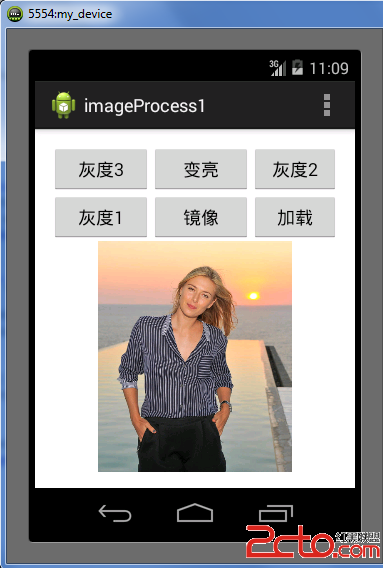 Android Bitmap 加載優化與逐像素加工實戰
一、載入與像素讀寫 Android SDK 提供了 getPixel 與 setPixel 兩個 API 讓我們直接操作像素。讀取的寫法如下: int pixel = b
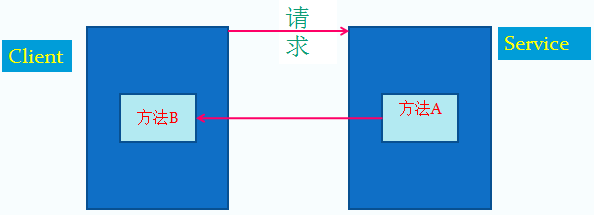 Java 與 Android 回調機制詳解:從介面回調到異步通知
Java 與 Android 回調機制詳解 回調機制是程式中非常常見的設計手法。簡單來說,當 Client 呼叫 Service 的某個方法後,Service 在未來某個
 360奇酷手機刷機教學 Recovery與工具兩種方案
360奇酷手機出自酷派與360的合資公司,奇酷與酷派均採用安卓系統。那麼奇酷、酷派手機該怎麼刷機?下面小編提供兩種思路。 手機出現異常時,可以先嘗試恢復出廠設定。需特別注
 Android 自定義控件入門:View 的三個核心流程與一個實例
前言日常 Android 開發離不開控件。但系統提供的控件未必能滿足所有業務需求,這時候就需要自定義。本文先建立整體認知:自定義控件有哪些要求、實現步驟是什麼、底層繪制原