

編輯:關於 Android 程式設計
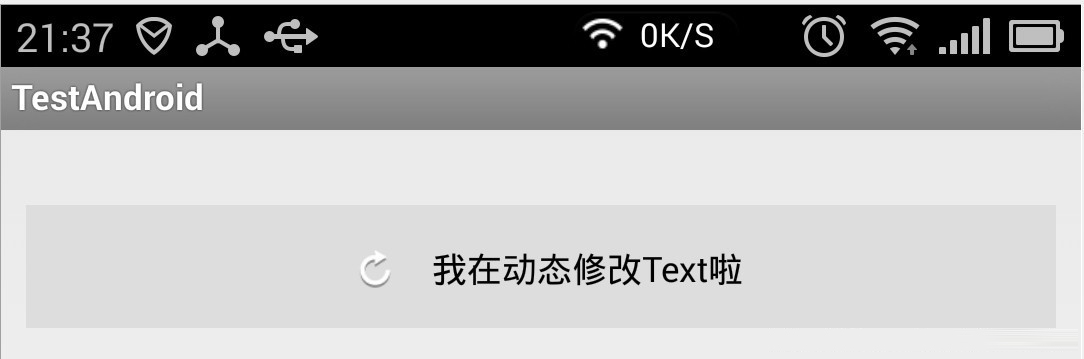
當 TextView 寬度設為 match_parent 或 weight,又搭配 gravity center 時,DrawableLeft 等圖示可能無法與文字一起置中。
一種解法是自訂 TextView,在 onDraw 中自行計算文字與 Drawable 的總寬度,再決定繪製起點。如此即使檢視本身佔滿寬度,也能讓圖文整體居中。
另一種較輕量的做法,是保留系統 Drawable,但在繪製前用 canvas.translate 把內容往中間補償。兩種方式各有取捨,前者彈性高,後者程式碼較短。
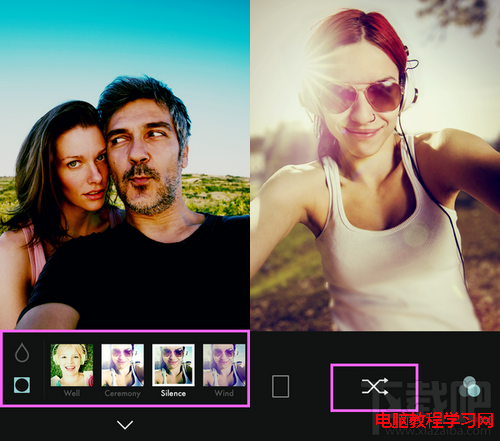 Line B612 靜音自拍 APP 怎麼用
Line 推出的靜音自拍 App「B612」是一款專為自拍打造的應用,最大的特色是不會發出快門聲。它刻意把操作簡化到極致,拍照前不需要像傳統相機那樣調整一堆參數;同時把最
 在 Android 商務應用中實作地圖與地理圍欄功能
摘要 本案例研究探討如何將地圖與地理定位功能建構到 Android 商務應用之中,包含在 Google Maps 上覆蓋店家位置,以及當裝置進入店家的地理圍欄鄰近區域時,
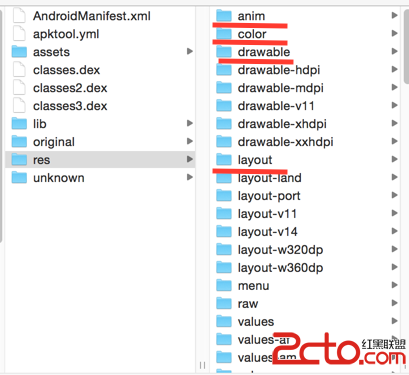 美團 Android 資源混淆保護實踐全解析
前言 Android 應用的 APK 安全性一直為人詬病。市面上充斥著各種被破解或漢化的應用,破解者只需借助工具就能輕易對 APK 進行反編譯、破解、漢化,進而篡改原有代
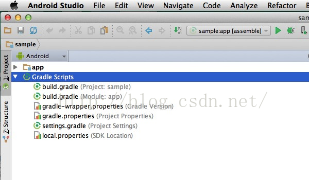 把 Gradle 用好在 Android 開發上:從建置到依賴管理
為什麼要理解 GradleAndroid Studio 自推出以來,Gradle 就成為 Android 項目的核心建置系統。它負責編譯、打包、依賴管理、測試執行與簽名輸