

編輯:關於 Android 程式設計
要用一張背景圖做出從左到右、周而復始的捲動效果(例如跑馬燈式的滾動雲層、地面),最簡單的技巧是「放兩張一模一樣的圖,各跑一段剛好接得上的位移動畫」。
第一個從 0%p 移動到 100%p:
<?xml version="1.0" encoding="utf-8"?>
<set xmlns:android="https://schemas.android.com/apk/res/android" android:interpolator="@android:anim/accelerate_interpolator">
<translate android:fromXDelta="0%p" android:toXDelta="100%p"
android:repeatMode="restart"
android:interpolator="@android:anim/linear_interpolator"
android:repeatCount="infinite"
android:duration="30000" />
</set>
第二個從 -100%p 移動到 0%p:
<?xml version="1.0" encoding="utf-8"?>
<set xmlns:android="https://schemas.android.com/apk/res/android" android:interpolator="@android:anim/accelerate_interpolator">
<translate android:fromXDelta="-100%p" android:toXDelta="0%p"
android:repeatMode="restart"
android:interpolator="@android:anim/linear_interpolator"
android:repeatCount="infinite"
android:duration="30000" />
</set>
兩個關鍵:repeatCount="infinite" 讓動畫無限重複,linear_interpolator 確保等速前進——如果用預設的加速插值器,兩張圖的銜接處會出現明顯的速度跳動。
<ImageView
android:id="@+id/animation_top_left"
android:layout_width="wrap_content"
android:layout_height="wrap_content"
android:contentDescription="@string/logo"
android:src="@drawable/home_animation_bg" />

<ImageView
android:id="@+id/animation_top_right"
android:layout_width="wrap_content"
android:layout_height="wrap_content"
android:contentDescription="@string/logo"
android:src="@drawable/home_animation_bg" />
Animation anim = AnimationUtils.loadAnimation(mContext, R.anim.home_animation);
ImageView animationTopRightView = (ImageView)this.findViewById(R.id.animation_top_right);
animationTopRightView.startAnimation(anim);
Animation anim2 = AnimationUtils.loadAnimation(mContext, R.anim.home_animation2);
ImageView animationTopLeftView = (ImageView)this.findViewById(R.id.animation_top_left);
animationTopLeftView.startAnimation(anim2);
兩個動畫的 duration 必須完全相同,背景圖也要具備左右可無縫拼接的特性,否則循環時會出現接縫。若圖片較大或需要更流暢的表現,建議改用 ValueAnimator 搭配 translationX 屬性動畫,並在 Activity 的 onPause() 中暫停動畫以節省電力。
 Android 網絡開發與優化:從 HTTP Client 到請求封裝
寫在前面:網絡能力為何重要 對多數 Android 應用而言,網絡是最關鍵的能力之一。無論是下載資料、上傳表單、同步狀態,還是載入圖片,背後都離不開網絡請求。然而,真正要
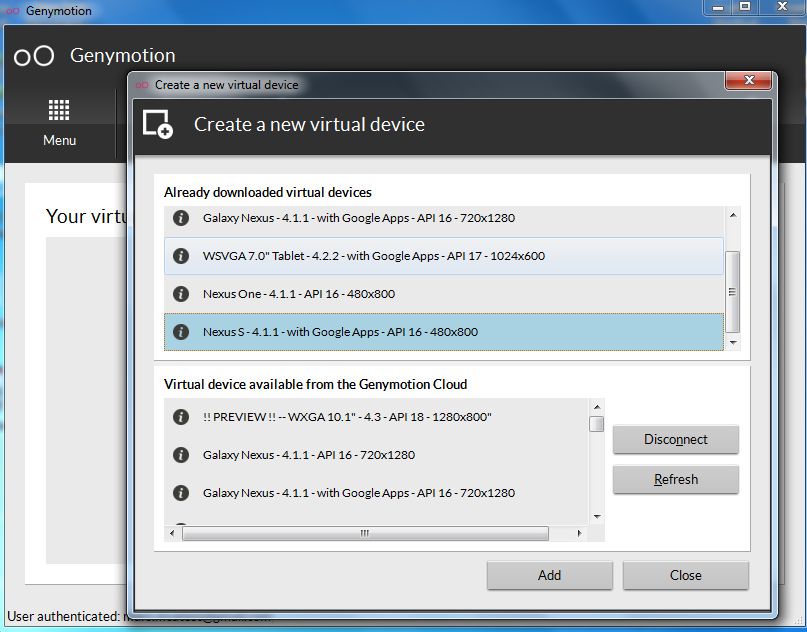 為什麼Android開發者都愛用Genymotion?速度與真機體驗兼得的模擬器
如果你還在用 Android 原生的 AVD 調試程式,那種「點一下、等三秒」的煎熬大概不必多說。Genymotion 在開發者圈子裡口碑極佳,理由其實非常直白:跑得快、
 手把手實作:打造一個簡單的 Android 新聞客戶端
前面介紹了在 Android 中實現網路通信的相關技術,這篇文章將對這些技術做一個綜合運用,製作一個簡單的新聞客戶端。這個客戶端用到了 ListView、ListView
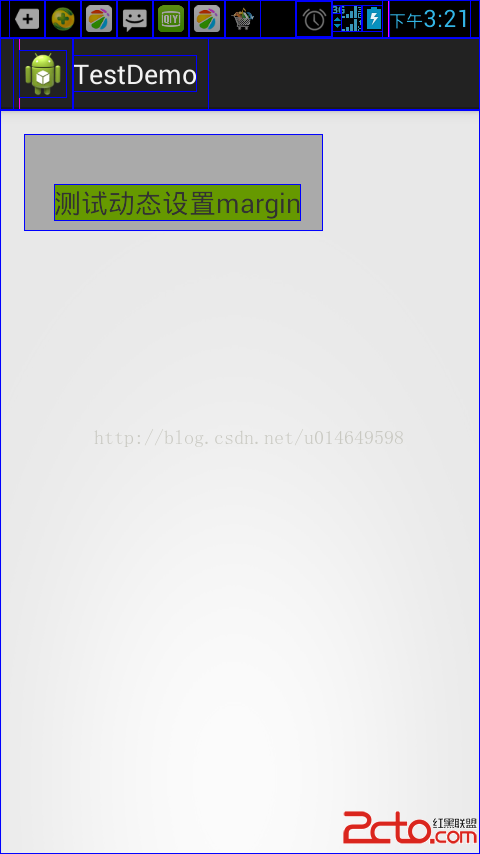 Android 如何在代碼中動態設置 View 的 margin
Android 的 View 提供了 setPadding 方法,卻沒有直接可用的 setMargin 方法。那麼如果要在代碼中動態設置外边距該怎麼辦呢? 答案是可以透過