

編輯:關於 Android 程式設計
在某些应用场景下,我们需要在桌面创建一个自定义的快捷方式图标。同时,为了保证在应用卸载后桌面图标也能被自动清除,还需要做一些额外处理。本文将介绍添加和删除桌面图标的实现代码。
Intent intent = new Intent();
intent.setClass(this, SplashActivity.class);
Intent addShortcut = new Intent(ACTION_ADD_SHORTCUT);
Parcelable icon = Intent.ShortcutIconResource.fromContext(this, R.drawable.icon);
addShortcut.putExtra(Intent.EXTRA_SHORTCUT_NAME, getString(R.string.app_name));
addShortcut.putExtra(Intent.EXTRA_SHORTCUT_INTENT, intent);
addShortcut.putExtra("duplicate", 0);
addShortcut.putExtra(Intent.EXTRA_SHORTCUT_ICON_RESOURCE, icon);
sendBroadcast(addShortcut);Intent intent = new Intent();
intent.setClass(this, SplashActivity.class);
intent.setAction("android.intent.action.MAIN");
intent.addCategory("android.intent.category.LAUNCHER");
Intent addShortcut = new Intent(ACTION_ADD_SHORTCUT);
Parcelable icon = Intent.ShortcutIconResource.fromContext(this, R.drawable.icon);
addShortcut.putExtra(Intent.EXTRA_SHORTCUT_NAME, getString(R.string.app_name));
addShortcut.putExtra(Intent.EXTRA_SHORTCUT_INTENT, intent);
addShortcut.putExtra("duplicate", 0);
addShortcut.putExtra(Intent.EXTRA_SHORTCUT_ICON_RESOURCE, icon);
sendBroadcast(addShortcut);
intent.setAction("android.intent.action.MAIN");
intent.addCategory("android.intent.category.LAUNCHER");需要注意的是,为了正确匹配和删除图标,intent 需要带上 android.intent.action.MAIN 的 action 和 android.intent.category.LAUNCHER 的 category 这两个过滤属性。这样桌面系统才能准确定位到对应的快捷方式并进行删除操作。
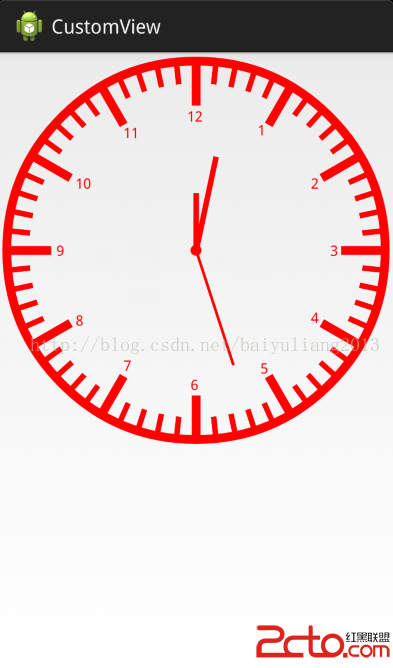 安卓自定義 View 打造經典指針鐘錶
以前做過 HTML5 版的鐘錶,HTML5 同樣有一塊叫 Canvas 的畫布,但相較於 Android 的 Canvas,HTML5 的功能要強大得多。就拿鐘錶的實現來
 Android 如何清除應用程式快取:讀取大小並跳轉系統設定
清除快取可以分成兩種情況:一種是清除手機 ROM 內部儲存空間的快取,另一種則是清除 SD 卡上的快取。本文著重說明第一種,也就是如何讀取各個應用程式的快取資訊,並引導使
 BLE 低功耗藍牙在 Android 開發中的應用實踐
最近一段時間都在開發支援 BLE 藍牙的 Android 應用,是時候做個總結了。 一、什麼是 BLE?~~~ Bluetooth Low Energy(低功耗藍牙),縮
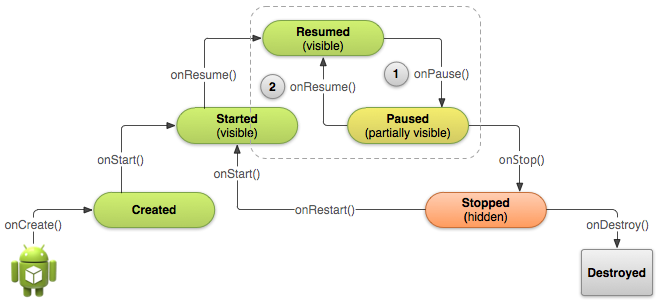 Android Activity 的暫停與恢復機制解析
在 Android 應用中,Activity 不只是單純的畫面,而是使用者與應用互動的重要入口。無論是撥號、拍照、寄送郵件還是查看地圖,背後通常都由一個或多個 Activ