

編輯:關於 Android 程式設計
Android 端展示文檔,常見做法是轉成 HTML 塞進 WebView。這條路徑的優點是能配合 HTML5、CSS、JS 做出精美排版,缺點是門檻不低。本文換個思路:基於開源的 AndroidTreeView 與 AndroidPdfViewer,組合出一個「帶書簽的 PDF 閱讀器」控件,點擊書簽可展開收起並跳轉到對應頁面。
組合控件:把現有基礎控件拼裝起來達成複用,例如本文的 MyPDFViewer。難點在業務邏輯的組織。
完全自定義控件:直接繼承 View、TextureView 或 SurfaceView,按需重寫 onMeasure、onLayout、onDraw、onTouchEvent 等回調。難點在設計、性能優化與排版計算。
新建 Android Phone and Tablet 項目,再添加一個 Android Library 模塊,控件實現在庫中,便於複用。庫模塊的 build.gradle 加入:
compile 'com.github.barteksc:android-pdf-viewer:2.1.0'
compile 'com.github.bmelnychuk:atv:1.2.+'控件需要三個屬性:是否顯示書簽、書簽佔的權重、內容佔的權重。
<resources>
    <declare-styleable name="MyPDFView">
        <attr name="bookmark_visiable" format="boolean" />
        <attr name="bookmark_weight" format="dimension" />
        <attr name="content_weight" format="dimension" />
    </declare-styleable>
</resources>AndroidTreeView 要求自定義節點繼承 TreeNode.BaseNodeViewHolder 並重寫 createNodeView()。節點由一個 TextView 加兩個 ImageView 組成:箭頭表示展開狀態,書籤圖標做裝飾,葉節點隱藏箭頭。
public class BookMarkTreeItemHolder extends TreeNode.BaseNodeViewHolder {

    public BookMarkTreeItemHolder(Context context) { super(context); }

    @Override
    public View createNodeView(TreeNode node, IconTreeItem value) {
        View view = LayoutInflater.from(context).inflate(R.layout.layout_bookmark_node, null, false);
        TextView tvValue = view.findViewById(R.id.node_value);
        tvValue.setText(value.text);
        ImageView arrowView = view.findViewById(R.id.arrow_icon);
        if (value.isLeaf) {
            arrowView.setVisibility(View.INVISIBLE);
        }
        return view;
    }

    @Override
    public void toggle(boolean active) {
        if (mNode.isLeaf()) {
            arrowView.setVisibility(View.INVISIBLE);
        } else {
            arrowView.setVisibility(View.VISIBLE);
            arrowView.setRotation(active ? 90 : 0);
        }
    }

    @Override
    public int getContainerStyle() { return R.style.TreeNodeStyleCustom; }

    public static class IconTreeItem {
        public boolean isLeaf;
        public long pageIndex;
        public String text;
        public IconTreeItem(boolean isLeaf, long pageIndex, String text) {
            this.isLeaf = isLeaf; this.pageIndex = pageIndex; this.text = text;
        }
    }
}繼承 LinearLayout 並實現 OnLoadCompleteListener,在構造方法中通過 TypedArray 讀取屬性,代碼構建左右兩塊布局:
public class MyPDFViewer extends LinearLayout implements OnLoadCompleteListener {
    private LinearLayout bookMarkContainer;
    private PDFView pdfView;
    private boolean bookMarkVisiable = true;
    private int bookMarkWeight = 1;
    private int contentWeight = 3;

    public MyPDFViewer(Context context, AttributeSet attrs) {
        super(context, attrs);
        setOrientation(HORIZONTAL);
        TypedArray ta = context.obtainStyledAttributes(attrs, R.styleable.MyPDFViewer);
        bookMarkVisiable = ta.getBoolean(R.styleable.MyPDFViewer_bookmark_visiable, true);
        bookMarkWeight = ta.getInteger(R.styleable.MyPDFViewer_bookmark_weight, 1);
        contentWeight = ta.getInteger(R.styleable.MyPDFViewer_content_weight, 3);

        bookMarkContainer = new LinearLayout(getContext());
        bookMarkContainer.setOrientation(VERTICAL);
        pdfView = new PDFView(getContext(), null);
        addView(bookMarkContainer);
        addView(pdfView);
    }

    public void load() {
        bookMarkContainer.setLayoutParams(new LayoutParams(0, LayoutParams.MATCH_PARENT, bookMarkWeight));
        bookMarkContainer.setVisibility(bookMarkVisiable ? VISIBLE : GONE);
        pdfView.setLayoutParams(new LayoutParams(0, LayoutParams.MATCH_PARENT, contentWeight));

        pdfView.fromFile(new File(pdfPath))
                .enableSwipe(true)
                .swipeHorizontal(false)
                .enableDoubletap(true)
                .defaultPage(0)
                .password(passWord)
                .onLoad(this)
                .load();
    }

    @Override
    public void loadComplete(int nbPages) {
        TreeNode root = TreeNode.root();
        List bookmarks = pdfView.getTableOfContents();
        for (int i = 0; i < bookmarks.size(); i++) {
            TreeNode parent = buildNode(bookmarks.get(i));
            appendChildren(bookmarks.get(i).getChildren(), parent);
            root.addChild(parent);
        }
        AndroidTreeView treeView = new AndroidTreeView(getContext(), root);
        treeView.setDefaultNodeClickListener(nodeClickListener);
        bookMarkContainer.addView(treeView.getView());
    }

    private TreeNode.TreeNodeClickListener nodeClickListener = (node, value) ->
            pdfView.jumpTo((int) ((BookMarkTreeItemHolder.IconTreeItem) value).pageIndex);
}
書簽目錄往往有多層嵌套,因此構建節點時要用遞歸遍歷 getChildren(),直到葉節點為止。點擊回調裡取出 pageIndex 交給 pdfView.jumpTo() 即可完成跳轉。
pdfView = findViewById(R.id.pdfView);
pdfView.setPdfPath(Environment.getExternalStorageDirectory().getPath() + "/Download/demo.pdf")
       .setBookMarkWeight(2)
       .setContentWeight(5)
       .load();
鏈式設置方法返回 this,調用起來很順手;加密 PDF 還可以再鏈上 setPassWord()。
組合控件的價值在於「站在開源輪子之上」:PDF 渲染、樹形展示這些複雜能力交給成熟庫,自己只專注於交互邏輯與屬性封裝。這類控件代碼量不大,卻非常實用,也很適合作為自定義 View 的入門練習。
 Android 刪除 Preference 的正確姿势與源碼解析
用 Preference 搭設置界面很省事,一個 XML 就足夠。但想在某個時機動態移除其中一項時,很多人會發現刪不掉——而且往往找不到原因。本文從源碼層面把這件事講清楚
 自製 Android 日曆控制項:月份/週雙模式與無限滑動
無聊時想動手做点小工具,於是花了一天多寫出一個堪用的日曆 View。它支援兩種檢視模式:整月與單週,並可左右滑動翻頁。先看成果:上圖為月份模式;下圖則是週模式:設計思路核
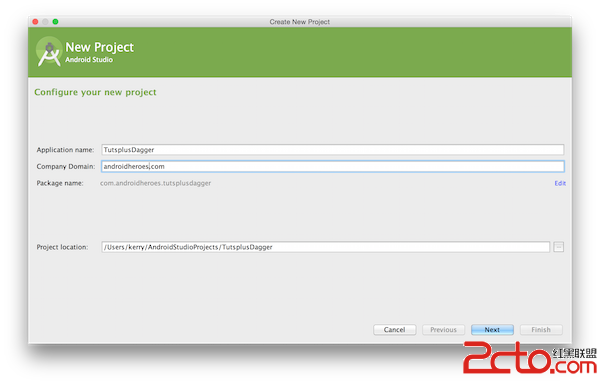 用 Dagger 2 在 Android 專案實作依賴注入
原文:Dependency Injection with Dagger 2 on Android 依賴注入是一種以「鬆耦合、可擴展、易維護」為目標的軟體設計模式。這篇要說
 Android 手遊實戰:打飛機遊戲的子彈生成、碰撞偵測與爆炸動畫
本篇是打飛機系列的第五篇,要處理的是射擊遊戲最核心的三件事:子彈怎麼產生、子彈怎麼判斷命中、命中之後怎麼演出爆炸。 一、子彈類 Bullet 子彈需要帶自己的圖片、座標