

編輯:關於 Android 程式設計
本文記錄 Android 端快速接入騰訊信鴿推送,並以 CursorLoader 結合 ContentProvider 完成訊息的異步載入與即時刷新。
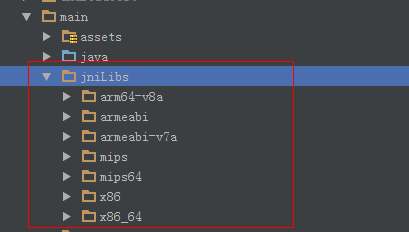
在信鴿平台建立應用後,進入配置頁面即可看到 AccessId 與 AccessKey。
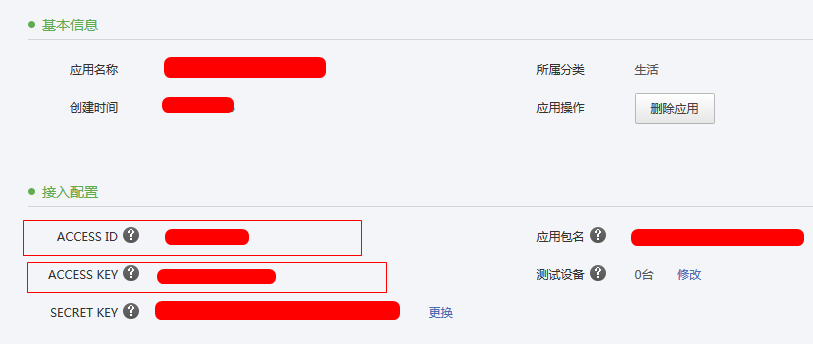
放入 jar 包:
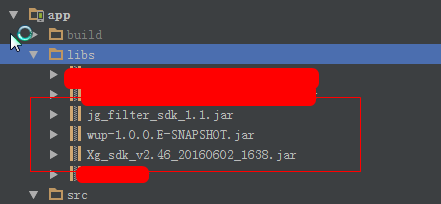
配置 jni 相關檔案:
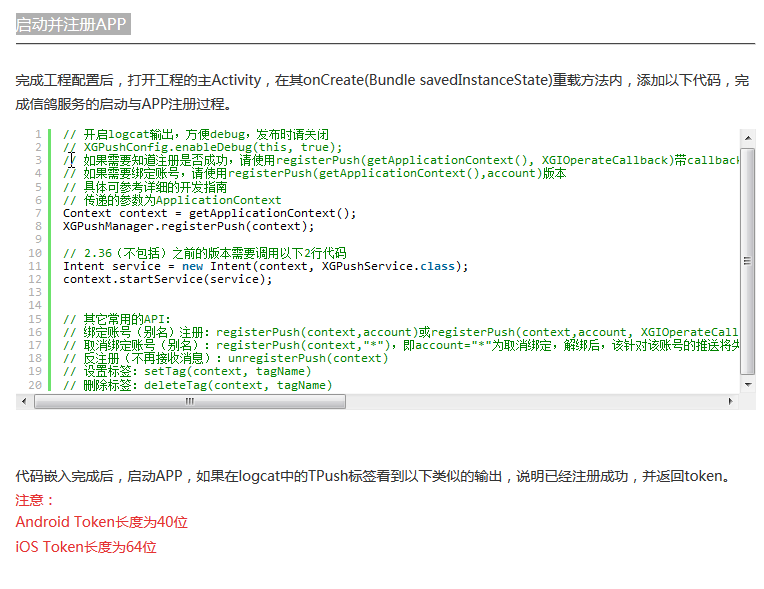
別忘了在 Manifest 中完成信鴿要求的清單配置。
繼承 XGPushBaseReceiver,在 onTextMessage 中處理透傳訊息:解析自訂內容、寫入資料庫,再彈出通知列。
public class MyXGPushReceiver extends XGPushBaseReceiver {

    private final static String TAG = "MyXGPushReceiver";
    private MediaPlayer mp;
    private UserPreference ps;

    @Override public void onRegisterResult(Context cntxt, int i, XGPushRegisterResult xgprr) { }
    @Override public void onUnregisterResult(Context cntxt, int i) { }
    @Override public void onSetTagResult(Context cntxt, int i, String string) { }
    @Override public void onDeleteTagResult(Context cntxt, int i, String string) { }

    @TargetApi(Build.VERSION_CODES.JELLY_BEAN)
    @Override
    public void onTextMessage(Context ctx, XGPushTextMessage msg) {
        String content = msg.getContent();
        String title = msg.getTitle();

        int msgType = -1;
        String url = "";
        long time = 0;

        try {
            JSONObject json = new JSONObject(msg.getCustomContent());
            msgType = Integer.parseInt(json.optString("msgType"));
            url = json.optString("url");
        } catch (Exception ex) { }

        SimpleDateFormat sdf = new SimpleDateFormat("yyyy-MM-dd HH:mm:ss", Locale.CHINA);

        // 1. 先落地到資料庫
        XGMessage xgMsg = new XGMessage();
        xgMsg.content = content;
        xgMsg.msgType = msgType;
        xgMsg.url = url;
        xgMsg.time = sdf.format(time == 0 ? new Date() : new Date(time));
        xgMsg.isRead = 0; // 未讀
        xgMsg.title = title;
        XGMessageProviderHelper.getInstance(ctx).add(xgMsg);

        try {
            // 2. 建立下拉通知
            Intent intent = new Intent();
            if (msgType == XGMessage.TYPE_NORMAL) {
                if (!TextUtils.isEmpty(url)) {
                    // 有 url 直接開網頁
                    intent.setAction("android.intent.action.VIEW");
                    intent.addCategory("android.intent.category.DEFAULT");
                    intent.addFlags(Intent.FLAG_ACTIVITY_NEW_TASK);
                    intent.setDataAndType(Uri.parse(url), "text/html");
                } else {
                    // 沒有 url 則打開 App 內頁
                    intent.setClass(ctx, MessageActivity.class);
                }
            }

            playKeyVoice();

            PendingIntent pi = PendingIntent.getActivity(ctx, 0, intent, PendingIntent.FLAG_UPDATE_CURRENT);
            Notification.Builder builder = new Notification.Builder(ctx)
                    .setSmallIcon(R.mipmap.ic_launcher)
                    .setContentTitle(ctx.getString(R.string.app_name))
                    .setContentText(content)
                    .setWhen(time)
                    .setContentIntent(pi)
                    .setTicker("News is coming!");
            Notification notification = builder.build();
            notification.flags |= Notification.FLAG_AUTO_CANCEL;
            NotificationManager nm = (NotificationManager) ctx.getSystemService(NOTIFICATION_SERVICE);
            nm.notify((int) (time / 1000), notification);
        } catch (Exception e) {
            Logger.d("MyXGPushReceiver message:" + e.getMessage());
        }
    }
}
推送的關鍵在於「怎麼存」以及「怎麼即時更新到畫面」。CursorLoader 的好處是:資料一有變動,透過監聽就能自動刷新清單,完全不需要手動下達刷新指令。
public class XGMessage implements Parcelable {

    public static final int TYPE_ALARM  = 1; // 故障、濾網等告警訊息
    public static final int TYPE_NORMAL = 0; // 一般訊息
    public static final int UNREAD = 0;
    public static final int READ   = 1;

    public int id;
    public int msgType;   // 0--有 url 開網頁、無 url 開 App;1--告警
    public String content;
    public String url;
    public String time;
    public int isRead;
    public String title;

    public XGMessage() { }

    protected XGMessage(Parcel in) {
        id = in.readInt();
        msgType = in.readInt();
        content = in.readString();
        url = in.readString();
        time = in.readString();
        isRead = in.readInt();
        title = in.readString();
    }

    public static final Creator<XGMessage> CREATOR = new Creator<XGMessage>() {
        @Override public XGMessage createFromParcel(Parcel in) { return new XGMessage(in); }
        @Override public XGMessage[] newArray(int size) { return new XGMessage[size]; }
    };

    @Override public int describeContents() { return 0; }

    @Override
    public void writeToParcel(Parcel dest, int flags) {
        dest.writeInt(id);
        dest.writeInt(msgType);
        dest.writeString(content);
        dest.writeString(url);
        dest.writeString(time);
        dest.writeInt(isRead);
        dest.writeString(title);
    }
}
把 authority、URI、MIME type、欄位名集中管理,是 ContentProvider 的標準做法。
public class MessageConstract {

    public static final String CONTENT_AUTHORITY = "包名.provider";
    public static final Uri BASE_CONTENT_URI = Uri.parse("content://" + CONTENT_AUTHORITY);
    public static final String PATH_MESSAGE = "message";
    public static final String ITEM_MESSAGE = "message/#";
    public static final String BASE_CONTENT_TYPE = "sumeida";

    public static final class Messages implements BaseColumns {

        public static final Uri CONTENT_URI =
                BASE_CONTENT_URI.buildUpon().appendPath(PATH_MESSAGE).build();

        /** 多筆資料 */
        public static final String CONTENT_TYPE =
                ContentResolver.CURSOR_DIR_BASE_TYPE + "/vnd." + BASE_CONTENT_TYPE + "." + PATH_MESSAGE;

        /** 單筆資料 */
        public static final String CONTENT_ITEM_TYPE =
                ContentResolver.CURSOR_ITEM_BASE_TYPE + "/vnd." + BASE_CONTENT_TYPE + "." + PATH_MESSAGE;

        public static final String TABLE_NAME = "message_list";
        public static final String COLUMN_MESSAGE_USER    = "username";
        public static final String COLUMN_MESSAGE_CONTENT = "content";
        public static final String COLUMN_MESSAGE_TITLE   = "title";
        public static final String COLUMN_MESSAGE_TYPE    = "msgType";
        public static final String COLUMN_MESSAGE_URL     = "url";
        public static final String COLUMN_MESSAGE_TIME    = "time";
        public static final String COLUMN_MESSAGE_READ    = "isRead";

        public static Uri buildMessageUri(long id) {
            return ContentUris.withAppendedId(CONTENT_URI, id);
        }
    }
}
public class XGMessageDBHelper extends SQLiteOpenHelper {

    private static final String DB_NAME = "sumeida_mower.db";
    private static final int DB_VERSION = 1;
    private volatile static XGMessageDBHelper sHelper;

    private XGMessageDBHelper(Context context) {
        super(context, DB_NAME, null, DB_VERSION);
    }

    public static XGMessageDBHelper getInstance(Context context) {
        if (sHelper == null) {
            synchronized (XGMessageDBHelper.class) {
                if (sHelper == null) sHelper = new XGMessageDBHelper(context);
            }
        }
        return sHelper;
    }

    @Override
    public void onCreate(SQLiteDatabase db) {
        final String SQL_CREATE_MESSAGE_TABLE =
                "CREATE TABLE " + MessageConstract.Messages.TABLE_NAME + "("
                + _ID + " INTEGER PRIMARY KEY AUTOINCREMENT, "
                + COLUMN_MESSAGE_TITLE   + " TEXT,"
                + COLUMN_MESSAGE_CONTENT + " TEXT, "
                + COLUMN_MESSAGE_TIME    + " TEXT, "
                + COLUMN_MESSAGE_URL     + " TEXT, "
                + COLUMN_MESSAGE_TYPE    + " INTEGER DEFAULT -1, "
                + COLUMN_MESSAGE_READ    + " INTEGER DEFAULT 0, "
                + COLUMN_MESSAGE_USER    + " TEXT NOT NULL"
                + ")";
        db.execSQL(SQL_CREATE_MESSAGE_TABLE);
    }

    @Override
    public void onUpgrade(SQLiteDatabase db, int oldVersion, int newVersion) {
        db.execSQL("DROP TABLE IF EXISTS " + MessageConstract.Messages.TABLE_NAME);
        onCreate(db);
    }
}
這裡有個關鍵細節:在 query 最後呼叫 setNotificationUri(),並在 insert/update/delete 之後呼叫 notifyChange()。CursorLoader 正是靠這組搭配知道資料變了。
public class XGMessageProvider extends ContentProvider {

    private static final int MSG_ALL = 0;
    private static final int MSG_ONE = 1;

    private static UriMatcher sMatcher;
    static {
        sMatcher = new UriMatcher(UriMatcher.NO_MATCH);
        sMatcher.addURI(MessageConstract.CONTENT_AUTHORITY, MessageConstract.PATH_MESSAGE, MSG_ALL);
        sMatcher.addURI(MessageConstract.CONTENT_AUTHORITY, MessageConstract.ITEM_MESSAGE, MSG_ONE);
    }

    private XGMessageDBHelper mHelper;
    private SQLiteDatabase mDb;

    @Override
    public boolean onCreate() {
        mHelper = XGMessageDBHelper.getInstance(getContext());
        return true;
    }

    @Override
    public Cursor query(Uri uri, String[] projection, String selection,
                        String[] selectionArgs, String sortOrder) {
        mDb = mHelper.getReadableDatabase();
        Cursor cursor;
        switch (sMatcher.match(uri)) {
            case MSG_ALL:
                cursor = mDb.query(Messages.TABLE_NAME, projection, selection,
                                   selectionArgs, null, null, sortOrder);
                break;
            case MSG_ONE:
                cursor = mDb.query(Messages.TABLE_NAME, projection,
                                   Messages._ID + " LIKE ?",
                                   new String[]{String.valueOf(uri.getLastPathSegment())},
                                   null, null, sortOrder);
                break;
            default:
                throw new IllegalArgumentException("Wrong URI: " + uri);
        }
        cursor.setNotificationUri(getContext().getContentResolver(), uri);
        return cursor;
    }

    @Override
    public Uri insert(Uri uri, ContentValues values) {
        mDb = mHelper.getWritableDatabase();
        long rowId;
        switch (sMatcher.match(uri)) {
            case MSG_ALL:
                rowId = mDb.insert(Messages.TABLE_NAME, null, values);
                if (rowId == -1) {
                    throw new SQLiteException("Failed to insert values into table message.");
                }
                break;
            default:
                throw new IllegalArgumentException("Wrong URI: " + uri);
        }
        getContext().getContentResolver().notifyChange(uri, null);
        return Messages.buildMessageUri(rowId);
    }

    @Override
    public int delete(Uri uri, String selection, String[] selectionArgs) {
        mDb = mHelper.getWritableDatabase();
        int rowId;
        switch (sMatcher.match(uri)) {
            case MSG_ALL:
                rowId = mDb.delete(Messages.TABLE_NAME, selection, selectionArgs);
                break;
            case MSG_ONE:
                rowId = mDb.delete(Messages.TABLE_NAME, Messages._ID + " LIKE ?",
                                   new String[]{uri.getLastPathSegment()});
                break;
            default:
                throw new IllegalArgumentException("Wrong URI: " + uri);
        }
        if (rowId < 0) throw new SQLiteException("Failed to delete message!");
        getContext().getContentResolver().notifyChange(uri, null);
        return rowId;
    }

    @Override
    public int update(Uri uri, ContentValues values, String selection, String[] selectionArgs) {
        mDb = mHelper.getWritableDatabase();
        int rowId;
        switch (sMatcher.match(uri)) {
            case MSG_ALL:
                rowId = mDb.update(Messages.TABLE_NAME, values, selection, selectionArgs);
                break;
            case MSG_ONE:
                String id = uri.getLastPathSegment();
                if (TextUtils.isEmpty(selection)) {
                    rowId = mDb.update(Messages.TABLE_NAME, values, Messages._ID + "=" + id, null);
                } else {
                    rowId = mDb.update(Messages.TABLE_NAME, values,
                                       Messages._ID + "=" + id + " AND " + selection, selectionArgs);
                }
                break;
            default:
                throw new IllegalArgumentException("Wrong URI: " + uri);
        }
        if (rowId < 0) throw new SQLiteException("Failed to update the Message ");
        getContext().getContentResolver().notifyChange(uri, null);
        return rowId;
    }

    @Override
    public String getType(Uri uri) {
        switch (sMatcher.match(uri)) {
            case MSG_ALL: return Messages.CONTENT_TYPE;
            case MSG_ONE: return Messages.CONTENT_ITEM_TYPE;
            default: throw new IllegalArgumentException("Wrong URI:" + uri);
        }
    }

    @Override
    public int bulkInsert(Uri uri, ContentValues[] values) {
        mDb = mHelper.getWritableDatabase();
        int rtnCount = 0;
        if (sMatcher.match(uri) == MSG_ALL) {
            mDb.beginTransaction();
            try {
                for (ContentValues value : values) {
                    if (mDb.insert(Messages.TABLE_NAME, null, value) != -1) rtnCount++;
                }
                mDb.setTransactionSuccessful();
                getContext().getContentResolver().notifyChange(uri, null);
                return rtnCount;
            } finally {
                mDb.endTransaction();
            }
        }
        return super.bulkInsert(uri, values);
    }
}
public class XGMessageProviderHelper {

    public static volatile XGMessageProviderHelper sProviderHelper;
    private final Context context;
    private XGMessageDBHelper mHelper;
    private UserPreference up;

    private XGMessageProviderHelper(Context context) {
        this.context = context;
        mHelper = XGMessageDBHelper.getInstance(context);
        up = UserPreference.getInstance();
    }

    public static XGMessageProviderHelper getInstance(Context context) {
        if (sProviderHelper == null) {
            synchronized (XGMessageProviderHelper.class) {
                if (sProviderHelper == null) {
                    sProviderHelper = new XGMessageProviderHelper(context);
                }
            }
        }
        return sProviderHelper;
    }

    /** 新增一則訊息 */
    public Uri add(XGMessage msg) {
        ContentValues values = new ContentValues();
        values.put(MessageConstract.Messages.COLUMN_MESSAGE_USER, up.getUsername());
        values.put(MessageConstract.Messages.COLUMN_MESSAGE_TYPE, msg.msgType);
        values.put(MessageConstract.Messages.COLUMN_MESSAGE_CONTENT, msg.content);
        values.put(MessageConstract.Messages.COLUMN_MESSAGE_URL, msg.url);
        values.put(MessageConstract.Messages.COLUMN_MESSAGE_TIME, msg.time);
        values.put(MessageConstract.Messages.COLUMN_MESSAGE_READ, msg.isRead);
        values.put(MessageConstract.Messages.COLUMN_MESSAGE_TITLE, msg.title);
        return context.getContentResolver().insert(MessageConstract.Messages.CONTENT_URI, values);
    }

    /** 標記為已讀 */
    public int updateMessageRead(int id) {
        ContentValues values = new ContentValues();
        values.put(MessageConstract.Messages.COLUMN_MESSAGE_READ, XGMessage.READ);
        return context.getContentResolver().update(
                MessageConstract.Messages.CONTENT_URI, values,
                _ID + " LIKE ?", new String[]{String.valueOf(id)});
    }

    /** 依 id 與使用者名稱刪除 */
    public int delete(int id) {
        String where = _ID + " LIKE ? AND " + MessageConstract.Messages.COLUMN_MESSAGE_USER + " LIKE ? ";
        String[] args = {String.valueOf(id), up.getUsername()};
        return context.getContentResolver().delete(MessageConstract.Messages.CONTENT_URI, where, args);
    }

    /** 查詢單筆 */
    public XGMessage queryMessage(int id) {
        String selections = MessageConstract.Messages.COLUMN_MESSAGE_USER + " LIKE ? AND "
                          + _ID + " LIKE ?";
        String[] args = {up.getUsername(), String.valueOf(id)};
        Cursor cursor = context.getContentResolver()
                               .query(MessageConstract.Messages.CONTENT_URI, null, selections, args, null);
        try {
            if (cursor != null && cursor.moveToFirst()) {
                return dumpCursorToXMessage(cursor);
            }
        } finally {
            if (cursor != null) cursor.close();
        }
        return null;
    }

    /** 把 Cursor 一列轉成 XGMessage */
    public XGMessage dumpCursorToXMessage(Cursor cursor) {
        if (cursor.isAfterLast() || cursor.isBeforeFirst()) return null;
        XGMessage message = new XGMessage();
        message.id = cursor.getInt(cursor.getColumnIndex(Messages._ID));
        message.title = cursor.getString(cursor.getColumnIndex(Messages.COLUMN_MESSAGE_TITLE));
        message.content = cursor.getString(cursor.getColumnIndex(Messages.COLUMN_MESSAGE_CONTENT));
        message.url = cursor.getString(cursor.getColumnIndex(Messages.COLUMN_MESSAGE_URL));
        message.msgType = cursor.getInt(cursor.getColumnIndex(Messages.COLUMN_MESSAGE_TYPE));
        message.time = cursor.getString(cursor.getColumnIndex(Messages.COLUMN_MESSAGE_TIME));
        message.isRead = cursor.getInt(cursor.getColumnIndex(Messages.COLUMN_MESSAGE_READ));
        return message;
    }
}
public class MessageActivity extends BaseActivity
        implements AdapterView.OnItemClickListener,
                   SwipeRefreshLayout.OnRefreshListener,
                   AdapterView.OnItemLongClickListener {

    public static final String MESSAGE = "message";
    private static final int MESSAGE_LOAD = 1;

    private SwipeRefreshLayout mSwipeRefreshLayout;
    private ListView mListView;
    private TextView mTvNoMessage;
    private CursorAdapter mAdapter;

    @Override protected int getLayoutResId() { return R.layout.activity_message; }

    @Override
    protected void onCreate(Bundle savedInstanceState) {
        super.onCreate(savedInstanceState);
        setTitle("Message");
        initView();
        initData();
        initEvent();
    }

    private void initView() {
        mListView = (ListView) findViewById(R.id.message_lv);
        mTvNoMessage = (TextView) findViewById(R.id.message_tv_no_message);
    }

    private void initData() {
        mListView.setEmptyView(mTvNoMessage);
        initLoader();
        setCursorAdapter();
    }

    private void initLoader() {
        getSupportLoaderManager().initLoader(MESSAGE_LOAD, null, new LoaderCallbacks<Cursor>() {
            @Override
            public Loader<Cursor> onCreateLoader(int id, Bundle args) {
                String sortOrder = Messages.TABLE_NAME + "." + Messages._ID + " DESC ";
                return new CursorLoader(MessageActivity.this,
                        Messages.CONTENT_URI,
                        null,
                        Messages.COLUMN_MESSAGE_USER + " LIKE ?",
                        new String[]{UserPreference.getInstance().getUsername()},
                        sortOrder);
            }

            @Override
            public void onLoadFinished(Loader<Cursor> loader, Cursor data) {
                if (loader.getId() == MESSAGE_LOAD) mAdapter.swapCursor(data);
            }

            @Override
            public void onLoaderReset(Loader<Cursor> loader) {
                mAdapter.swapCursor(null);
            }
        });
    }

    private void setCursorAdapter() {
        mAdapter = new CursorAdapter(this, null, false) {
            @Override
            public View newView(Context context, Cursor cursor, ViewGroup parent) {
                View view = View.inflate(context, R.layout.item_message, null);
                view.setTag(new ViewHolder(view));
                return view;
            }

            @Override
            public void bindView(View view, Context context, Cursor cursor) {
                ViewHolder holder = (ViewHolder) view.getTag();
                holder.content.setText(cursor.getString(
                        cursor.getColumnIndex(Messages.COLUMN_MESSAGE_CONTENT)));
                holder.title.setText(cursor.getString(
                        cursor.getColumnIndex(Messages.COLUMN_MESSAGE_TITLE)));
                holder.date.setText(cursor.getString(
                        cursor.getColumnIndex(Messages.COLUMN_MESSAGE_TIME)));
                holder.indicator.setVisibility(
                        cursor.getInt(cursor.getColumnIndex(Messages.COLUMN_MESSAGE_READ))
                                == XGMessage.READ ? View.INVISIBLE : View.VISIBLE);
            }
        };
        mListView.setAdapter(mAdapter);
    }

    private void initEvent() {
        mListView.setOnItemClickListener(this);
        mListView.setOnItemLongClickListener(this);
    }

    @Override
    public void onItemClick(AdapterView<?> parent, View view, int position, long id) {
        Cursor cursor = (Cursor) parent.getItemAtPosition(position);
        // 標記已讀,Cursor 會自動收到通知並刷新
        XGMessageProviderHelper.getInstance(this).updateMessageRead((int) id);
        XGMessage message = XGMessageProviderHelper.getInstance(this).dumpCursorToXMessage(cursor);
        Intent intent = new Intent(this, MessageDetailActivity.class);
        intent.putExtra(MESSAGE, message);
        startActivity(intent);
    }

    @Override
    public boolean onItemLongClick(AdapterView<?> parent, View view, int position, long id) {
        AlertDialogManager.deleteMessage(this, (int) id);
        return true;
    }

    class ViewHolder {
        TextView title, date, content;
        View indicator;
        ViewHolder(View view) {
            content = (TextView) view.findViewById(R.id.message_tv_content);
            title = (TextView) view.findViewById(R.id.message_tv_title);
            date = (TextView) view.findViewById(R.id.message_tv_data);
            indicator = view.findViewById(R.id.message_indicator);
        }
    }
}
整條鏈路是這樣的:信鴿推送到來 → Receiver 落庫並發通知 → ContentProvider.notifyChange() 發出資料變更 → CursorLoader 收到通知重新查詢 → CursorAdapter.swapCursor() 換上新游標,畫面自動更新。全程不必自己寫刷新邏輯,這也是 CursorLoader 在這類場景最討人喜歡的地方。
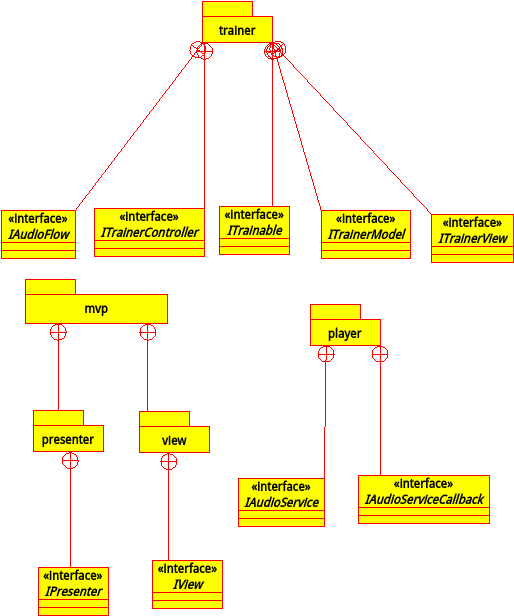 完整的 Android MVP 開發實踐之旅
開發背景最近在做一个與健身相關的 APP,裡面有一個訓練器模塊,基本功能是按照特定動作的演示與描述來引導使用者完成訓練。在第一個版本時,由於沒接觸過此類項目與功能,花了幾
 從源碼理解四大組件的工作過程
四大組件包括 Activity、Service、BroadcastReceiver、ContentProvider。系統對其封裝較深,但理解工作過程有助於排查問題與建立完
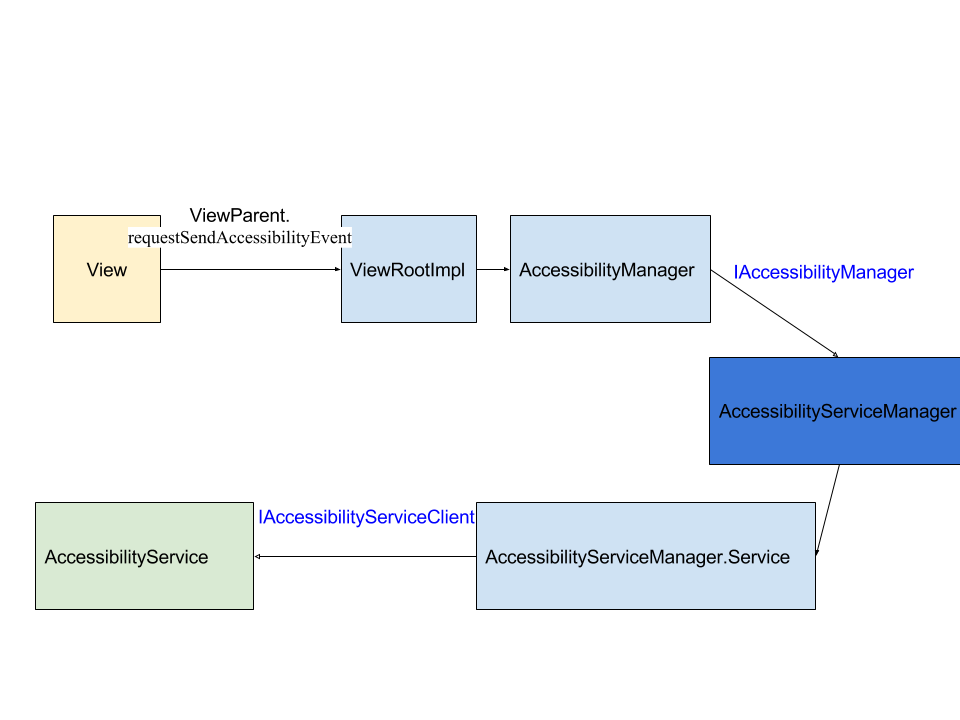 Android Accessibility 使用方式與底層原理入門
Accessibility 是 Android 從 API 4 就開始提供的功能,最初的用意是協助那些因為視覺、聽覺或身體障礙,而無法完整使用觸控螢幕、鈴聲等一般操作的族
 獲取 Android 手機 CPU 類型:ARM、ARMV7 與 NEON 判斷
在 Android 開發中,特別是涉及 Native 庫或影音解碼時,判斷手機 CPU 的架構與指令集至關重要。本文介紹如何透過命令列與程式碼兩種方式獲取 CPU 資訊。