

編輯:關於 Android 程式設計
專案裡需要發郵件,於是打算直接調起系統自帶的郵件客戶端,並且一次帶上多個附件。問題來了:該用哪個 Action?Intent.ACTION_SEND、Intent.ACTION_SENDTO,還是 Intent.ACTION_SEND_MULTIPLE?
答案是 ACTION_SEND_MULTIPLE。顧名思義,它就是為「一次分享多項內容」準備的,附件列表透過 Intent.EXTRA_STREAM 以 ArrayList<Uri> 的形式傳入。
翻一遍 Android 郵件應用的源碼,在收尾處可以看到類似這樣的寫法:
String subject = ...
String text = ...
ArrayList<Uri> attachments = ...

Intent intent = new Intent(Intent.ACTION_SEND_MULTIPLE);
intent.putExtra(Intent.EXTRA_SUBJECT, subject);
intent.putExtra(Intent.EXTRA_TEXT, text);
intent.putParcelableArrayListExtra(Intent.EXTRA_STREAM, attachments);
intent.setClassName("com.android.email", "com.android.email.activity.MessageCompose");
try {
    startActivity(intent);
} catch (ActivityNotFoundException anfe) {
    anfe.printStackTrace();
}上面這段在 Android 4.0 到 4.3 上都能正常工作。但到了 Android 4.4(KitKat),郵件應用的 Activity 名稱已經改為 com.android.email.activity.ComposeActivityEmail,寫死類名的方式就會失效。
更穩健的思路有兩種:一是只發 ACTION_SEND_MULTIPLE 而不指定具體組件,交給系統彈出選擇器;二是同時把已知的多個候選類名都試一遍,捕獲 ActivityNotFoundException 後再退化處理。前者相容性更好,也更符合現代 Android 的分享習慣。
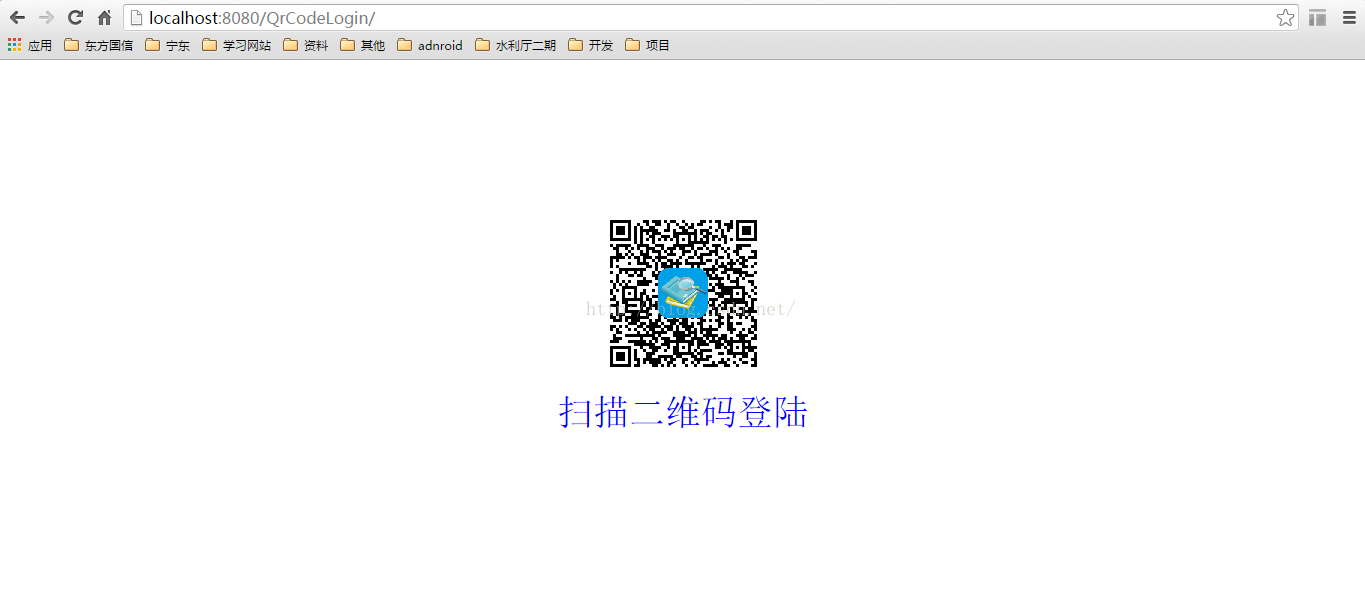 手機掃碼登入網頁:Android 二維碼掃描登入的完整實作
用手機掃一下螢幕上的二維碼就完成網頁登入,這個體驗現在很常見。它的原理其實不複雜,核心就是「以二維碼裡的 uuid 作為一座橋」,把手機端已登入的狀態傳回網頁端。 整體
 Android WaveView 水流波動效果:貝塞爾曲線與波長位移
水波動畫的視覺重點水流波動常用於水位提示、進度呈現或氛圍動畫。它看起來像連續的正弦波,但 Android 的 Canvas 並沒有直接繪製正弦曲線的 API。實務上可以改
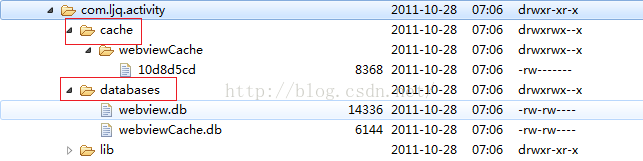 Android 開發實戰:讀取與清理 WebView 緩存的完整指南
WebView 中其實存在著兩類緩存:網頁數據緩存(保存打開過的頁面及其資源)和 H5 緩存(即 appcache)。下面我們分別來看。 一、網頁緩存 1、緩存構成 /d
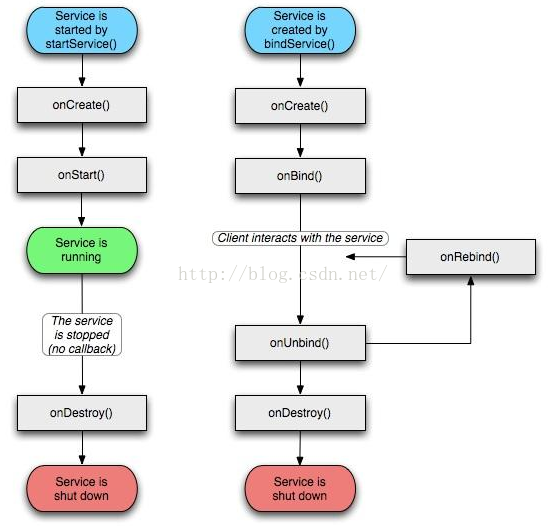 Android Service 你必須掌握的五件事
Service 是 Android 四大元件之一,通常在後台執行較耗時的工作。要真正用好它,需要掌握:生命週期、建立方式、AIDL 跨進程通信,以及提高存活率的手段。以下