

編輯:關於 Android 程式設計
應用想在桌面「佔個位置」,本質是向 Launcher 發送一個帶特定 action 的廣播。只要 Launcher 認可這個協議,就會在桌面生成一個圖標,點擊後執行你指定的 Intent。
public class DemoActivity extends Activity {

    @Override
    public void onCreate(Bundle savedInstanceState) {
        super.onCreate(savedInstanceState);
        setContentView(R.layout.main);
    }

    public void click(View view) {
        // 寫法一:快捷方式直接指向一個撥號動作
        // Intent intent = new Intent("com.android.launcher.action.INSTALL_SHORTCUT");
        // Intent dailIntent = new Intent();
        // dailIntent.setAction(Intent.ACTION_CALL);
        // dailIntent.setData(Uri.parse("tel:110"));
        // intent.putExtra(Intent.EXTRA_SHORTCUT_INTENT, dailIntent);
        // intent.putExtra(Intent.EXTRA_SHORTCUT_NAME, "呼叫110");
        // intent.putExtra(Intent.EXTRA_SHORTCUT_ICON_RESOURCE, R.drawable.ic_launcher);
        // sendBroadcast(intent);

        // 寫法二:快捷方式指向自家 App 的一個自定義 action
        Intent intent = new Intent();
        intent.setAction("com.android.launcher.action.INSTALL_SHORTCUT");

        Intent shortCutIntent = new Intent();
        shortCutIntent.setAction("cn.itheima.xxx");
        shortCutIntent.addCategory(Intent.CATEGORY_DEFAULT);

        intent.putExtra(Intent.EXTRA_SHORTCUT_INTENT, shortCutIntent);
        intent.putExtra(Intent.EXTRA_SHORTCUT_NAME, "測試快捷");
        intent.putExtra(Intent.EXTRA_SHORTCUT_ICON,
                BitmapFactory.decodeResource(getResources(), R.drawable.ic_launcher));

        sendBroadcast(intent);
    }
}
需要的權限:
<uses-permission android:name="com.android.launcher.permission.INSTALL_SHORTCUT"/>
<uses-permission android:name="com.android.launcher.permission.UNINSTALL_SHORTCUT"/>
Intent.EXTRA_SHORTCUT_INTENT:點擊快捷方式後要觸發的 Intent,這是核心。Intent.EXTRA_SHORTCUT_NAME:桌面上顯示的名稱。Intent.EXTRA_SHORTCUT_ICON:圖標,傳 Bitmap;也可以用 EXTRA_SHORTCUT_ICON_RESOURCE 傳資源 ID(兩者只能選一)。另外還有一個 EXTRA_SHORTCUT_DUPLICATE(布爾值),設為 false 時若桌面已有同名快捷方式則不再重複創建。
1. 權限聲明並非充分條件
Android 8.0(API 26)開始引入了「固定快捷方式」的正式 API:ShortcutManager.requestPinShortcut()。老的廣播方式在部分 Launcher 上仍然有效,但並非所有廠商都支持,成功率無法保證。新項目應該優先使用官方 API:
ShortcutManager shortcutManager = getSystemService(ShortcutManager.class);
if (shortcutManager.isRequestPinShortcutSupported()) {
    ShortcutInfo shortcut = new ShortcutInfo.Builder(this, "id1")
            .setShortLabel("測試快捷")
            .setIcon(Icon.createWithResource(this, R.drawable.ic_launcher))
            .setIntent(shortCutIntent)
            .build();
    shortcutManager.requestPinShortcut(shortcut, null);
}
2. 動態快捷方式更靈活
通過 setDynamicShortcuts() 或 addDynamicShortcuts() 可以在 App 圖標上長按彈出的菜單裡放置多個入口,無需用戶手動添加到桌面,也不佔桌面空間。這是現在更主流的做法。
3. 目標 Intent 必須可被系統解析
如果 EXTRA_SHORTCUT_INTENT 裡的 action 在你的清單文件中沒有對應的 intent-filter,快捷方式創建會「成功」,但點擊後什麼都不會發生。記得給目標 Activity 加上匹配的 filter,並確保 addCategory(Intent.CATEGORY_DEFAULT) 一致。
4. 清理時要主動卸載
若應用卸載或不再需要該入口,應發送 UNINSTALL_SHORTCUT 廣播(或使用 removeDynamicShortcuts())清理,避免桌面上留下無法使用的「幽靈圖標」。
5. 判斷是否已創建
重複創建會在桌面堆積多個相同圖標,體驗很差。可以在 SharedPreferences 中記錄已創建標記,或使用 ShortcutManager.getPinnedShortcuts() 查詢當前實際存在的固定快捷方式。
 Android Studio 接入微信第三方登入與分享完整指南
事前準備 要在 Android 應用中接入微信登入與分享,第一步是前往微信開放平台申請開發者帳號,並建立需要整合的應用。建立應用時會需要填寫套件名稱與應用簽章,這兩項資訊
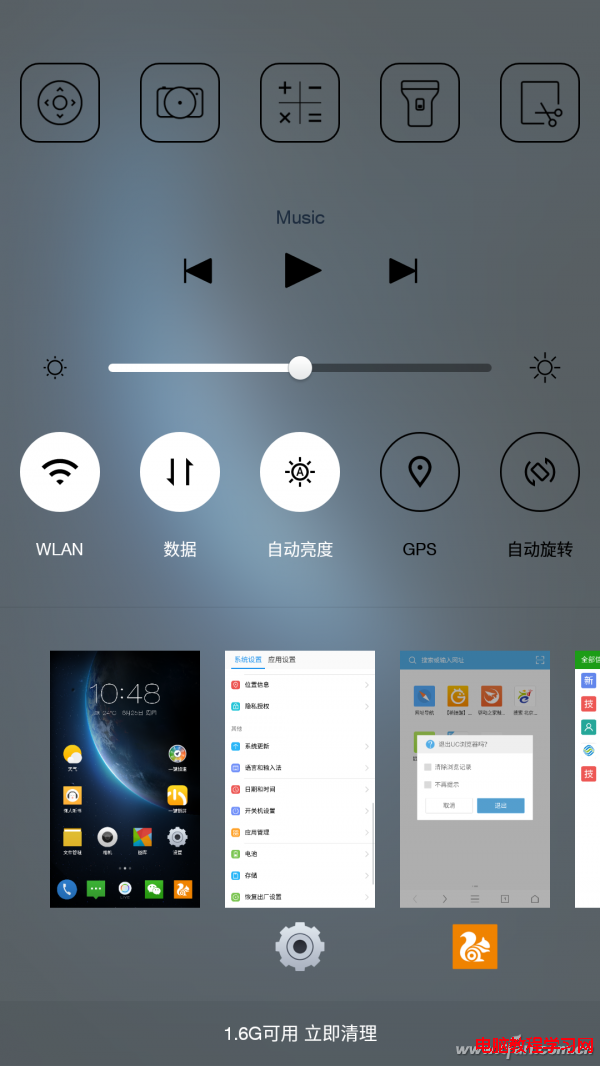 Android 手機使用上的兩件事兒:內存清理與 USB 調試
iPhone 用戶從來不用在意剩餘記憶體的多少,也無需考慮太多系統安全性問題,因為封閉的 iOS 從「根兒」上就比開放的 Android 靠譜。反觀 Android 用戶
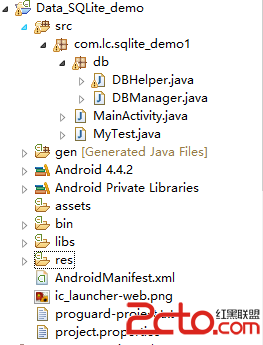 Android SQLite 實戰:增刪改查全彙總,含無 SQL 語句的 CRUD 封裝
SQLite 是 Android 自帶的輕量數據庫,幾乎每個稍具規模的應用都會用到。本文把常用操作系統性地梳理一遍:既包括原生 SQL 寫法,也包括完全不寫 SQL 的
 Android View 繪製優化實務:精簡層級、複用佈局與硬體加速
一個常見的誤解是:只要使用 LinearLayout、FrameLayout 這類基本佈局結構,大多數情況下就能得到高效率的版面。事實並非如此。應用裡加入的每一個控制項與