

編輯:關於 Android 程式設計
把 cocos2d-x 專案編譯成 Android APK 時,NDK 的報錯訊息往往很長又不太友善。以下把實作過程中遇到的錯誤依序整理成對照表,每條都附上原因與解法,遇到時直接查。
[armeabi] Compile++ thumb: cocos2dx_static <= CCCommon.cpp
CCCommon.cpp:44:72: error: format not a string literal and no format
arguments [-Werror=format-security]
cc1plus.exe: some warnings being treated as errors
原因:新版 GCC 把 format-security 警告當成錯誤處理,舊版 cocos2d-x 的 CCLog 寫法觸發了它。
解法:在 jni/Application.mk 後面加上:
APP_CFLAGS += -Wno-error=format-security
make: *** No rule to make target 'jni/FX/main.cpp',
needed by 'obj/local/armeabi/objs-debug/FX_shared/FX/main.o'. 停止。
原因:jni/Android.mk 裡的 LOCAL_SRC_PATH 定義有誤。
解法:對照 cocos2d-x 自帶 sample 專案裡的 Android.mk 寫法修正路徑。
jni/FX/main.h:7:21: fatal error: windows.h: No such file or directory
compilation terminated.
原因:NDK 只支援有限的 C/C++ 標準庫,windows.h 這種平台專屬標頭檔不存在。
解法:移除 main.cpp 裡對 main.h 的 include,改用跨平台寫法。
jni/FX/main.cpp:10:14: error: expected initializer before '_tWinMain'
原因:從 Windows 專案複製過來的進入點函數。
解法:直接照 cocos2d-x 提供的範例重寫 main.cpp。
jni/FX/main.cpp:6:29: fatal error: HelloWorldScene.h: No such file or directory
解法:把專案裡沒有的 include 拿掉,或補上對應檔案。
arm-linux-androideabi-g++.exe: fatal error: cannot specify -o with -c,
-S or -E with multiple files
compilation terminated.
原因:用 *.cpp 這種萬用字元一次指定多個檔案,但 -o 只能對單一輸出檔。
解法:逐一列出檔案,或改用 LOCAL_SRC_FILES := $(call all-c-files-under, ...) 這類語法。
FX_Global.h:8:25: fatal error: Box2D/Box2D.h: No such file or directory
解法(三選一):移除該 include;或把 external/Box2D 複製到專案的 Classes 資料夾下;或在 Android.mk 中正確引入:
LOCAL_WHOLE_STATIC_LIBRARIES += box2d_static
$(call import-module,external/Box2D)
FX_Global.h:8:31: fatal error: SimpleAudioEngine.h: No such file or directory
原因:SimpleAudioEngine 位於 CocosDenshion/android 下,必須另外引入模組。
LOCAL_WHOLE_STATIC_LIBRARIES += cocosdenshion_static
$(call import-module,CocosDenshion/android)
./build_native.sh: line 32: NDK_ROOT: command not found
原因:變數名稱與等號之間多打了空格。
NDK_ROOT=/path/to/android-ndk-r9d    # 正確,等號兩側不可有空格
NDK_ROOT = /path/to/...               # 錯誤
FX_StartGameScene.h:25:2: error: 'CCArray' does not name a type
FX_StartGame.cpp:63:2: error: 'pAniFrame' was not declared in this scope
FX_StartGame.cpp:69:31: error: 'sprintf_s' was not declared in this scope
解法:
CCArray does not name a type:加上命名空間,改寫成 cocos2d::CCArray。sprintf_s was not declared:_s 系列是 MSVC 專屬的安全版本函數,NDK 不支援,改用標準的 sprintf(並自行注意緩衝區大小)。was not declared in this scope:多為變數未宣告或標頭檔未引入,依錯誤位置補上即可。FXSharedMethod.cpp:15:32: error: 'CP_ACP' was not declared in this scope FXSharedMethod.cpp:15:62: error: 'MultiByteToWideChar' was not declared in this scope FXSharedMethod.cpp:19:28: error: 'CP_UTF8' was not declared in this scope
原因:MultiByteToWideChar/WideCharToMultiByte 是 Windows API,Android 上沒有。
解法:改用跨平台的編碼轉換方式,例如 iconv 或自行實作 UTF-8 與 UTF-16 的轉換。
fatal error C1083: 無法開啟包括檔案: "CCStdC.h": No such file or directory
fatal error C1083: 無法開啟包括檔案: "SimpleAudioEngine.h": No such file or directory
解法:把 cocos2d-x 根目錄下的 cocos2dx 與 CocosDenshion 兩個資料夾完整複製到專案目錄下,並確認專案的 include 路徑有指向它們。
把上面這些整理一下,會發現 cocos2d-x 的編譯錯誤其實只有四大類:
APP_CFLAGS 針對特定警告放行。cocos2d:: 前綴是最常見的修法。遇到錯誤時,先看第一行的 fatal error 或 error:,那是根因;後面幾行通常只是連帶的編譯中止訊息。另外,把 NDK 與 cocos2d-x 的版本對齊官方支援的組合,能省掉大量這類相容性問題。
 動手看懂 Android 源碼中的策略模式:以 Interpolator 為例
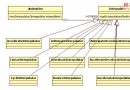
策略模式其實一點都不玄,聽到這裡你可以先鬆口氣。 先用排序理解策略 想像一下排序這件事:官方只對外暴露一個 ISort 接口,裡面有一個 sort() 方法,具體怎麼排
 Android 6.0 找不到 org.apache.http 套件?一行設定解決
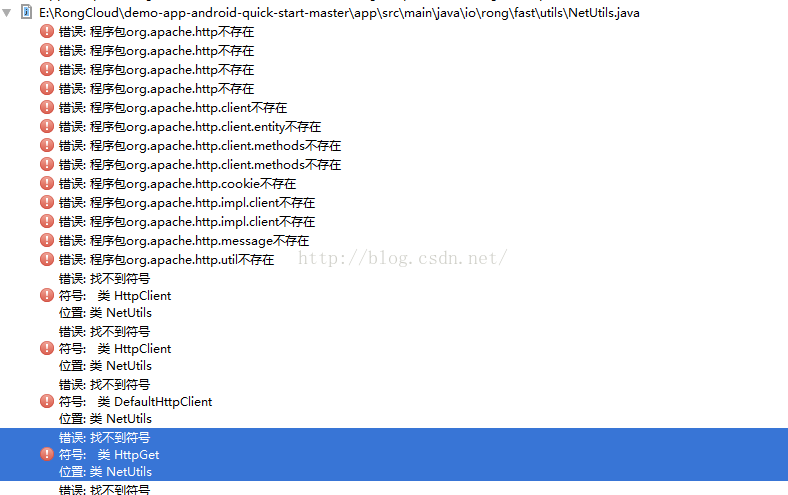
在 Android Studio 2.1 搭配 Android SDK 6.0(API 23)載入融雲 Demo 時,編譯直接失敗,錯誤訊息是找不到 org.apache
 Android 實現仿支付寶底部彈窗:DialogFragment 與切換動畫
打開支付寶付款,會從屏幕底部滑上一個面板,讓你確認訂單、選擇付款方式、輸入支付密碼。這一連串交互其實並不複雜,本文動手復刻一遍。 思路拆解 整體分三塊:主界面一個按鈕觸
 對 Binder 的淺顯分析及 AIDL 的使用
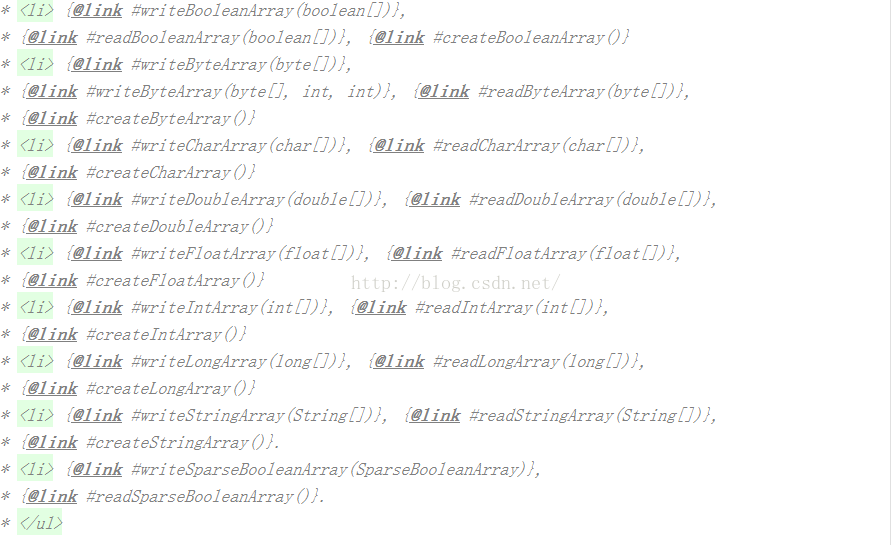
作為 Android 開發者,平時很少直接接觸 Binder,但它作為 IPC(進程間通訊)機制中最關鍵的一環,非常值得了解。其實我們早已與它打過交道:bindServi