

編輯:關於 Android 程式設計
面試中曾出現過一題:如何發送(並接收)XML 並加以解析。當時雖有接觸卻沒特別留意,於是回來深入研究並記錄於此,與大家一同學習。
以下這個 sendSoapMsg 方法示範了如何以 POST 方式,把一段 SOAP(XML 格式)訊息發送給目標服務,並讀取回應結果:
public static StringBuffer sendSoapMsg(String soapMessage,
                                    String targetUrl, String soapAction, Long timeout) throws Exception
  {
    busLogger.enterFuncDebugLog(soapMessage, soapAction, targetUrl, timeout);
    // 保存響應消息
    HttpURLConnection conn = null;
    BufferedReader bf = null;
    StringBuffer sb = new StringBuffer();

    try
    {
        URL url = new URL(targetUrl);
        conn = (HttpURLConnection) url.openConnection();
        conn.setRequestMethod("POST");
        conn.setDoOutput(true);
        conn.addRequestProperty("SOAPAction", soapAction);
        conn.addRequestProperty("Content-type", "text/xml; charset=UTF-8");

        // 設定連線超時時間
        conn.setConnectTimeout(timeout.intValue());

        // 將發送請求參數寫入到 http 請求中
        conn.getOutputStream().write(soapMessage.getBytes());
        conn.getOutputStream().flush();
        conn.getOutputStream().close();

        // 從服務器獲取響應結果
        InputStream in = conn.getInputStream();

        // 從服務器讀取結果
        bf = new BufferedReader(new InputStreamReader(in));
        String s = null;
        while ((s = bf.readLine()) != null)
        {
            sb.append(s);
        }
    }
    catch (Exception e)
    {
        busLogger.excepFuncDebugLog(e);
        throw e;
    }
    finally
    {
        if (null != bf)
        {
            try
            {
                bf.close();
            }
            catch (IOException e)
            {
                busLogger.excepFuncDebugLog(e);
            }
        }
        if (conn != null)
        {
            conn.disconnect();
        }
    }

    busLogger.exitFuncDebugLog(sb.toString());
    return sb;
  }
這段程式碼的關鍵步驟如下:
其中傳入的 soapMessage 參數,其內容就是一段 XML 格式的字串。收到回應後,你就能再進一步用 XML 解析器把回傳的內容拆解成可用的資料。
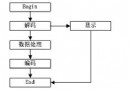 Android 視頻處理:為錄製影片加入動態時間水印
在部分影音應用中,需求不只是畫面上顯示時間,而是要把時間資訊直接燒錄進影片畫面。這代表影片在電腦或其他裝置播放時,也能看到每一段畫面的時間標記。本文整理在 Android
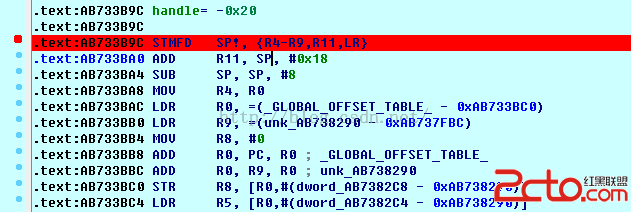 Android Native 反調試方式及使用 IDA 繞過反調試的實戰
0x00 為了避免我們的 so 文件被動態分析,通常會在 so 中加入一些反調試代碼。常見的 Android native 反調試方法有以下幾種: 1、直接調用 ptra
 把 Handler 異步消息機制用進圖片加載:打造高效能的通用 ImageLoader
上一篇介紹了 Android 異步消息處理機制,釐清了 Looper、Handler、Message 三者之間的關係。那篇最後提到一個想法:異步消息機制不該只用來在 Ma
 關於 Android 生命週期,你可能忽略的兩個細節
Android 生命週期大概是連初學者都耳熟能詳的知識,但這裡拋出兩個問題,或許你從沒細想過,甚至可能存在一些理解上的偏差。一、A 啟動 B 時,兩者的生命週期執行順序為