

編輯:關於 Android 開發
大家都熟悉 QQ 聊天視窗的抖動功能,那麼在 Android 中該如何實作類似效果呢?其實並不難,透過補間動畫(Tween Animation)搭配循環插值器即可達成。以下分享一份控制項抖動效果的完整源碼。
首先在 X 軸方向上的平移動畫 shake_x.xml:
<?xml version="1.0" encoding="utf-8"?> <translate xmlns:android="https://schemas.android.com/apk/res/android" android:fromXDelta="0" android:toXDelta="10" android:duration="1000" android:interpolator="@anim/cycle" />
Y 軸方向上的平移動畫 shake_y.xml:
<?xml version="1.0" encoding="utf-8"?> <translate xmlns:android="https://schemas.android.com/apk/res/android" android:duration="1000" android:fromYDelta="0" android:interpolator="@anim/cycle" android:toYDelta="10" > </translate>
讓抖動來回擺盪的關鍵,是循環插值器 cycle.xml,這裡設定循環 20 次:
<?xml version="1.0" encoding="utf-8"?> <cycleInterpolator xmlns:android="https://schemas.android.com/apk/res/android" android:cycles="20" />
主版面 main.xml 放入一組元件,包含文字、密碼框,以及分別觸發 X 軸與 Y 軸抖動的兩個按鈕:
<?xml version="1.0" encoding="utf-8"?> <RelativeLayout xmlns:android="https://schemas.android.com/apk/res/android" android:id="@+id/bg" android:layout_width="fill_parent" android:layout_height="fill_parent" android:background="@drawable/bg" android:orientation="vertical" > <TextView android:id="@+id/text" android:layout_width="fill_parent" android:layout_height="wrap_content" android:gravity="center" android:text="@string/mShake" android:textColor="#000000" /> <EditText android:id="@+id/passWd" android:layout_width="fill_parent" android:layout_height="wrap_content" android:clickable="true" android:singleLine="true" android:layout_below="@+id/text" android:password="true" /> <Button android:id="@+id/shake_x" android:layout_width="wrap_content" android:layout_height="wrap_content" android:layout_below="@+id/passWd" android:text="X軸抖動" /> <Button android:id="@+id/shake_y" android:layout_width="wrap_content" android:layout_height="wrap_content" android:layout_alignBaseline="@+id/shake_x" android:layout_alignBottom="@+id/shake_x" android:layout_alignParentRight="true" android:text="Y軸抖動" /> </RelativeLayout>
字串資源 string.xml:
<?xml version="1.0" encoding="utf-8"?> <resources> <string name="mShake">控件抖動效果</string> <string name="app_name">ShakeDemo</string> </resources>
實作時,只要在對應按鈕的點擊事件裡載入 shake_x 或 shake_y 動畫並套用於目標 View 即可。透過 translate 的位移與 cycleInterpolator 的來回插值,便能重現那種熟悉的「抖動」手感。
 融雲進階實作:自定義文件訊息,一次搞定小影片、GIF、紅包與自訂表情
核心洞察:它們本質上都是檔案 想在聊天裡傳小影片、GIF 動圖、紅包、自定義表情?在融雲(RongCloud)裡這些統統做得到。關鍵在於看透一件事:這些東西歸根究底都是資
 Android 自定義 View:可動態變形的 Button
自定義 View 能讓介面呈現更豐富的互動效果。本文說明如何製作一個可動態變形的 Button,讓它能在矩形、
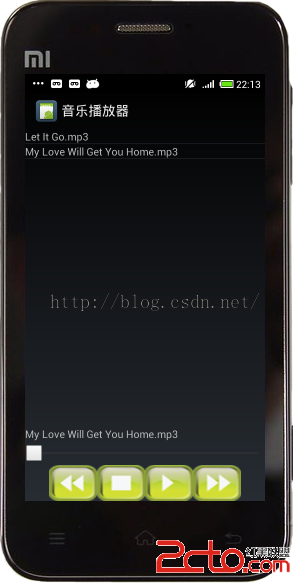 Android MediaPlayer 音樂播放實作指南
 MediaPlayer 是 Android 中用於播放音訊與影片的常用元件。若要做一個簡單的音樂播放器,通常會搭
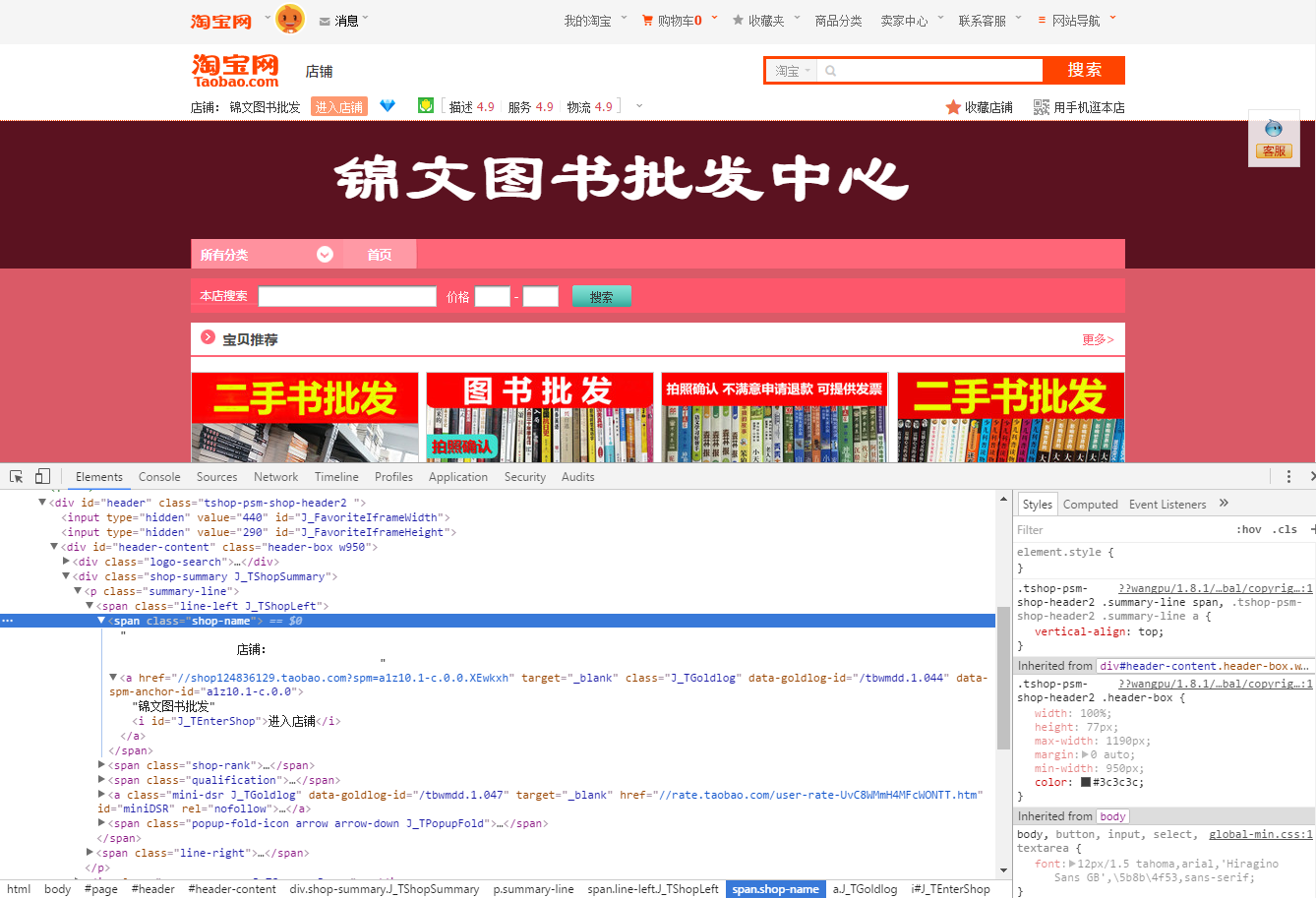 爬蟲中 XPath 提取 text 為空的原因與解法
使用 Selenium 或爬蟲工具透過 XPath 抓取網頁文字時,常會遇到明明定位到元素,text 卻是空的問題。這