

編輯:HTC 刷機教學
為了方便使用英文版 Recovery 的機友,特別將所有選項翻譯如下,方便對照操作:
--reboot system now 重啟系統
--apply sdcard:update.zip 使用 SD 卡根目錄的 update.zip 更新系統
--wipe data/factory reset 清空 data 分區並恢復原廠設定
--wipe cache partition 清空 cache 分區
--install zip from sdcard 從 SD 卡選擇檔案更新系統
--apply sdcard:update.zip 使用 SD 卡根目錄的 update.zip 更新系統
--choose zip from sdcard 從 SD 卡選擇 zip 格式升級包
--toggle signature verification 切換簽章驗證
--toggle script asserts 切換升級腳本檢查
--backup and restore 備份與還原
--Backup 備份
--Restore 還原
--Advanced Restore 進階還原
--mounts and storage 掛載與儲存
--mount /system 掛載 /system 分區(系統分區)
--mount /data 掛載 /data 分區(資料分區)
--mount /cache 掛載 /cache 分區(快取分區)
--mount /sd-ext 掛載 /sd-ext 分區(A2SD 分區)
--format boot 格式化核心分區
--format system 格式化系統分區
--format data 格式化資料分區
--format cache 格式化快取分區
--format sdcard 格式化儲存卡
--format sd-ext 格式化記憶卡 SD
--mount USB storage 將 SD 卡掛載為 U 盤模式
--advanced 進階
--Reboot Recovery 重啟 Recovery
--Wipe Dalvik Cache 清空 Dalvik 快取
--Wipe Battery Stats 清空電池狀態
--Report Error 回報錯誤
--Key Test 按鍵測試
--Partition SD Card 對 SD 卡分區
--Fix Permissions 修復權限
 Incredible 手動 Root 教學
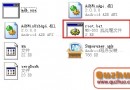
工具下載下載 root.zip,解壓後可得相關檔案:https://shuajidown3.lexun.cn/articile/2013/5/30/root.zip操作步
 HTC One S 刷 MIUI 完整教學:解鎖、刷內核、Recovery 到卡刷 ROM
這篇流程不只適用於刷 MIUI,只要把最後一步的 ROM 包換成其他第三方版本,同樣可以拿來刷任何你想要的 ROM。整份教學已涵蓋 One S 的官方解鎖、刷入內核與 R
 HTC Z510d 一鍵 Root 教學
準備工作 1. 關閉其他手機輔助軟體,並結束工作管理器中 adb.exe 之類的行程,否則會干擾工具運作。 2. 手機需已官方解鎖或 S-OFF。 3. 開啟 USB 偵
 HTC T328t Recovery 卡刷教學
透過 Recovery 進行卡刷,是許多 HTC 玩家常用的方式。名詞看似專業,實際概念就是先讓手機進入可刷機的環境,再把目標 ROM 安裝進去。準備工具需要準備 HTC