

編輯:進階使用
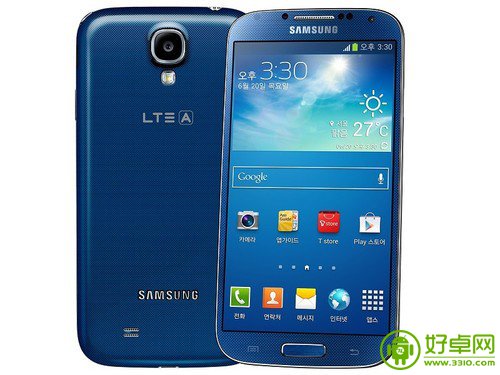
S4 支援各種個人化定製,其中一個小痛點是:每次鎖屏都得去按機身側邊的電源鍵。如果你希望能直接在下拉通知列裡點一下就鎖屏,可以透過修改 SystemUI 來加入這顆按鈕。
前置條件:設備已取得 Root 權限,並具備 APK 反編譯/回編譯工具與壓縮軟體。
1. 反編譯 SystemUI.apk。
2. 編輯 res\layout\status_bar.xml,在第 23 行後新增一行:
<com.android.systemui.statusbar.policy.keybuttonview android:contentdescription="@string/accessibility_back" android:id="@id/back" android:layout_gravity="right" android:layout_height="fill_parent" android:layout_torightof="@id/recent_apps" android:layout_width="wrap_content" android:paddingright="30.0dip" android:src="#00000000" android:orientation="vertical" systemui:glowbackground="@drawable/ic_sysbar_highlight" systemui:keycode="26" />
3. 存檔後關閉編輯器。
4. 在 res\drawable-xxhdpi 中放入名為 vk_sysbar_lock 的圖示檔。
5. 回編譯 SystemUI。
6. 用 WinRAR 等工具以「儲存」方式打開 SystemUI.apk,把改好的 status_bar.xml、resources 檔與 vk_sysbar_lock 圖片換回原位。
7. 複製回手機覆蓋原檔、修正權限(通常設為 644),重啟手機即完成。
風險提醒:SystemUI 是系統核心元件,改動失敗可能導致開機後沒有狀態列、無法進入桌面,甚至開機循環。操作前請務必備份原始 SystemUI.apk,並確認手機能進入 Recovery,以便隨時還原。
 觸控螢幕為什麼會越用越不靈?電容屏的保養與先天限制
怎麼保護手機的屏幕手機用一陣子後觸控變遲鈍,很多人第一反應是怪手機廠商。但在抱怨之前,先問問自己:這段時間有好好保養螢幕嗎?要回答這個問題,得先理解電容屏是怎麼運作的。電
 紅米手機如何開啟開發者模式?
紅米手機預設不顯示開發者選項,但可透過連續點擊 Android 版本來啟用。進入「設定」,再選擇「全部設定」。找到「關於手機」,連續點擊「Android 版本」四次。完成
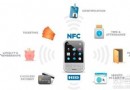 NFC怎麼用?原理、讀寫方式與現實限制
NFC 常被寫在手機規格的宣傳文案裡,但多數人只知道它是個「能感應的功能」,不清楚實際能拿來做什麼。以下把原理與現實狀況講明白。 NFC是什麼 NFC 是 Near F
 三星S5汽車模式如何開啟?開車也能用語音操控
開車時低頭看手機,風險不言可喻。三星S5 的汽車模式把主要操作改成語音,讓駕駛時仍能接聽與撥號。 1. 從三星S5 頂端下拉開啟通知欄,點擊【展開】,找到並點擊【汽車模式