

編輯:Android 刷機技巧
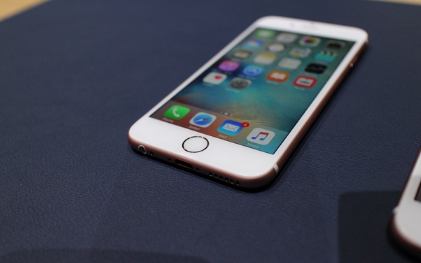
【rom下載之家】蘋果釋出iOS 9.3 beta之後,陸續有使用者挖出新功能,其中一個讓不少人拍手:終於能把那些用不到的預裝App藏起來。做法是透過Apple Configurator建立設定描述檔,以下是完整流程與指令對照。
1)你的裝置需先安裝iOS 9.3 beta。
2)下載 Apple Configurator 2.2 測試版。這一步需要具備Apple開發者會員資格(註冊費用約79英鎊)。
3)用Apple Configurator 2.2建立一個描述檔,在 Restrictions 的 Apps 區塊中找到「限制App使用」,選擇「不允許部分App」。
4)輸入對應的指令來隱藏指定App。例如要隱藏股市App,就輸入 com.apple.stocks,該App便會從iPhone或iPad上消失。
com.apple.stocks — 股市(Stocks)
com.apple.tips — 提示(Tips)
com.apple.videos — 影片(Videos)
com.apple.mobilemail — 郵件(Mail)
com.apple.mobilenotes — 備忘錄(Notes)
com.apple.reminders — 提醒事項(Reminders)
com.apple.calculator — 計算機(Calculator)
com.apple.Maps — 地圖(Maps)
com.apple.Music — 音樂(Music)
com.apple.Passbook — Wallet
com.apple.Health — 健康(Health)
com.apple.mobilephone — 電話(Phone)
com.apple.MobileStore — iTunes Store
com.apple.MobileSMS — 訊息(Messages)
com.apple.VoiceMemos — 語音備忘錄
com.apple.weather — 天氣(Weather)
com.apple.podcasts — Podcasts
com.apple.gamecenter — Game Center
com.apple.Bridge — Watch
com.apple.mobileme.fmf1 — 尋找朋友(Find Friends)
com.apple.iBooks — iBooks
com.apple.mobileme.fmip1 — 尋找我的iPhone
com.apple.mobiletimer — 時鐘(Clock)
com.apple.mobileslideshow — 照片(Photos)
com.apple.Preferences — 設定(Settings)
com.apple.Camera — 相機(Camera)
com.apple.facetime — FaceTime
com.apple.MobileAddressBook — 聯絡人(Contacts)
com.apple.news — 新聞(News)
最後提醒:隱藏不等於移除,App本體仍在系統中,只是不再顯示。其中電話、訊息、設定、相機這幾項若被隱藏,日常操作會很不方便,建議不要列入。
 三星 GALAXY S4(I9500)ROOT 圖文教學與工具下載
三星 GALAXY S4(I9500)想取得 ROOT 權限,透過刷機助手的一鍵功能即可輕鬆完成。以下為完整圖文流程。 Galaxy S4 規格速覽 Galaxy S4
 新買的iPad怕被拆封過?查序號看啟用日期
剛入手 iPad,心裡總有幾個問號:是正品嗎?被啟用過嗎?還在保固期內嗎?查一下序號就能解答,步驟並不難。 第一步,先取得產品序號。 進入「設定」,點擊「通用—關於本機
 努比亞Z9 mini相冊怎麼隱藏?圖文步驟詳解
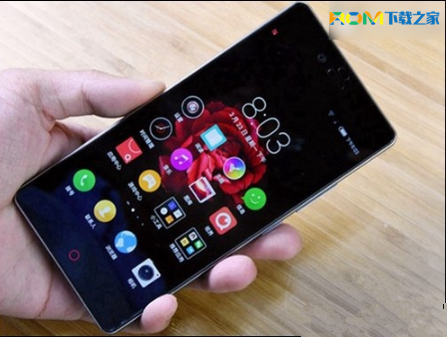
努比亞Z9 mini的相冊該怎麼隱藏?這樣可以很好地保護自己的隱私,畢竟有些私人照片不想被別人看到。下面小編就給大家分享相冊隱藏技巧,感興趣的朋友快來圍觀哦! 1、首先
 HTC G8 驅動與中文版說明書下載
要刷機、要傳檔,第一步都是讓電腦認得這支手機。HTC G8 的驅動與中文版說明書資源整理如下。 為什麼需要裝驅動 Android 手機接上電腦後,若缺少對應驅動,裝置管理