

編輯:Android 刷機技巧
預設的時間顯示在狀態列右側,想改成左側配置,只要動一個字串就好。以下以 CM10.1 為例。
反編譯 4.2.1 的 systemui.apk,找到 systemui\res\layout\ 目錄下的 status_bar.xml 並開啟編輯。
找到下面這段宣告並整段刪除,注意不要留下多餘空白:
<com.android.systemui.statusbar.policy.Clock android:textAppearance="@style/TextAppearance.StatusBar.Clock" android:gravity="left|center" android:id="@id/clock" android:paddingLeft="6.0dip" android:clickable="false" android:layout_width="wrap_content" android:layout_height="fill_parent" android:singleLine="true" />
接著找到這段容器宣告:
<LinearLayout android:orientation="horizontal" android:id="@id/status_bar_contents" android:paddingLeft="6.0dip" android:paddingRight="6.0dip" android:layout_width="fill_parent" android:layout_height="fill_parent">
在它下方貼上同樣的 Clock 節點:
<com.android.systemui.statusbar.policy.Clock android:textAppearance="@style/TextAppearance.StatusBar.Clock" android:gravity="left|center" android:id="@id/clock" android:paddingLeft="6.0dip" android:clickable="false" android:layout_width="wrap_content" android:layout_height="fill_parent" android:singleLine="true" />
回編譯、簽名並刷入即可看到時間移到左側。若開不了機,通常是 XML 結構被破壞,還原備份重來一次即可。
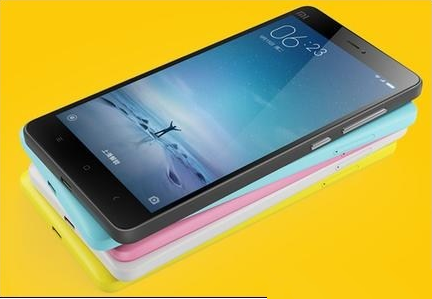 小米4C驅動安裝教學:讓電腦正確辨識手機
小米4C要連接電腦傳輸檔案,需安裝對應驅動。可從小米官方網站下載,或透過手機助手自動安裝。進入小米官網的服務與資源下載頁面,找到手機驅動並下載安裝。完成後再連接USB。也
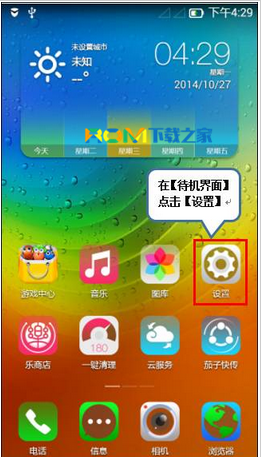 聯想樂檬K3 震動提醒怎麼設?來電與簡訊震動教學
手機靜音、或身處嘈雜環境時,來電與簡訊很容易就被漏掉。聯想樂檬K3 的震動提醒可以確保你不會錯過重要訊息。先搞懂情景模式震動設定是綁在目前使用的情景模式上的。也就是說,你
 兩千元價位的國產手機,究竟靠什麼在紅海裡活下去?
短暫休整之後,國產手機廠商又開始新一輪衝刺。從這一輪的陣容來看,兩千元價位段依舊是火力最集中的戰場,華為、一加、魅族都端出了自家的新作品。但就在各家廝殺得面紅耳赤的同時
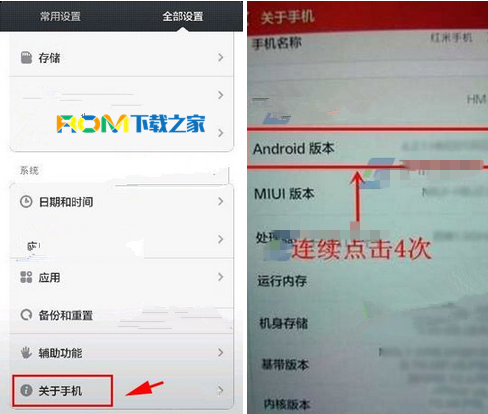 紅米 2 的 USB 除錯在哪開?兩步完成
要傳檔案、要刷機、要用電腦工具操作手機,都得先開 USB 除錯。紅米 2 的入口預設是隱藏的,需先解鎖開發者選項才看得到。 1. 開啟「設定」,在「全部設定」中點進「關於