

編輯:Android 刷機技巧
狀態欄是最容易做出個人風格的地方。以下示範三件事:把時間置中、顯示電信商名稱、修改文字顏色。工具只需 apktool 與一個文字編輯器(建議 Notepad++)。
1. 反編譯 systemui.apk。
2. 開啟 systemui\res\layout\status_bar.xml,找到 xmlns:android 宣告所在的那一行。
3. 在其下方插入:
<com.android.systemui.statusbar.Clock
android:textAppearance="@android:style/TextAppearance.StatusBar.Icon"
android:gravity="left|center" android:paddingRight="6.0dip"
android:layout_width="wrap_content" android:layout_height="fill_parent"
android:layout_gravity="center_horizontal" android:singleLine="true" />
關鍵是 layout_gravity="center_horizontal",它讓時鐘脫離原本的左對齊排版。
4. 回編譯 systemui 專案。
5. 從輸出目錄取出 status_bar.xml,覆蓋回原始 APK 的 res\layout 內。
1. 同樣在 status_bar.xml,找到:
<LinearLayout android:orientation="horizontal" android:id="@id/icons"
android:layout_width="fill_parent" android:layout_height="fill_parent">
2. 在其下方加入:
<com.android.systemui.statusbar.CarrierLabel
android:textAppearance="@android:style/TextAppearance.StatusBar.Icon"
android:gravity="left|center" android:paddingLeft="6.0dip"
android:layout_width="wrap_content" android:layout_height="fill_parent"
android:singleLine="true" />
3. 回編譯並取出 status_bar.xml 覆蓋回原 APK。
最簡單的一項:只要在對應節點中插入 textColor 屬性。以時間置中那段為例,加上 ICS 藍的色碼:
android:textColor="#34b4e3"
插入後的完整節點:
<com.android.systemui.statusbar.Clock
android:textAppearance="@android:style/TextAppearance.StatusBar.Icon"
android:gravity="left|center" android:paddingRight="6.0dip"
android:layout_width="wrap_content" android:layout_height="fill_parent"
android:layout_gravity="center_horizontal" android:singleLine="true"
android:textColor="#34b4e3" />
電信商文字的颜色改法完全相同,色碼可自行上網查詢對照表。
把 systemUI.apk 複製到電腦並改名為 systemUI.zip,用 RAR 或 7-Zip 打開,進入 res\layout 資料夾,解開 status_bar.zip 取得 status_bar.xml,拖曳進 layout 資料夾覆蓋,關閉視窗。
接著把副檔名改回 systemUI.apk,複製回手機,用 RE 管理器修正權限後覆蓋到 /system/app,重開機即可看到效果。
SystemUI 是開機必載服務,回編譯失敗或 XML 標籤沒閉合,會直接导致開機後不斷重啟。修改前請備份原始 systemui.apk,並確認 apktool 版本與韌體相符——不同 Android 版本對 framework 資源的要求不同,版本不合會在回編譯階段就失敗。
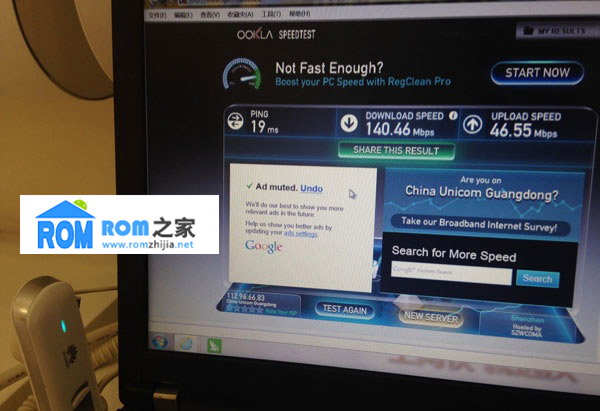 聯通 4G 還要等多久?深圳 LTE-FDD 實測畫面曝光
移動與電信相繼開跑 4G 服務,聯通這邊卻遲遲沒有動靜,難怪用戶等得心癢。不過從最近流出的測試畫面來看,距離正式登場應該已經不遠。 深圳試驗網實測數據曝光 隨著中國移動
 刷機變磚別急著送修 手機救磚教學每日彙整
對喜歡折騰手機的人來說,刷機並不陌生;但萬一手一抖刷壞了怎麼辦?先別急著抱去維修中心。別慌,這裡要做的就是一件事——把磚救回來。以下是最齊全的救磚資源整理,需要的朋友先收
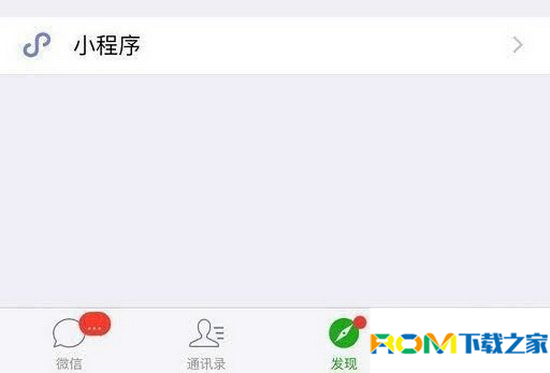 微信小程序怎麼進入?進入微信小程序方法教程
微信小程序已正式上線,只要將微信更新至 6.5.3 以上版本,就能開始使用。進入方式使用過小程序後,可到「發現」→「小程序」查看歷史紀錄。也可透過線下二維碼、搜尋、公眾號
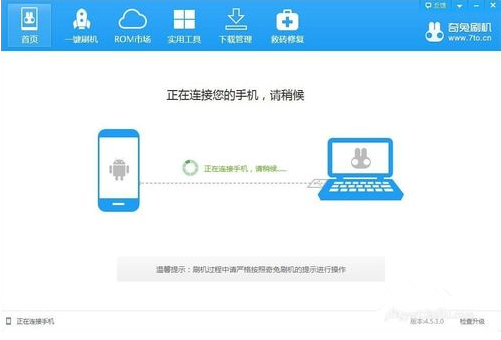 奇兔刷機怎麼用?從準備到完成的完整流程
市面上的一鍵刷機工具不少,奇兔刷機是其中介面相對直覺的一款。它支援三星、HTC、酷派、華為、中興等品牌共三百多款機型,內建的 ROM 市場也有大量資源可挑。以下就完整走一