

編輯:Android 刷機技巧
在 XXUAMD2 這版固件(4 月 2 日)上,I9505 的 ROOT 已經完成。這件事之所以值得記錄,是因為 S4 的扎根過程到目前為止一直不太平順。
先前幾版固件把 SEAndroid 設為限制性模式(部分可繞過),此外還有一個更麻煩的「神秘重開機」:你把 su 二進位檔與管理器 APK 都裝得好好的,但只要一呼叫 su 取得 root 權限,裝置立刻重啟。
這版固件其實沒做什麼特別手腳——SEAndroid 在這版被設為 permissive,因此不會出現上述重啟問題。整個流程就是最普通的 ROOT:等同於 CF-Auto-Root 之於其他 Galaxy 機種,或以刷入自製 kernel/recovery/system 的方式注入 root。
目前還不確定這是不是最終零售版固件,所以也無法保證在正式零售版上同樣有效。
可以確定的是,這是有實際測試通過紀錄的首例 S4 ROOT。
Galaxy S4 GT-I9505 (Qualcomm LTE) rooted
To continue on with all this talk about the S4 and root, I've just rooted the XXUAMD2 firmware (dated April 2) for the I9505.
If you've followed the story so far, you know there has been trouble rooting the S4's until now. SEAndroid was set restrictive on some firmwares (easily circumvented) and aside from that we had the mystery reboots. You could have the su binary and apk's installed just fine, but once you used the su binary to gain root access, the device would reboot.
We've done nothing special for this firmware - SEAndroid was set to permissive on this firmware, and it doesn't suffer from that reboot issue. This is as plain a root as all the CF-Auto-Root's for any other Galaxy device, or other methods to inject root by flashing a custom kernel/recovery/system.
We simply don't know if this is the final retail firmware, so we don't know if this will work on final retail.
I do believe this is the first S4 root that was actually tested working, hurrah!
附件下載:CF-Auto-Root-jflte-jfltexx-gti9505.zip
 華為 G9 Plus 刷機教學:強刷升級官方系統包
本篇來說說華為 G9 Plus 的線刷(強刷)教學。由於上一節已說明如何下載該機官方 ROM,不少機友下載後卻不知如何刷入,因此整理了詳細流程供大家參考。此教程利用官方自
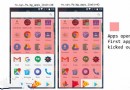 一加 3 解鎖 6GB 記憶體:提高後台應用數量上限教學
一加 3 配備 6GB LPDDR4 記憶體,但官方系統對後台常駐的 App 數量設了上限,用意是換取更好的續航。對於不太在意電池、卻希望大型 App 能隨時留在後台快速
 手機屏幕刮花了怎麼辦?六種應急處理方法對比
【ROM之家】再小心的人,也難免讓手機屏幕添幾道痕。劃痕不深其實不必急著換屏,家裡的一些常見物品就能做應急處理。下面幾種方法各有適用場景,可按情況挑選。 牙膏 擠少量牙
 爸媽不再輕易上當 微信「闢謠助手」小程式上線
幾乎人人都在用微信,但當父母也開始用之後,就出現一個共同的困擾:長輩總是容易被群裡轉來轉去的謠言騙到,還深信不疑。這顯然不是好事,而微信現在針對這一點推出了相應措施——正