

編輯:三星刷機教學
以下整理三星 I9200 可精簡與建議保留的系統程式清單,方便玩家依需求安全瘦身。
AccuweatherPhone2013、AlarmWidget、AllShareCastPlayer、AllshareControlShare、AllshareFileShare 系列、AllshareMediaServer、AllshareMediaShare、AllSharePlay15、Autonav_V5.0、BaiduMap、BaiduNetdisk、BasicDreams、ChatON_feature、Com2usPoker、DaoDao、DigitalClock 系列、DioDict3 系列、DirectConnect、DirectShareManager、DSM 系列、DualClockDigital、Episodes、FaceLock、Flipboard、FmmDM/DS、FotaClient、FWUpgrade、GoogleTTS、GroupPlay、HealthContentProvider、InteractiveTutorial、Match3VS、MobilePrint 系列、MusicHub、MusicLiveShare、Netease、NoiseField、OmaCP、OmaDrmPopup、Peel、PhaseBeam、QQ 相關(QQInterceptService/Update、Qzone)、S_Translator、SamsungApps 系列、SamsungBooks/Games/Hub/Learning/OCR2/WatchON、sCloud 系列、SearchBoxBaidu、SecDownloadProviderUi、SecEmail_J、SecExchange、SecWalletManager、SensorService、ServiceCentre、SHealth2、SimpleWidget、Sina 新聞/股票、SmartBriefing、SNS_China、SPlanner 插件、StoryAlbum、S-Voice、SyncmlDM/DS、SysScope、Tag、TencentWidget、TravelService/Widget、TTSDBUninstaller、VideoHub、WebManual、WeChat、WfdBroker 等。
AccessControl、AirMotionTryActually、ApplicationsProvider、AssistantMenu、BackupRestoreConfirmation、BadgeProvider、BandService、BCService、BeautyFace、BestFace、Bluetooth、BluetoothTest、CapabilityManagerService、CertInstaller、ClipboardSaveService、ClockPackageChina、CloudAgent_CHN、CMAWeatherPhone2013、ColorBlind、DefaultContainerService、Divx、DrmProvider、EasyLauncher/Settings、Edm 系列、ELMAgent、EnterprisePermissions、Eraser、FactoryCamera/Keystring/Test、FlashBarService、FusedLocation、GestureService、GlanceView、Hearingdro、HwModuleTest、InputDevices、JobManager、KeyChain、Keyguard 系列、Kies/kieswifi、KNOXAgent/Store、LocalFOTA、LogsProvider、MDMApp、minimode-res、MobileTrackerEngineTwo、MtpApplication、MusicFX/MusicPlayerWT、NetworkLocation_Baidu、NfcNci/Test、NotificationWidget、PackageInstaller、PageBuddyNotiSvc2、PCWClientS、PhoneErrService、PhotoRetouching_fhd、PhotoTable、PicAction、PolarisViewer5、PopupuiReceiver、Preconfig/PreloadInstaller、PRUI、ResourceManager、RootPA、SamsungCamera2、SamsungChineseIME、SamsungMusic/TTS/Video、SBrowser_CHN、SCParser、SecCalculator/Calendar/Contacts/Gallery/HTMLViewer/Launcher/LiveWallpapers/MediaProvider/Mms/Phone/Settings/TelephonyProvider/VideoPlayer/WallpaperChooser、SecurityProvider、serviceModeApp、SetDefaultLauncher、SharedStorageBackup、ShareShotService、SmartcardManager/Service、SMemo2China、SNoteProvider、SphericalMosaic、SuperUser、SystemUI、TasksProvider、TMServerApp、TrimApp_phone_J、TwDVFSApp、UltraCfg、UserDictionaryProvider、VoiceRecorder、WlanTest、wssyncmlnps 等,這些多為維持系統核心功能所需,建議保留。
 三星 Galaxy 手機忘記圖案鎖怎麼辦?兩招自救解鎖
這是一個常見窘境:家中小朋友把你的手機圖案鎖當成遊戲亂畫一通,而你試了很多次都解不開,Gmail 帳號也一時想不起來。打電話問客服,對方說可以自己解,或是付費交由授權維
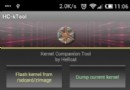 三星 I9300 解除網絡鎖與 EFS 備份教學
使用說明 1. 方法整理自網路社群並經測試後發布,用來解除其他區域 SIM 卡的網絡鎖。 2. 一般解鎖後再刷機,手機不會重新上鎖;但部分版本會再次鎖上,具體處理方式見下
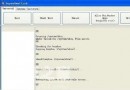 三星 I997 Infuse 4G 用 SuperOneClick 一鍵 ROOT
三星 I997 要取得 ROOT 權限,最省事的方式是透過 SuperOneClick 這類一鍵工具。整個過程電腦端跑完就好,手機幾乎不用操作。 1. 先在電腦上安裝三星
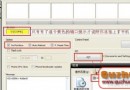 三星 I9070 ROOT 圖文教學:解決手機權限問題
動手 root 前,請準備好:I9070 手機一部、三星原裝數據線一條、電腦一台。準備齊全後即可開始。 1. 先在電腦下載 GT-I9070-root-for-angee