編輯:高級開發
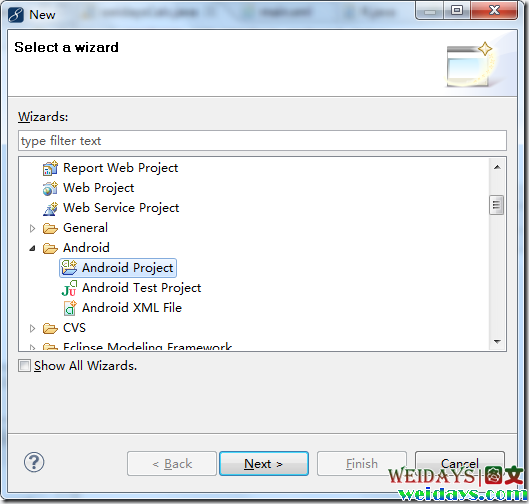
來自摩托羅拉的android開發IDE已經提供了下載,相關的安裝方法如何呢? 下面是發布文檔中有關Mac和Windows x86桌面系統的安裝說明 。MOTODEV Studio for Android installation process depends upon your underlying Operating system. Once you have installed MOTODEV Studio, the process of installing or configuring the Android SDK (documented under "Installing the android SDK”) is the same regardless of your Operating system.
If you already have a previous version of MOTODEV Studio for android installed, uninstall it before proceeding.
To install:
Program Files/Motorola/MOTODEV Studio for android version. Now proceed to “Installing the android SDK”.
If you already have a previous version of the MOTODEV Studio for android installed, uninstall it before proceeding.
To install:
motodevstudio.app from the directory you just created to the dock. Launch MOTODEV Studio for Android and specify a workspace[1]. If the workspace that you specify does not have a setting for the android SDK (as is the case when you specify a workspace directory that does not yet exist), MOTODEV Studio displays a dialog containing the following options:
IMPORTANT: When you allow MOTODEV Studio to download and install the android SDK, the progress bar does not accurately reflect the status of the Operation.
Note that while running MOTODEV Studio for Android if you switch to a workspace that does not have a reference to the Android SDK, MOTODEV Studio attempts to locate it. If the SDK is not located in the directory in which MOTODEV Studio for android is installed, you will again be presented with the above dialog, giving you the option to download the SDK or specify its location.
MOTODEV Studio makes use of the Eclipse™ update mechanism to ensure that it is always up-to-date. To check for updates:
If there are available updates, they will now be downloaded and installed.
相關內容可以查看 MOTODEV下載 (android版
 闡述穩定高效的Android平台
android平台的項目目前正在從手機運營商、手機廠商、開發者和消費者那裡獲得大力的支持,在這期間,很有可能會迎來 android程序的大爆發,畢竟這個系統太強大了。一
 詳細介紹Android J2ME程序操作
為什麼要推出android J2ME程序?是什麼讓這些用戶喜歡谷歌推出的這款操作系統,有的人說可以媲美iPhone?這些問題對於欲了解android平台智能手機,和想了
 Android Service
Service(服務)是一種在後台運行,執行長時間運行的操作,無需與用戶交互的組件。例如,一個服務可以在後台播放音樂,用戶在不同的應用程序或者可能通過網絡獲取數據,而不阻
 詳細解讀Android應用線程問題
android應用操作系統均采用了軟件堆層(software stack,又名軟件疊層)的架構,主要分為三部分:低層以Linux核心工作為基礎,只提供基本功能,下文僅供