編輯:關於android開發
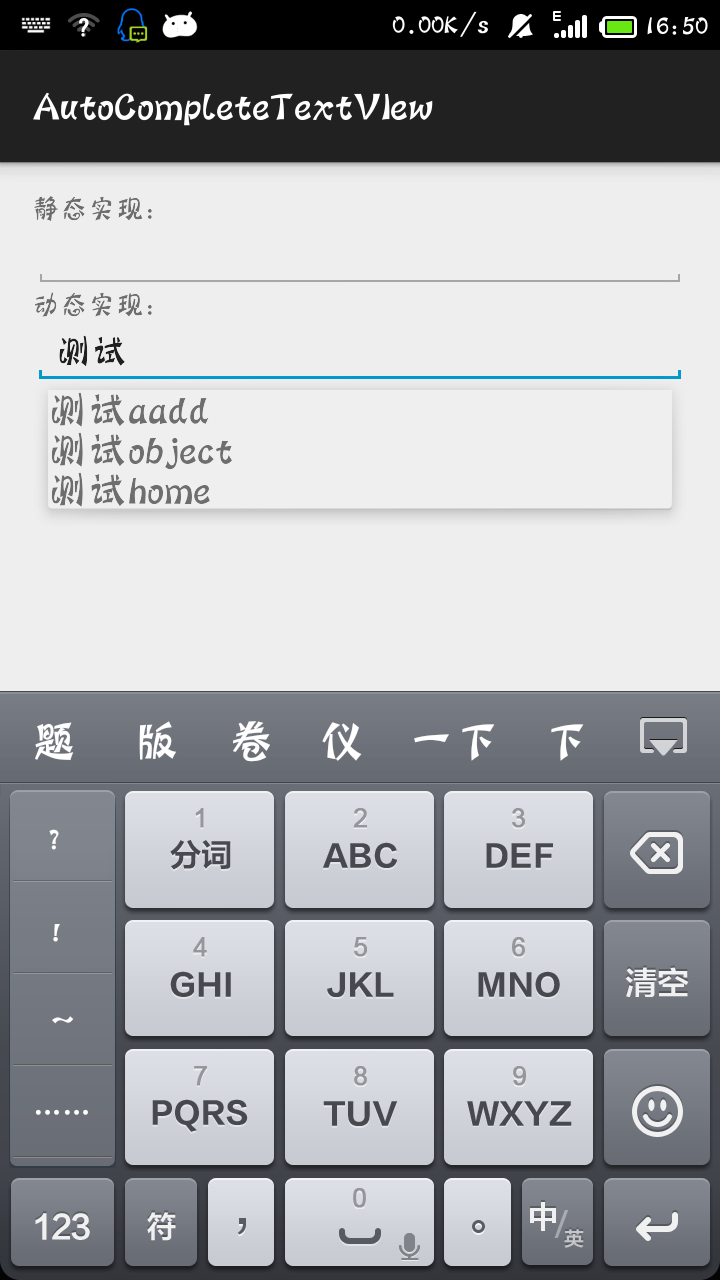
AutoCompleteTextView是自動匹配字符,當我們輸入一個單詞或一段話的前幾個字時,就會自動為你匹配後面的內容看效果圖:
下面是代碼:
MainActivit:
package com.example.autocompletetextview;

import java.util.ArrayList;
import java.util.List;

import android.support.v7.app.ActionBarActivity;
import android.os.Bundle;
import android.widget.ArrayAdapter;
import android.widget.AutoCompleteTextView;

public class MainActivity extends ActionBarActivity {

    AutoCompleteTextView autoCompleteTextView = null;
    AutoCompleteTextView auto2 = null;
    private static final String[] COUNTRIES = {"china","canada","Belgium", "France", "Italy", "Germany", "Spain"};
    @Override
    protected void onCreate(Bundle savedInstanceState) {
        super.onCreate(savedInstanceState);
        setContentView(R.layout.activity_main);

        autoCompleteTextView = (AutoCompleteTextView) findViewById(R.id.auto1);
        auto2 = (AutoCompleteTextView) findViewById(R.id.auto2);

        /*靜態方式,自動匹配的值已經提前設置好了
         * 第一個參數是指當前上下文
         * 第二個參數是顯示的匹配布局,此處用的是Android已有的布局
         * 第三個參數是存儲自動匹配的值的數組
         */
        ArrayAdapter<String> adapter = new ArrayAdapter<String>(this,android.R.layout.simple_dropdown_item_1line,COUNTRIES);
        autoCompleteTextView.setAdapter(adapter);

        /*
         * 動態方式,自動匹配的值由list決定
         */
        List<String> list = new ArrayList<String>();
        list.add("測試aadd");
        list.add("測試object");
        list.add("測試home");
        ArrayAdapter<String>  adapter2 = new ArrayAdapter<String>(this, R.layout.simple_1, list);
        auto2.setAdapter(adapter2);
    }
}
main_activity:
<LinearLayout xmlns:android="http://schemas.android.com/apk/res/android"
    xmlns:tools="http://schemas.android.com/tools"
    android:layout_width="match_parent"
    android:layout_height="match_parent"
    android:orientation="vertical" >


    <TextView
        android:layout_width="match_parent"
        android:layout_height="wrap_content"
        android:text="靜態實現:"/>
    <AutoCompleteTextView
        android:id="@+id/auto1"
        android:layout_width="match_parent"
        android:layout_height="wrap_content"/>

    <TextView
        android:layout_width="match_parent"
        android:layout_height="wrap_content"
        android:text="動態實現:"/>
    <AutoCompleteTextView
        android:id="@+id/auto2"
        android:layout_width="match_parent"
        android:layout_height="wrap_content"/>
</LinearLayout>
simple_1.xml:
<?xml version="1.0" encoding="utf-8"?>
    <TextView
        android:id="@+id/textview"
        android:layout_width="match_parent"
        android:layout_height="wrap_content"
        android:textSize="20dp"
        xmlns:android="http://schemas.android.com/apk/res/android"/>
 Android 100多個Styles快速開發布局XML,一行搞定View屬性,一鍵統一配置UI...,androidui..
Android 100多個Styles快速開發布局XML,一行搞定View屬性,一鍵統一配置UI...,androidui.. Android開發中大量使用X
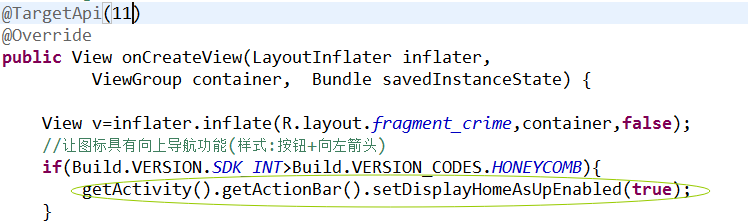 Android-操作欄之圖標導航,android-導航
Android-操作欄之圖標導航,android-導航 想實現圖標向上導航功能,步子分兩步走: 1.樣式上要改變-->圖標要變成可點擊的按鈕,並有一個向左的箭
 Android動畫解析(一)—— Frame Animation(幀動畫)
Android動畫解析(一)—— Frame Animation(幀動畫) 動畫在我們實際開發中占有很重要的地位,一個優秀的動畫能為我們的app應用增色很多,同時
 Android定位&地圖&導航——基於百度地圖實現的定位功能,android定位城市
Android定位&地圖&導航——基於百度地圖實現的定位功能,android定位城市 一、問題描述 LBS位置服務是android應用中重要的功
 ViewPager與android.support.design.widget.TabLayout雙向交互聯動切換,tablayoutviewpager
ViewPager與android.support.design.wid