編輯:關於android開發
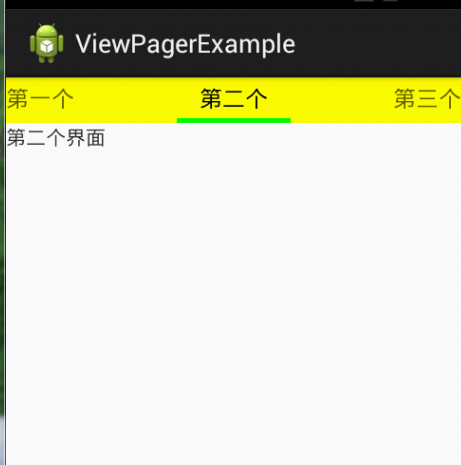
使用ViewPager切換Fragment,我原先使用系統自帶的適配器FragmentPagerAdapter。
切換fragment時,頻繁調用oncreatview()。
查看FragmentPagerAdapter的源碼,發現兩個關鍵的地方
 1 @Override
 2     public Object instantiateItem(ViewGroup container, int position) {
 3         if (mCurTransaction == null) {
 4             mCurTransaction = mFragmentManager.beginTransaction();
 5         }
 6
 7         final long itemId = getItemId(position);
 8
 9         // Do we already have this fragment?
10         String name = makeFragmentName(container.getId(), itemId);
11         Fragment fragment = mFragmentManager.findFragmentByTag(name);
12         if (fragment != null) {
13             if (DEBUG) Log.v(TAG, "Attaching item #" + itemId + ": f=" + fragment);
14            //該處使用attach導致頻繁調用oncreatview
15             mCurTransaction.attach(fragment);
16
17         } else {
18             fragment = getItem(position);
19             if (DEBUG) Log.v(TAG, "Adding item #" + itemId + ": f=" + fragment);
20             mCurTransaction.add(container.getId(), fragment,
21                     makeFragmentName(container.getId(), itemId));
22         }
23         if (fragment != mCurrentPrimaryItem) {
24             fragment.setMenuVisibility(false);
25             fragment.setUserVisibleHint(false);
26         }
27
28         return fragment;
29     }
30
31     @Override
32     public void destroyItem(ViewGroup container, int position, Object object) {
33         if (mCurTransaction == null) {
34             mCurTransaction = mFragmentManager.beginTransaction();
35         }
36         if (DEBUG) Log.v(TAG, "Detaching item #" + getItemId(position) + ": f=" + object
37                 + " v=" + ((Fragment)object).getView());
38         //該處使用detach導致頻繁調用oncreatview
39         mCurTransaction.detach((Fragment)object);
40     }
attach和detach的頻繁使用導致了fragment頻繁調用oncreatview。
找到元凶了,接下來就好辦了。
自定義一個適配器,將attach改為show,將detach改為hide。
完美解決問題。

@Override
    public Object instantiateItem(ViewGroup container, int position) {
        if (mCurTransaction == null) {
            mCurTransaction = mFragmentManager.beginTransaction();
        }

        final long itemId = getItemId(position);

        // Do we already have this fragment?
        String name = makeFragmentName(container.getId(), itemId);
        Fragment fragment = mFragmentManager.findFragmentByTag(name);
        if (fragment != null) {
            if (DEBUG) Log.v(TAG, "Attaching item #" + itemId + ": f=" + fragment);
            //用show而不用attach,防止頻繁調用oncreatview
            mCurTransaction.show(fragment);
        } else {
            fragment = getItem(position);
            if (DEBUG) Log.v(TAG, "Adding item #" + itemId + ": f=" + fragment);
            mCurTransaction.add(container.getId(), fragment,
                    makeFragmentName(container.getId(), itemId));
        }
        if (fragment != mCurrentPrimaryItem) {
            fragment.setMenuVisibility(false);
            fragment.setUserVisibleHint(false);
        }

        return fragment;
    }

    @Override
    public void destroyItem(ViewGroup container, int position, Object object) {
        if (mCurTransaction == null) {
            mCurTransaction = mFragmentManager.beginTransaction();
        }
        if (DEBUG) Log.v(TAG, "Detaching item #" + getItemId(position) + ": f=" + object
                + " v=" + ((Fragment) object).getView());
        //用hide而不用detach,防止頻繁調用oncreatview
        mCurTransaction.hide((Fragment) object);
    }
View Code
 Greenplum(GPDB)開源啦!~
Greenplum(GPDB)開源啦!~ Greenplum 數據庫(GPDB)是一個無共享的大規模並行處理數據庫,主要用來處理大規模的數據分析任務,包括數據倉庫、商務
 Gui系統之View體系(2)---View的setContent,---viewsetcontent
Gui系統之View體系(2)---View的setContent,---viewsetcontent1.從SetContentView講起 1.1Activty的set
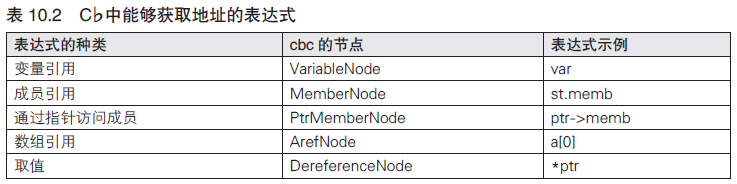 編譯器開發系列--Ocelot語言5.表達式的有效性檢查,--ocelot有效性
編譯器開發系列--Ocelot語言5.表達式的有效性檢查,--ocelot有效性本篇將對“1=3”“&5”這樣無法求值的不正確的表達式進行檢查。 將檢查如下這些問
 Android源碼裝飾模式---ContextWrapper
Android源碼裝飾模式---ContextWrapper 如果說Android源碼中哪個地方裝飾模式應用的最明顯的話,那肯定是非ContextWrapper莫屬了