編輯:關於android開發

以上就介紹了比SwipeRefreshLayout更漂亮和強大的下拉刷新控件:Android-MaterialRefreshLayout
1.xml
<?xml version="1.0" encoding="utf-8"?>
<LinearLayout
    xmlns:android="http://schemas.android.com/apk/res/android"
    android:orientation="vertical"
    android:layout_width="match_parent"
    android:layout_height="match_parent">

    <com.cjj.MaterialRefreshLayout
        xmlns:android="http://schemas.android.com/apk/res/android"
        xmlns:app="http://schemas.android.com/apk/res-auto"
        android:id="@+id/refresh"
        app:wave_color="@color/material_green"
        android:layout_width="match_parent"
        android:layout_height="match_parent"
        >

     <ListView
         android:background="#FF0000"
         android:layout_width="match_parent"
         android:layout_height="match_parent"></ListView>

    </com.cjj.MaterialRefreshLayout>

</LinearLayout>
2.Java
package com.frame.activity;

import android.app.Activity;
import android.os.Bundle;
import android.os.Handler;
import android.widget.Toast;

import com.cjj.MaterialRefreshLayout;
import com.cjj.MaterialRefreshListener;
import com.frame.R;

public class TestActivity extends Activity {

    MaterialRefreshLayout materialRefreshLayout ;

    @Override
    protected void onCreate(Bundle savedInstanceState) {
        super.onCreate(savedInstanceState);
        setContentView(R.layout.test_activity_test);

        materialRefreshLayout = (MaterialRefreshLayout) findViewById(R.id.refresh);
        //支持上拉加載更多
        materialRefreshLayout.setLoadMore(true);
        materialRefreshLayout.setMaterialRefreshListener(new MaterialRefreshListener() {
            @Override
            public void onRefresh(final MaterialRefreshLayout materialRefreshLayout) {
               new Handler().postDelayed(new Runnable() {
                   @Override
                   public void run() {
                       //下拉刷新更多
                       Toast.makeText(TestActivity.this,"onRefresh...",Toast.LENGTH_LONG).show();
                       materialRefreshLayout.finishRefresh();
                   }
               }, 3000);
            }

            @Override
            public void onRefreshLoadMore(final MaterialRefreshLayout materialRefreshLayout) {
                new Handler().postDelayed(new Runnable() {
                    @Override
                    public void run() {
                        //上拉加載更多
                        Toast.makeText(TestActivity.this,"onRefreshLoadMore...",Toast.LENGTH_LONG).show();
                        materialRefreshLayout.finishRefreshLoadMore();
                    }
                }, 3000);
            }
        });
    }
}
3、參考網站
https://github.com/android-cjj/Android-MaterialRefreshLayout/blob/master/README-cn.md
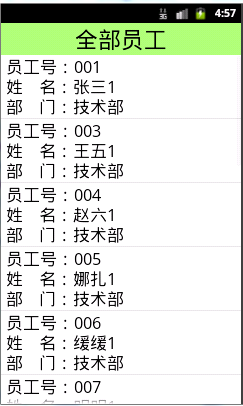 Android滑動刪除功能,android滑動刪除
Android滑動刪除功能,android滑動刪除今天學習了新的功能那就是滑動刪除數據。先看一下效果 我想這個效果大家都很熟悉吧。是不是在qq上看見過這個效果。俗話說好
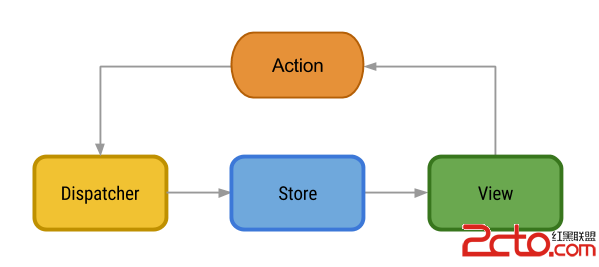 關於android架構的文章工程等
關於android架構的文章工程等 Flux Architecture https://github.com/lgvalle/android-flux-todo-app
 單機搭建Android開發環境(四),單機搭建android開發
單機搭建Android開發環境(四),單機搭建android開發單機搭建安卓開發環境,前三篇主要是磨刀霍霍,這一篇將重點介紹JDK、REPO、GIT及編譯工具的安裝,下載
 android 5.X Toolbar+DrawerLayout實現抽屜菜單
android 5.X Toolbar+DrawerLayout實現抽屜菜單 前言 ?android5.X新增的一個控件Toolbar,這個控件比ActionBar更