編輯:關於android開發
現在有了一種更為簡潔的寫法,就是 Activity 裡面的 runOnUiThread( Runnable )方法。
利用Activity.runOnUiThread(Runnable)把更新ui的代碼創建在Runnable中,然後在需要更新ui時,把這個Runnable對象傳給Activity.runOnUiThread(Runnable)。
Runnable對像就能在ui程序中被調用。如果當前線程是UI線程,那麼行動是立即執行。如果當前線程不是UI線程,操作是發布到事件隊列的UI線程。
package com.app;

import android.os.Bundle;
import android.support.v7.app.AppCompatActivity;
import android.widget.Toast;

public class MainActivity extends AppCompatActivity {

    @Override
    protected void onCreate(Bundle savedInstanceState) {
        super.onCreate(savedInstanceState);
        setContentView(R.layout.activity_main);

        //創建一個線程
        new Thread(new Runnable() {

            @Override
            public void run() {

                //延遲兩秒
                try {
                    Thread.sleep( 2000 );
                } catch (InterruptedException e) {
                    e.printStackTrace();
                }

                runOnUiThread(new Runnable() {
                    @Override
                    public void run() {
                        Toast.makeText(MainActivity.this, "hah", Toast.LENGTH_SHORT).show();
                    }
                });

            }
        }).start();
    }
}
Activity的runOnUiThread(Runnable)
    /**
     * Runs the specified action on the UI thread. If the current thread is the UI
     * thread, then the action is executed immediately. If the current thread is
     * not the UI thread, the action is posted to the event queue of the UI thread.
     *
     * @param action the action to run on the UI thread
     */
    public final void runOnUiThread(Runnable action) {
        if (Thread.currentThread() != mUiThread) {
            mHandler.post(action);
        } else {
            action.run();
        }
    }
 如何「偷」Android 的內存?,「偷」android
如何「偷」Android 的內存?,「偷」android之前在做一個內存優化的時候,使用到了MemoryFile,由此發現了MemoryFile的一些特性以及一個非常tr
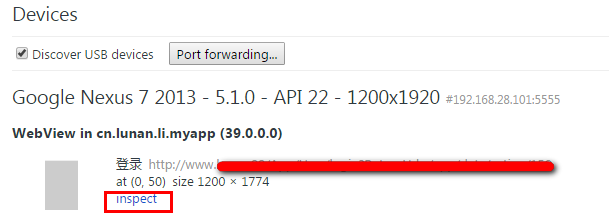 使用Chrome遠程調試GenyMotion上的WebView程序,genymotionwebview
使用Chrome遠程調試GenyMotion上的WebView程序,genymotionwebviewWebView讓我們方便的使用熟悉的Html/JS/Css來開發AP
 dataBinding與ListView及事件,databinding
dataBinding與ListView及事件,databinding2015年Google IO大會分布了DataBinding庫,能夠更快捷便利的實現MVVM結構模式
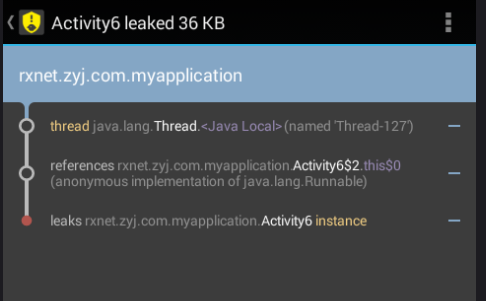 Android 如何有效的解決內存洩漏的問題,android洩漏
Android 如何有效的解決內存洩漏的問題,android洩漏前言:最近在研究Handler的知識,其中涉及到一個問題,如何避免Handler帶來的內存溢出問題。在網上