編輯:關於android開發
上一節完成的自定義組合控件,靈活性不夠,控件的顯示信息上,仿照系統屬性,自定義自己的屬性
上一節組合控件SettingItemView中有三個控件,分別是TextView大標題,TextView描述,CheckBox復選框
自定義屬性 tsh:title=”大標題” 和tsh:desc_on=”小標題開啟”,tsh:desc_off=”小標題關閉”
添加命名空間,xmlns:tsh=”http://schemas.android.com/apk/res/包名"
在res/values/目錄下創建 attrs.xml文件
添加節點 <declare-styleable name=”TextView”>
節點下添加節點<attr name=”title” format=”string”/>,添加其他兩個屬性的節點
在布局文件使用的時候,會調用帶有兩個參數的構造方法
在這個構造方法裡面,會傳遞一個AttributeSet對象
調用AttributeSet對象的getAttributeValue()方法,得到屬性值,參數:索引位置,不推薦
調用AttributeSet對象的getAttributeValue(namespace,name)方法,參數:命名空間,屬性名
調用TextView對象的setText()方法,直接給設置進去
描述部分,在setChecked()方法裡面,判斷,再設置
SettingItemView.java
package com.qingguow.mobilesafe.ui;

import android.content.Context;
import android.util.AttributeSet;
import android.view.View;
import android.widget.CheckBox;
import android.widget.RelativeLayout;
import android.widget.TextView;

import com.qingguow.mobilesafe.R;

public class SettingItemView extends RelativeLayout {
    private TextView tv_title;
    private TextView tv_desc;
    private CheckBox cb_status;
    private String desc_on;
    private String desc_off;
    /**
     * 初始化View對象
     * @param context
     */
    private void initView(Context context) {
        View.inflate(context, R.layout.setting_item_view, this);
        cb_status=(CheckBox) this.findViewById(R.id.cb_status);
        tv_desc=(TextView) this.findViewById(R.id.tv_desc);
        tv_title=(TextView) this.findViewById(R.id.tv_title);

    }
    /**
     * 判斷是否選中
     * @return
     */
    public boolean isChecked(){
        return cb_status.isChecked();
    }
    /**
     * 設置是否選中
     * @param status
     */
    public void setChecked(boolean status){
        if(status){
            tv_desc.setText(desc_on);
        }else{
            tv_desc.setText(desc_off);
        }
        cb_status.setChecked(status);
    }
    /**
     * 設置顯示文本
     * @param text
     */
    public void setDesc(String text){
        tv_desc.setText(text);
    }
    public SettingItemView(Context context, AttributeSet attrs, int defStyle) {
        super(context, attrs, defStyle);
        initView(context);
    }

    public SettingItemView(Context context, AttributeSet attrs) {
        super(context, attrs);
        initView(context);
     //獲取傳遞的屬性
        String title=attrs.getAttributeValue("http://schemas.android.com/apk/res/com.qingguow.mobilesafe", "title");
        tv_title.setText(title);
        desc_on=attrs.getAttributeValue("http://schemas.android.com/apk/res/com.qingguow.mobilesafe", "desc_on");
        desc_off=attrs.getAttributeValue("http://schemas.android.com/apk/res/com.qingguow.mobilesafe", "desc_off");
    }

    public SettingItemView(Context context) {
        super(context);
        initView(context);
    }

}
activity_setting.xml
<?xml version="1.0" encoding="utf-8"?>
<LinearLayout xmlns:android="http://schemas.android.com/apk/res/android"
    xmlns:tsh="http://schemas.android.com/apk/res/com.qingguow.mobilesafe"
    android:layout_width="match_parent"
    android:layout_height="match_parent"
    android:orientation="vertical" >

    <TextView
        android:layout_width="match_parent"
        android:layout_height="40dp"
        android:background="#ccc"
        android:gravity="center"
        android:text="設置中心"
        android:textSize="20sp" />

    <com.qingguow.mobilesafe.ui.SettingItemView
        tsh:title="設置自動更新"
        tsh:desc_on="設置自動更新開啟"
        tsh:desc_off="設置自動更新關閉"
        android:layout_width="wrap_content"
        android:layout_height="wrap_content"
        android:id="@+id/siv_item">
    </com.qingguow.mobilesafe.ui.SettingItemView>

</LinearLayout>
attrs.xml
<?xml version="1.0" encoding="utf-8"?>
<resources>

    <declare-styleable name="TextView">
        <attr name="title" format="string" />
        <attr name="desc_on" format="string" />
        <attr name="desc_off" format="string" />
    </declare-styleable>

</resources>
 使用SharePreferences存取數據(慕課筆記 ),sharepreferences
使用SharePreferences存取數據(慕課筆記 ),sharepreferences0.視頻地址:http://www.imooc.com/video/3265
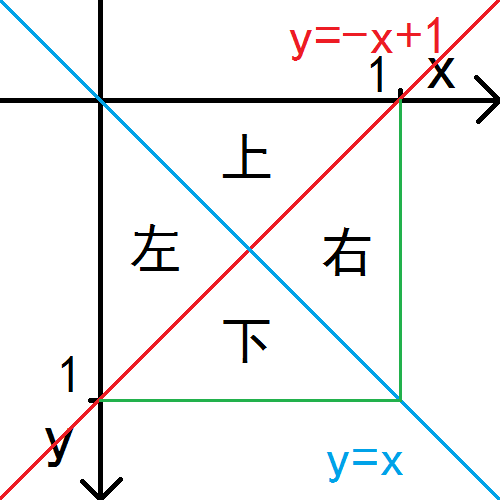 Android快樂貪吃蛇游戲實戰項目開發教程-05虛擬方向鍵(四)四個三角形按鈕,android-05
Android快樂貪吃蛇游戲實戰項目開發教程-05虛擬方向鍵(四)四個三角形按鈕,android-05該系列教程概述與目錄:http://www.cnblogs.com/
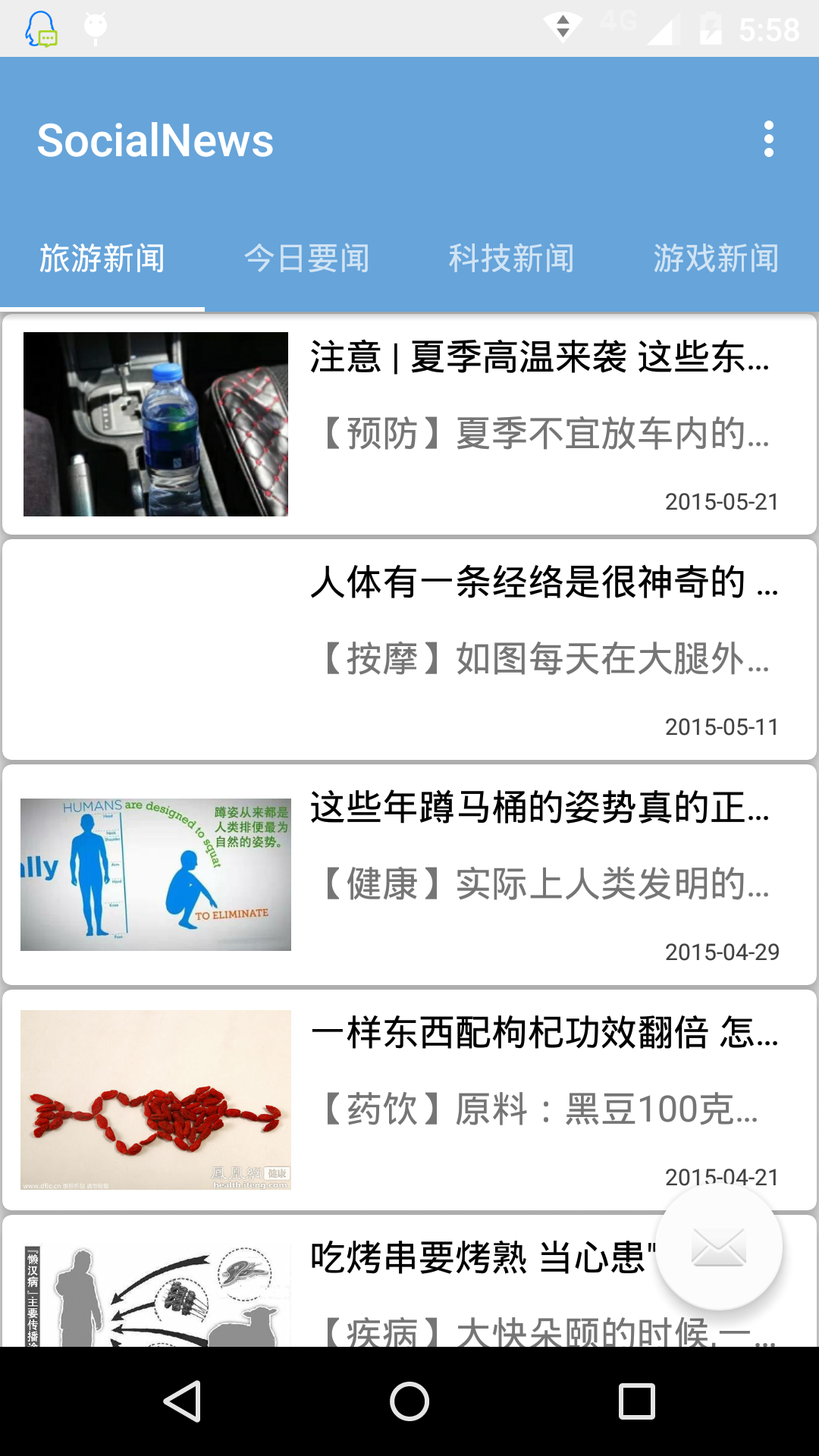 Android ViewPager 重復數據問題的解決方法,androidviewpager
Android ViewPager 重復數據問題的解決方法,androidviewpager最近在做的新聞客戶端用到了ViewPager,Android Studio如今
 下拉刷新原理。,下拉刷新原理
下拉刷新原理。,下拉刷新原理 1 package com.lixu.listviewrefresh; 2 3 import java.util.ArrayList;