編輯:Android編程入門
准確的說讓Edittext僅僅能輸入數字有方法兩種,都是通過xml屬性設置
方法一:
 <EditText
            android:id="@+id/u_account"
            android:layout_width="0dp"
            android:layout_height="match_parent"
            android:layout_marginLeft="13dp"
            android:inputType="phone|number"
            android:maxLength="11"
            android:numeric="integer"  //這個屬性限制僅僅能輸入數字
            android:singleLine="true"
            android:textColor="@color/hint_textcolor"
android:textSize="14sp" /> <EditText
android:id="@+id/u_account"
android:layout_width="0dp"
android:layout_height="match_parent"
android:background="@drawable/signup_input_pw_text_bg"
android:digits="1234567890" //這個屬性限制僅僅能輸入0-9這些數字</span>
android:inputType="phone|number"
android:maxLength="11"
android:singleLine="true"
android:textColor="@color/hint_textcolor"
android:textSize="14sp" />用法而更好!
與時俱進嘛!
上面是曾經的博客內容;
以下補充些經常使用的技巧,實現方式都分為兩種:
 Android設置虛線、圓角、漸變
有圖又真相,先上圖再說。點擊效果: 設置虛線: [html] view plain copy &
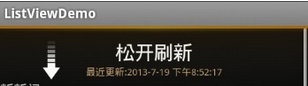 Android—自定義控件實現ListView下拉刷新
這篇博客為大家介紹一個android常見的功能——ListView下拉刷新(參考自他人博客,網址忘記了,閱讀他的代碼自己理解注釋的,希望能幫助到大
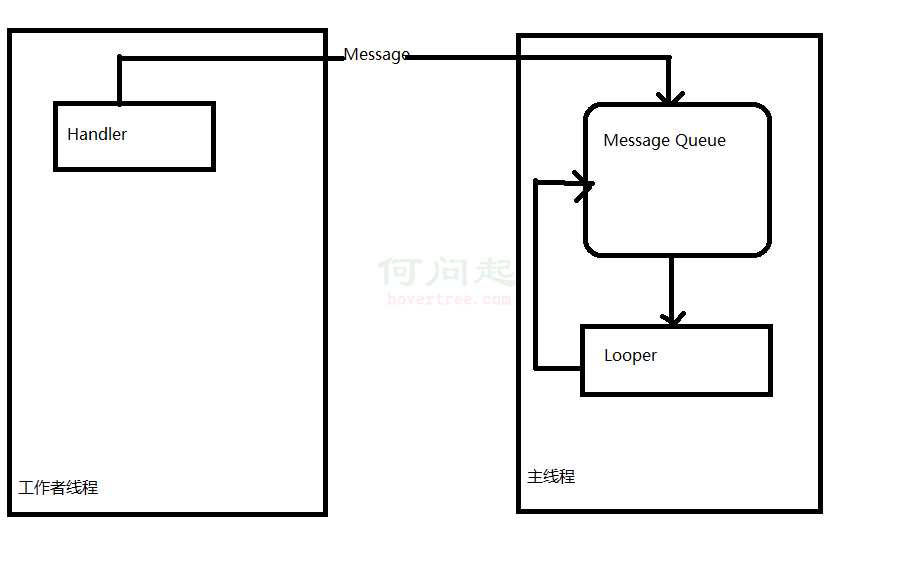 深入探索Android中的Handler
一、概述1. 什麼是Handler Handler是Android消息機制的上層接口,它為我們封裝了許多底層的細節,讓我們能夠很方便的使用底層的
 Android UI基礎之五大布局
Android UI基礎之五大布局 Android的界面是有布局和組件協同完成的,布局好比是建築裡的框架,而組件則相當於建築裡的磚瓦。組件按照布局