編輯:Android開發實例
1、AES加密工具類
java不支持PKCS7Padding,只支持PKCS5Padding。我們知道加密算法由算法+模式+填充組成,下一篇介紹iOS和Android通用的AES加密,本篇文章使用PKCS5Padding加密方式。
package com.example.aesdemo;

import java.io.UnsupportedEncodingException;
import javax.crypto.Cipher;
import javax.crypto.spec.SecretKeySpec;

///** AES對稱加密解密類 **/
public class AESHelper {

 // /** 算法/模式/填充 **/
 private static final String CipherMode = "AES/ECB/PKCS5Padding";

 ///** 創建密鑰 **/
 private static SecretKeySpec createKey(String password) {
 byte[] data = null;
 if (password == null) {
  password = "";
 }
 StringBuffer sb = new StringBuffer(32);
 sb.append(password);
 while (sb.length() < 32) {
  sb.append("0");
 }
 if (sb.length() > 32) {
  sb.setLength(32);
 }

 try {
  data = sb.toString().getBytes("UTF-8");
 } catch (UnsupportedEncodingException e) {
  e.printStackTrace();
 }
 return new SecretKeySpec(data, "AES");
 }

 // /** 加密字節數據 **/
 public static byte[] encrypt(byte[] content, String password) {
 try {
  SecretKeySpec key = createKey(password);
  System.out.println(key);
  Cipher cipher = Cipher.getInstance(CipherMode);
  cipher.init(Cipher.ENCRYPT_MODE, key);
  byte[] result = cipher.doFinal(content);
  return result;
 } catch (Exception e) {
  e.printStackTrace();
 }
 return null;
 }

 ///** 加密(結果為16進制字符串) **/
 public static String encrypt(String content, String password) {
 byte[] data = null;
 try {
  data = content.getBytes("UTF-8");
 } catch (Exception e) {
  e.printStackTrace();
 }
 data = encrypt(data, password);
 String result = byte2hex(data);
 return result;
 }

 // /** 解密字節數組 **/
 public static byte[] decrypt(byte[] content, String password) {
 try {
  SecretKeySpec key = createKey(password);
  Cipher cipher = Cipher.getInstance(CipherMode);
  cipher.init(Cipher.DECRYPT_MODE, key);
  byte[] result = cipher.doFinal(content);
  return result;
 } catch (Exception e) {
  e.printStackTrace();
 }
 return null;
 }

 ///** 解密16進制的字符串為字符串 **/
 public static String decrypt(String content, String password) {
 byte[] data = null;
 try {
  data = hex2byte(content);
 } catch (Exception e) {
  e.printStackTrace();
 }
 data = decrypt(data, password);
 if (data == null)
  return null;
 String result = null;
 try {
  result = new String(data, "UTF-8");
 } catch (UnsupportedEncodingException e) {
  e.printStackTrace();
 }
 return result;
 }

 // /** 字節數組轉成16進制字符串 **/
 public static String byte2hex(byte[] b) { // 一個字節的數,
 StringBuffer sb = new StringBuffer(b.length * 2);
 String tmp = "";
 for (int n = 0; n < b.length; n++) {
  // 整數轉成十六進制表示
  tmp = (java.lang.Integer.toHexString(b[n] & 0XFF));
  if (tmp.length() == 1) {
  sb.append("0");
  }
  sb.append(tmp);
 }
 return sb.toString().toUpperCase(); // 轉成大寫
 }

 // /** 將hex字符串轉換成字節數組 **/
 private static byte[] hex2byte(String inputString) {
 if (inputString == null || inputString.length() < 2) {
  return new byte[0];
 }
 inputString = inputString.toLowerCase();
 int l = inputString.length() / 2;
 byte[] result = new byte[l];
 for (int i = 0; i < l; ++i) {
  String tmp = inputString.substring(2 * i, 2 * i + 2);
  result[i] = (byte) (Integer.parseInt(tmp, 16) & 0xFF);
 }
 return result;
 }
}
2、使用
新建Android工程
package com.example.aesdemo;

import android.os.Bundle;
import android.app.Activity;
import android.view.Menu;
import android.util.Log;

public class MainActivity extends Activity {

 protected void onCreate(Bundle savedInstanceState) {
 		super.onCreate(savedInstanceState);
 		setContentView(R.layout.activity_main);

	 String masterPassword = "a";
	 String originalText = "於";

	 try {
	  String encryptingCode = AESHelper.encrypt(originalText,masterPassword);
//	  System.out.println("加密結果為 " + encryptingCode);
	  Log.i("加密結果為 ",encryptingCode);
	  String decryptingCode = AESHelper.decrypt(encryptingCode,masterPassword);
//	  System.out.println("解密結果為 " + decryptingCode);
	  Log.i("解密結果",decryptingCode);
	  } catch (Exception e) {
	  // TODO Auto-generated catch block
	  e.printStackTrace();
	 }
	}

	@Override
	public boolean onCreateOptionsMenu(Menu menu) {
		// Inflate the menu; this adds items to the action bar if it is present.
		getMenuInflater().inflate(R.menu.main, menu);
		return true;
	}
}
3、打印結果
09-19 10:41:05.467: I/加密結果為(707): E55C24701F6380478E1940ADDFD08D22
09-19 10:41:05.467: I/解密結果(707): 於
 Android編程中圖片特效處理方法小結
本文實例總結了Android編程中圖片特效處理方法。分享給大家供大家參考,具體如下: 這裡介紹的Android圖片處理方法包括: 轉換 - drawa
 Android Wear計時器開發
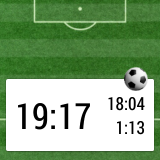
記得在2013年12月的時候,有系列文章是介紹怎麼開發一個智能手表的App,讓用戶可以在足球比賽中記錄停表時間。隨著Android Wear的問世,在可穿戴設備中
 Android本地化
Android應用程序可以在許多不同地區的許多設備上運行。為了使應用程序更具交互性,應用程序應該處理以適合應用程序將要使用的語言環境方面的文字,數字,文件等。在本章中,我
 Android中的全局變量與局部變量使用小結
全局變量顧名思義就是在整個的類中或者可在多個函數中調用的變量。也稱為外部變量。局部變量則是特定過程或函數中可以訪問的變量。聲明一個變量是很 容易的,但是講到使用的