編輯:Android開發實例
如上節課《Android 信息共享之內容發布》所講,您的應用可以給其他的APP發送內容,同樣地,您的應用也可以接收和處理其他APP發送的內容。設計之初,您就應該考慮,如何讓您的APP與用戶交互,以及您的APP主要處理哪些類型的數據。例如,一個網絡社交類的APP可能對純文本格式的數據感興趣,像網頁的URL地址。 Google+ Android application 則同時對純文本格式的數據和單張或多張圖片類型的數據感興趣,因為這樣可以方便用戶在 Gallery APP 浏覽圖片的時候發送一條附帶圖片的 Google+ 信息流(Post)。
Intent filters 主要用來告訴系統您的APP關心什麼類型的系統消息。如前面章節《Android 信息共享之內容發布》構造發送內容的Intent時需要設置Action為ACTION_SEND,那麼接收內容同樣要告訴系統您的APP對Action為ACTION_SEND的系統消息感興趣。您需要在 <intent-filter> tag中定義關注的intent filter,比如,您的APP可以用來處理純文本格式的數據,通用類型的單張圖片,或者混合類型的圖片列表,那麼您的manifest 可能是這樣的:
   <activity android:name=".ui.MyActivity" >
   <intent-filter>
      <action android:name="android.intent.action.SEND" />
      <category android:name="android.intent.category.DEFAULT" />
      <data android:mimeType="image/*" />
   </intent-filter>
   <intent-filter>
      <action android:name="android.intent.action.SEND" />
      <category android:name="android.intent.category.DEFAULT" />
      <data android:mimeType="text/plain" />
   </intent-filter>
   <intent-filter>
     <action android:name="android.intent.action.SEND_MULTIPLE" />
     <category android:name="android.intent.category.DEFAULT" />
     <data android:mimeType="image/*" />
   </intent-filter>
   </activity>
注:想了解更多的有關Intent和Intent Filter的資訊請參照 《 Intents and Intent Filters》。
假如其他的APP發送了與上面manifest文件中聲明的intent filter匹配的數據(通過聲明Intent,設置Action值,填充數據,調用startActivity()方法),那麼您的APP就會出現在 intent chooser(選擇器)中,當用戶選擇了您的應用程序,對應的activity (如上文聲明的 .ui.MyActivity)就會被啟動,具體怎麼樣處理接收到的數據就取決於您的設計了。
要想得到其他APP發送過來的數據,您首先需要調用方法getIntent() 來獲得包含數據的Intent對象,一旦您得到了該對象,就可以讀取裡面的值來決定下一步的動作。有一點您需要注意,如果您的Activity的啟動入口不止這一處,比如用戶可以通過主界面launcher啟動,那麼您就應該小心應對此類問題,主要區別是兩者 Intent包含的內容不同。
示例代碼
   void onCreate (Bundle savedInstanceState) {
   ...
   // Get intent, action and MIME type
   Intent intent = getIntent();
   String action = intent.getAction();
   String type = intent.getType();

   if (Intent.ACTION_SEND.equals(action) && type != null) {
      if ("text/plain".equals(type)) {
        handleSendText(intent); // Handle text being sent
      } else if (type.startsWith("image/")) {
        handleSendImage(intent); // Handle single image being sent
      }
   } else if (Intent.ACTION_SEND_MULTIPLE.equals(action) && type != null) {
     if (type.startsWith("image/")) {
        handleSendMultipleImages(intent); // Handle multiple images being sent
     }
   } else {
     // Handle other intents, such as being started from the home screen
   }
   ...
   }

   void handleSendText(Intent intent) {
     String sharedText = intent.getStringExtra(Intent.EXTRA_TEXT);
     if (sharedText != null) {
      // Update UI to reflect text being shared
     }
   }

   void handleSendImage(Intent intent) {
     Uri imageUri = (Uri) intent.getParcelableExtra(Intent.EXTRA_STREAM);
     if (imageUri != null) {
       // Update UI to reflect image being shared
     }
   }

   void handleSendMultipleImages(Intent intent) {
      ArrayList<Uri> imageUris = intent.getParcelableArrayListExtra(Intent.EXTRA_STREAM);
      if (imageUris != null) {
        // Update UI to reflect multiple images being shared
      }
   }
注意 :對於從其他APP發送過來的數據,您需要特別小心地檢查和處理,因為您不可能提前預知它們會發送什麼樣的數據。例如,它們有可能設置了錯誤的MIME 類型,或者傳遞一張非常大的圖片,還有一點需要注意,處理二進制數據的時候最好新啟一個獨立的線程來處理,而不要放在主線程(main (“UI”) thread)中,防止界面阻塞。
更新UI界面可以很簡單,比如將接收到的純文本格式的數據顯示到界面的EditText控件中,也可以很復雜,比如對接收到的圖片數據做圖像的變換處理,然後再顯示。具體進行怎樣的處理各不相同,這要看您APP的設計了。
參考文摘:
http://developer.android.com/training/sharing/receive.html
原文:http://blog.zhourunsheng.com/2012/01/android-%e4%bf%a1%e6%81%af%e5%85%b1%e4%ba%ab%e4%b8%93%e9%a2%98%e4%b9%8b%e5%86%85%e5%ae%b9%e6%8e%a5%e6%94%b6/ | 潤物無聲
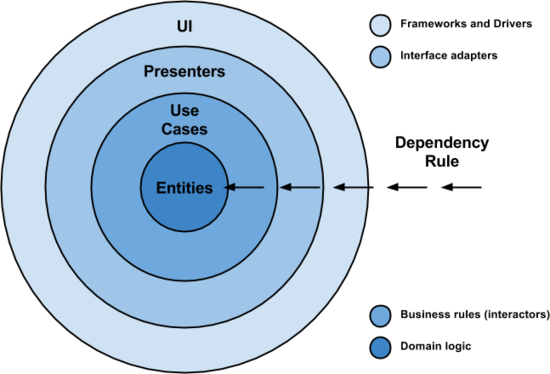 實戰解析Android架構設計原則
經過一段時間收集了大量反饋意見後,我認為應該來說說這個話題了。我會在這裡給出我認為構建現代移動應用
 基於Android代碼實現常用布局
關於 android 常用布局,利用 XML 文件實現已經有很多的實例了。但如何利用代碼實現呢?當然利用代碼實現沒有太大的必要,也是不提倡的,但我覺得利用代碼實現
 Android實用圖文教程之代碼混淆、第三方平台加固加密、渠道分發
第一步:代碼混淆(注意引入的第三方jar) 在新版本的ADT創建項目時,混碼的文件不再是proguard.cfg,而是project.properties和pro
 Android MediaPlayer(多媒體播放)
Android提供了許多方法來控制播放的音頻/視頻文件和流。其中該方法是通過一類稱為MediaPlayer。Android是提供MediaPlayer類訪問內置的媒體播放