編輯:Android資訊
隨著市場上越來越多的APP上線,好多軟件對手機的內存要求也是很大,所以我們在開發的時候一定要掌握如何去優化內存,將自己的APP盡可能優化。今天我們就一起看一下九宮格的優化。下面是軟件的截圖
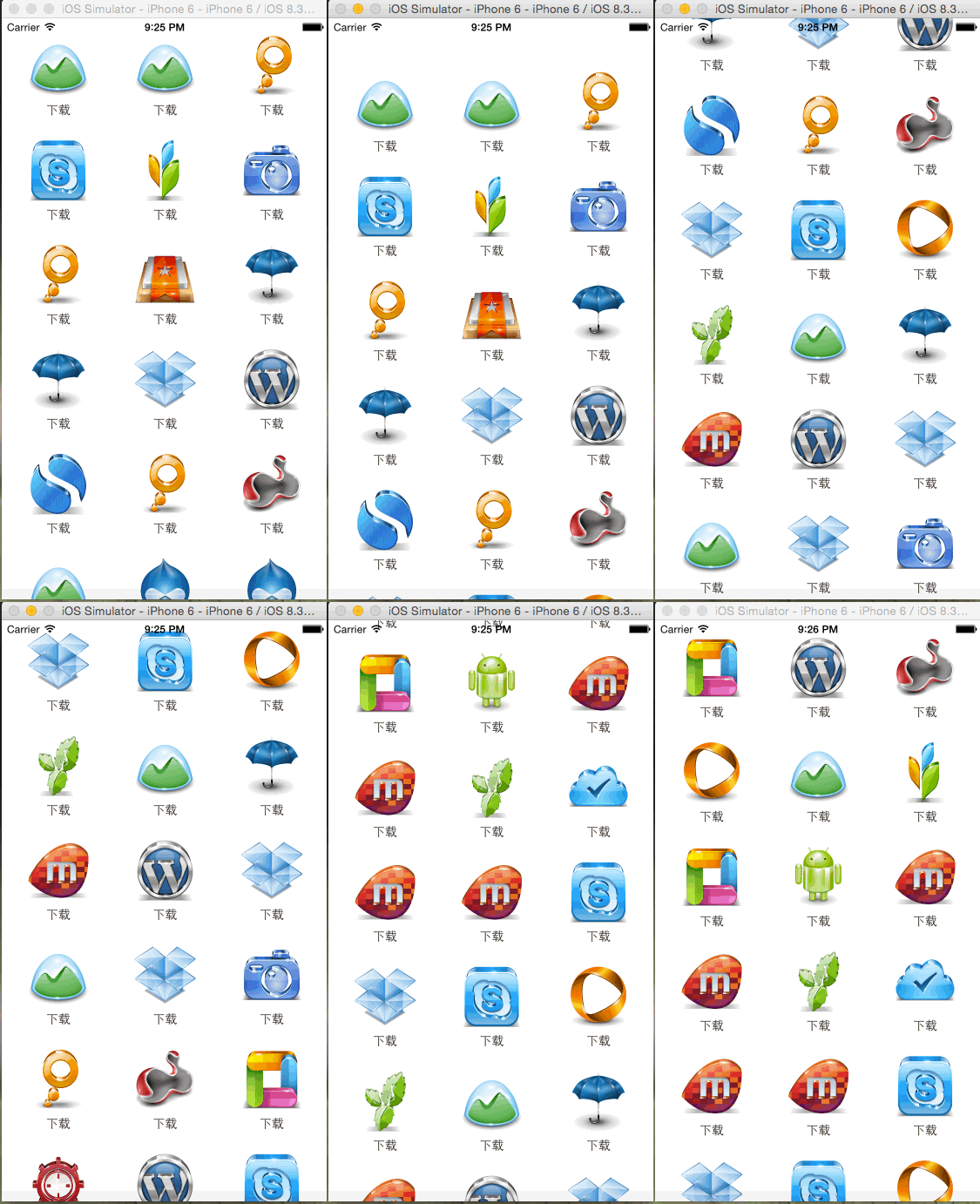
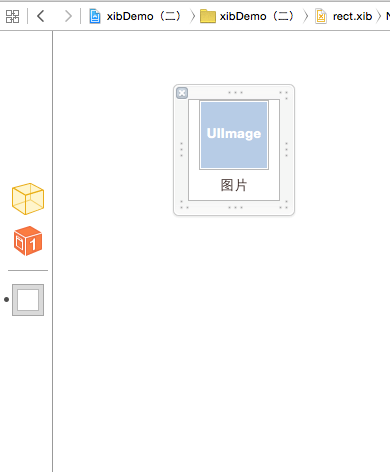
1、為了達到更好的效果我們不用UITableView,首先我們要通過XIB自定義一個圖片和文字如圖:
2、自定義主視圖JRMainScrollView,通過協議代理來實現功能,做法和UITableView類似,大家可以參考一下UITableView
首先:我們要定義數據源協議
//數據源協議
@protocol JRMainScrollDataSource <NSObject>
//獲取總的數量
- (NSInteger) numberOfItems;

//獲取列的數量
- (NSInteger) numberOfColumsOfRow;
//獲取item
- (UIView *) mainScrollView:(JRMainScrollView *)mainScrollView itemAtIndex:(NSInteger) index;
@end
其次:我們要定義屬性協議
//屬性協議
@protocol JRMainScrollDelegate <NSObject>
@optional
//獲取高度
- (CGFloat)  heightForItemAtView:(JRMainScrollView *) mainScrollView;

//獲取寬度
- (CGFloat)  widthForItemAtView:(JRMainScrollView *) mainScrollView;

//獲取間距
- (CGFloat) mainScrollView:(JRMainScrollView *)mainScrollView spaceForItemWithType:(kJRMainScrollItemSpace)type;
@end
注意獲取間距包括到左右的間距和上下的間距通過定義一個枚舉實現
typedef enum{
    kJRMainScrollItemLeftSpace,
    kJRMainScrollItemTopSpace
} kJRMainScrollItemSpace;
3、內部布局實現,計算出當前所有的frame,並且放入數組在此期間,用的的屬性參數都需要從代理來獲取,代碼如下
//加載子視圖
- (void)_loadSubViews{
    //獲取總個數和列數
    NSInteger totalItems=[self.jrDataSource numberOfItems];
    NSInteger colum=[self.jrDataSource numberOfColumsOfRow];

    //獲取寬度和高度
    CGFloat itemWidth=[self.jrDelegate widthForItemAtView:self];
    CGFloat itemHeigt=[self.jrDelegate heightForItemAtView:self];

    //獲取上下間距
    CGFloat leftSpace=[self.jrDelegate mainScrollView:self spaceForItemWithType:kJRMainScrollItemLeftSpace];
    CGFloat topSpace=[self.jrDelegate mainScrollView:self spaceForItemWithType:kJRMainScrollItemTopSpace];

    CGFloat space=(kWidth-2*leftSpace-colum*itemWidth)/(colum-1)+itemWidth;

    for (int i=0;i<totalItems;i++) {
        int clo=i%colum;
        int row=i/colum;
        CGRect frame=CGRectMake(leftSpace+clo*space, 20+row*(itemHeigt+topSpace), itemWidth, itemHeigt);
        [self.array addObject:[NSValue valueWithCGRect:frame]];
    }
self.contentSize=CGSizeMake(0, CGRectGetMaxY([[self.array lastObject] CGRectValue]));
    self.showsVerticalScrollIndicator=NO;

}
4、判斷當前的frame是不是在當前的屏幕可視范圍之內,如果要是在的進行視圖的渲染,如果不在不予理睬。
-(void)layoutSubviews{
    [super layoutSubviews];

    //循環便利獲取在屏幕中的frame
    for (int i=0;i<self.array.count;i++) {

        UIView * tempView=(UIView *)self.current[@(i)];

        CGRect rect=[self.array[i] CGRectValue];
        if ([self isInScreenWith:rect]) {
            if(!tempView){//字典裡沒有的才需要重重新加載
                UIView *view=[self.jrDataSource mainScrollView:self itemAtIndex:i];
                view.frame=rect;
                [self.current setObject:view forKey:@(i)];
                [self addSubview:view];
            }

        }else if(tempView){//如果存在字典而且不在視線內部的則移除
            [self.current removeObjectForKey:@(i)];
            [tempView removeFromSuperview];
            [self.pool addObject:tempView];
        }
    }

//判斷是不是在視野內部,其中有兩種情況,Y值在屏幕內部,或者MAXY值在屏幕內部
- (BOOL) isInScreenWith:(CGRect) frame{
    CGFloat setMiny=self.contentOffset.y;
    CGFloat setMaxy=self.contentOffset.y+kHeight;
    BOOL condition1=frame.origin.y>=setMiny&&frame.origin.y<=setMaxy;
    BOOL condition2=CGRectGetMaxY(frame)>=setMiny&&CGRectGetMaxY(frame)<=setMaxy;

    if(condition1||condition2){
        return YES;
    }

    return NO;
        }
5、操作緩沖池重復利用對象
/** 存放frame*/
@property(nonatomic,strong) NSMutableArray * array;
/** 存放當前顯示的對象*/
@property(nonatomic,strong) NSMutableDictionary * current;
/** 存放緩沖池對象*/
@property(nonatomic,strong) NSMutableSet * pool;
/**
 *  獲取重復利用的對象
 *
 *  @param identy <#identy description#>
 *
 *  @return <#return value description#>
 */
- (JRRectView *) dequeueReusedItemWithIdenty:(NSString *) identy{
    JRRectView * view=[self.pool anyObject];
    if (view!=nil) {
        [self.pool removeObject:view];
    }
    return view;
}
6、在主控制器加載視圖並實現代理方法即可
 //加載所有數據
- (void) _loadSubviews{

    //1 增加滾動視圖
    JRMainScrollView * mainScroll=[[JRMainScrollView alloc] initWithFrame:self.view.bounds];
    mainScroll.jrDataSource=self;
    mainScroll.jrDelegate=self;
    [mainScroll reloadViews];
    [self.view addSubview:mainScroll];

}
#pragma mark - 數據源方法
-(NSInteger)numberOfItems{
    return 132;
}

-(NSInteger) numberOfColumsOfRow{
    return 3;
}

-(UIView *) mainScrollView:(JRMainScrollView *)mainScrollView itemAtIndex:(NSInteger)index{

    JRRectView *cell=[mainScrollView dequeueReusedItemWithIdenty:@"test"];
    if (cell==nil) {
        cell=[[[NSBundle mainBundle] loadNibNamed:@"rect" owner:nil options:nil] lastObject];
    }

    cell.titleLabel.text=[NSString stringWithFormat:@"下載"];
    NSString * imageName=[NSString stringWithFormat:@"%d",arc4random_uniform(20)+256];
    UIImage *image=[UIImage imageNamed:imageName];
    cell.image.image=image;

    return cell;
}

#pragma mark - 代理方法

//獲取高度
- (CGFloat)  heightForItemAtView:(JRMainScrollView *) mainScrollView{
   return 100;
}

//獲取寬度
- (CGFloat)  widthForItemAtView:(JRMainScrollView *) mainScrollView{
    return 90;
}

//獲取間距
- (CGFloat) mainScrollView:(JRMainScrollView *)mainScrollView spaceForItemWithType:(kJRMainScrollItemSpace)type{

    if (type==kJRMainScrollItemLeftSpace) {
        return 20;
    }else if (type==kJRMainScrollItemTopSpace){
        return 20;
    }
    return 20;

}
 Android Context 到底是什麼?
什麼是Context? 一個Context意味著一個場景,一個場景就是我們和軟件進行交互的一個過程。比如當你使用微信的時候,場景包括聊天界面、通訊錄、朋友圈,以及
 Android HashMap 源碼詳解
這一篇來分析一下HashMap的源碼,為了在後面講解Android緩存機制做准備,因為我們知道在Android的緩存機制中無論是用第三方的還是我們自己寫的,一般都
 Android Studio ndk-Jni開發詳解
Java Native Interface (JNI)標准是java平台的一部分,它允許Java代碼和其他語言寫的代碼進行交互。JNI 是本地編程接口,它使得在
 Android開源圖表庫MPAndroidChart
MPAndroidChart是一款基於Android的開源圖表庫,MPAndroidChart不僅可以在Android設備上繪制各種統計圖表,而且可以對圖表進行拖