編輯:關於Android編程
一、坐標分類
地圖坐標大致分為幾種:
1、GPS、WGS84,也就是原始坐標體系,這是國際公認的世界標准坐標體系;
2、GCJ-02,又稱為“火星坐標”,國家測繪局在02年發布的坐標體系,在國內,至少得使用此坐標體系,比如:google、高德、騰訊地圖等;
3、其他特殊坐標體系,一般都是由火星坐標通過偏移算法計算得出的,比如百度使用的是BD-09坐標,搜狗使用的是自己的搜狗坐標。
二、坐標轉換
1、使用高德地圖sdk轉換
public AMapLocation fromGpsToAmap(Location location) {
    AMapLocation aMapLocation = new AMapLocation(location);
    CoordinateConverter converter = new CoordinateConverter(mContext);
    converter.from(CoordinateConverter.CoordType.GPS);
    try {
      converter.coord(new DPoint(location.getLatitude(), location.getLongitude()));
      DPoint desLatLng = converter.convert();
      aMapLocation.setLatitude(desLatLng.getLatitude());
      aMapLocation.setLongitude(desLatLng.getLongitude());
    } catch (Exception e) {
      e.printStackTrace();
    }
    return aMapLocation;
  }
但是在我的項目裡面,當使用上面方法的高德地圖版本的jar包後,編譯的時候友盟總是提示我有包沖突,但是經歷無數的尋找,都沒找出沖突的地方,當我把友盟統計的包引用去掉,編譯正常與行了。這裡我被友盟坑了,但是必須要保留友盟統計。我只能放棄新的定位包,使用老版本的,也就不能用上面這個方式了。
2、自己轉換
通過在網上的搜索,找到一篇文章http://www.eoeandroid.com/forum.php?mod=viewthread&tid=332419,能很好的解決我的問題,也就是我們自己轉換坐標,方法如下。
public AMapLocation fromGpsToAmap(Location location) {
  LatLng latLng = new LatLng(location.getLatitude(), location.getLongitude());
  latLng = CoordinateUtil.transformFromWGSToGCJ(latLng);
  AMapLocation aMapLocation = new AMapLocation(location);
  aMapLocation.setLatitude(latLng.latitude);
  aMapLocation.setLongitude(latLng.longitude);

  return aMapLocation;
}
CoordinateUtil.java
public class CoordinateUtil {
  private static double a = 6378245.0;
  private static double ee = 0.00669342162296594323;

  /**
   * 手機GPS坐標轉火星坐標
   *
   * @param wgLoc
   * @return
   */
  public static LatLng transformFromWGSToGCJ(LatLng wgLoc) {

    //如果在國外,則默認不進行轉換
    if (outOfChina(wgLoc.latitude, wgLoc.longitude)) {
      return new LatLng(wgLoc.latitude, wgLoc.longitude);
    }
    double dLat = transformLat(wgLoc.longitude - 105.0,
        wgLoc.latitude - 35.0);
    double dLon = transformLon(wgLoc.longitude - 105.0,
        wgLoc.latitude - 35.0);
    double radLat = wgLoc.latitude / 180.0 * Math.PI;
    double magic = Math.sin(radLat);
    magic = 1 - ee * magic * magic;
    double sqrtMagic = Math.sqrt(magic);
    dLat = (dLat * 180.0) / ((a * (1 - ee)) / (magic * sqrtMagic) * Math.PI);
    dLon = (dLon * 180.0) / (a / sqrtMagic * Math.cos(radLat) * Math.PI);

    return new LatLng(wgLoc.latitude + dLat, wgLoc.longitude + dLon);
  }

  public static double transformLat(double x, double y) {
    double ret = -100.0 + 2.0 * x + 3.0 * y + 0.2 * y * y + 0.1 * x * y
        + 0.2 * Math.sqrt(x > 0 ? x : -x);
    ret += (20.0 * Math.sin(6.0 * x * Math.PI) + 20.0 * Math.sin(2.0 * x
        * Math.PI)) * 2.0 / 3.0;
    ret += (20.0 * Math.sin(y * Math.PI) + 40.0 * Math.sin(y / 3.0
        * Math.PI)) * 2.0 / 3.0;
    ret += (160.0 * Math.sin(y / 12.0 * Math.PI) + 320 * Math.sin(y
        * Math.PI / 30.0)) * 2.0 / 3.0;
    return ret;
  }

  public static double transformLon(double x, double y) {
    double ret = 300.0 + x + 2.0 * y + 0.1 * x * x + 0.1 * x * y + 0.1
        * Math.sqrt(x > 0 ? x : -x);
    ret += (20.0 * Math.sin(6.0 * x * Math.PI) + 20.0 * Math.sin(2.0 * x
        * Math.PI)) * 2.0 / 3.0;
    ret += (20.0 * Math.sin(x * Math.PI) + 40.0 * Math.sin(x / 3.0
        * Math.PI)) * 2.0 / 3.0;
    ret += (150.0 * Math.sin(x / 12.0 * Math.PI) + 300.0 * Math.sin(x
        / 30.0 * Math.PI)) * 2.0 / 3.0;
    return ret;
  }

  public static boolean outOfChina(double lat, double lon) {
    if (lon < 72.004 || lon > 137.8347)
      return true;
    if (lat < 0.8293 || lat > 55.8271)
      return true;
    return false;
  }

}
總結
以上就是這篇文章的全部內容了,希望本文的內容對大家的學習或者工作能帶來一定的幫助,如果有疑問大家可以留言交流。
 Android仿微信微博多圖展示效果
1.簡介這是一個用於實現像微信朋友圈和微博的類似的九宮格圖片展示控件,通過自定義viewgroup實現,使用方便。 多圖根據屏幕適配,單張圖片時需要自己指定圖片的寬高;2
 安卓弧形ListView 開發手記解析
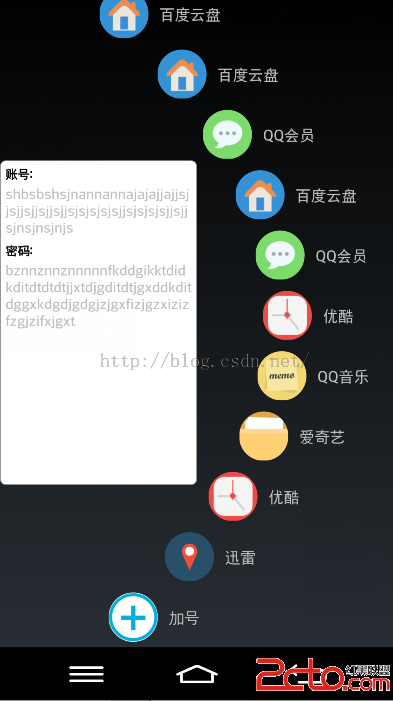
目前正在做的一個小項目中遇到了需要制作弧形listview的需求,要求是listview向右變為弧形,在空白部分顯示一定的內容。具體顯示如下: 以屏幕左上角或者
 qq群怎麼設置管理員 qq群管理員設置教程
QQ群一個多人聊天交流的公眾平台,群主在創建群以後,可以邀請朋友或者有共同興趣愛好的人到一個群裡面聊天。這時群主需要一些朋友來幫你管理QQ群,這些朋友就是管
 Android待辦事項ToDo
從mediaTek項目中移植出來的,完整的代碼可以在我的GitHub上看到,下面看一下效果: 主Activity: package com