編輯:關於Android編程
Jsoup 抓取頁面的數據
需要使用的是jsoup-1.7.3.jar包 如果需要看文檔我下載請借一步到官網:http://jsoup.org/
這裡貼一下我用到的 Java工程的測試代碼
package com.javen.Jsoup;

import java.io.IOException;

import org.jsoup.Jsoup;
import org.jsoup.nodes.Document;
import org.jsoup.nodes.Element;
import org.jsoup.select.Elements;

public class JsoupTest {
  static String url="http://www.cnblogs.com/zyw-205520/archive/2012/12/20/2826402.html";
  /**
   * @param args
   * @throws Exception
   */
  public static void main(String[] args) throws Exception {

    // TODO Auto-generated method stub
    BolgBody();
    //test();
    //Blog();
    /*
     * Document doc = Jsoup.connect("http://www.oschina.net/")
     * .data("query", "Java") // 請求參數 .userAgent("I ' m jsoup") // 設置
     * User-Agent .cookie("auth", "token") // 設置 cookie .timeout(3000) //
     * 設置連接超時時間 .post();
     */// 使用 POST 方法訪問 URL

    /*
     * // 從文件中加載 HTML 文檔 File input = new File("D:/test.html"); Document doc
     * = Jsoup.parse(input,"UTF-8","http://www.oschina.net/");
     */
  }

  /**
   * 獲取指定HTML 文檔指定的body
   * @throws IOException
   */
  private static void BolgBody() throws IOException {
    // 直接從字符串中輸入 HTML 文檔
    String html = "<html><head><title> 開源中國社區 </title></head>"
        + "<body><p> 這裡是 jsoup 項目的相關文章 </p></body></html>";
    Document doc = Jsoup.parse(html);
    System.out.println(doc.body());


    // 從 URL 直接加載 HTML 文檔
    Document doc2 = Jsoup.connect(url).get();
    String title = doc2.body().toString();
    System.out.println(title);
  }

  /**
   * 獲取博客上的文章標題和鏈接
   */
  public static void article() {
    Document doc;
    try {
      doc = Jsoup.connect("http://www.cnblogs.com/zyw-205520/").get();
      Elements ListDiv = doc.getElementsByAttributeValue("class","postTitle");
      for (Element element :ListDiv) {
        Elements links = element.getElementsByTag("a");
        for (Element link : links) {
          String linkHref = link.attr("href");
          String linkText = link.text().trim();
          System.out.println(linkHref);
          System.out.println(linkText);
        }
      }
    } catch (IOException e) {
      // TODO Auto-generated catch block
      e.printStackTrace();
    }

  }
  /**
   * 獲取指定博客文章的內容
   */
  public static void Blog() {
    Document doc;
    try {
      doc = Jsoup.connect("http://www.cnblogs.com/zyw-205520/archive/2012/12/20/2826402.html").get();
      Elements ListDiv = doc.getElementsByAttributeValue("class","postBody");
      for (Element element :ListDiv) {
        System.out.println(element.html());
      }
    } catch (IOException e) {
      // TODO Auto-generated catch block
      e.printStackTrace();
    }

  }

}
下面來介紹android中使用Jsoup異步解析網頁的數據 請注意: 這裡很容易遇到一個亂碼的問題
1.配置文件:
AndroidManifest.xml中加 權限 <uses-permission android:name="android.permission.INTERNET"></uses-permission>
2.layout的布局文件
<LinearLayout xmlns:android="http://schemas.android.com/apk/res/android"
  xmlns:tools="http://schemas.android.com/tools"
  android:layout_width="match_parent"
  android:layout_height="match_parent"
  android:orientation="vertical" >

  <WebView
    android:id="@+id/webView"
    android:layout_width="fill_parent"
    android:layout_height="200dp" />

  <ScrollView
    android:layout_width="wrap_content"
    android:layout_height="wrap_content" >

    <TextView
      android:id="@+id/textView"
      android:layout_width="wrap_content"
      android:layout_height="wrap_content"
      android:text="@string/hello_world" />
  </ScrollView>

</LinearLayout>
主要異步加載數據的代碼
package com.javen.aaa;

import java.io.BufferedReader;
import java.io.IOException;
import java.io.InputStreamReader;
import java.net.URL;

import org.jsoup.Jsoup;
import org.jsoup.nodes.Document;
import org.jsoup.nodes.Element;
import org.jsoup.select.Elements;

import android.app.Activity;
import android.app.Dialog;
import android.app.ProgressDialog;
import android.os.AsyncTask;
import android.os.Bundle;
import android.util.Log;
import android.webkit.WebView;
import android.widget.TextView;

public class MainActivity extends Activity {
  private WebView webView;
  private TextView textView;
  private static final int DIALOG_KEY = 0;
  @Override
  protected void onCreate(Bundle savedInstanceState) {
    super.onCreate(savedInstanceState);
    setContentView(R.layout.main);
    webView = (WebView) findViewById(R.id.webView);
    textView=(TextView) findViewById(R.id.textView);
    try {
      ProgressAsyncTask asyncTask=new ProgressAsyncTask(webView,textView);
      asyncTask.execute(10000);
    } catch (Exception e) {
      // TODO Auto-generated catch block
      e.printStackTrace();
    }
  }

  public String test() {
    StringBuffer buffer=new StringBuffer();
    Document doc;
    try {
      doc = Jsoup.connect("http://www.cnblogs.com/zyw-205520/").get();
      Elements ListDiv = doc.getElementsByAttributeValue("class","postTitle");
      for (Element element :ListDiv) {
        Elements links = element.getElementsByTag("a");
        for (Element link : links) {
          String linkHref = link.attr("href");
          String linkText = link.text().trim();
          buffer.append("linkHref=="+linkHref);
          buffer.append("linkText=="+linkText);

          System.out.println(linkHref);
          System.out.println(linkText);
        }
      }
    } catch (IOException e) {
      // TODO Auto-generated catch block
      e.printStackTrace();
    }
    return buffer.toString();

  }

    // 彈出"查看"對話框
    @Override
    protected Dialog onCreateDialog(int id) {
      switch (id) {
      case DIALOG_KEY: {
        ProgressDialog dialog = new ProgressDialog(this);
        dialog.setMessage("獲取數據中 請稍候...");
        dialog.setIndeterminate(true);
        dialog.setCancelable(true);
        return dialog;
      }
      }
      return null;
    }

    public static String readHtml(String myurl) {
      StringBuffer sb = new StringBuffer("");
      URL url;
      try {
        url = new URL(myurl);
        BufferedReader br = new BufferedReader(new InputStreamReader(url.openStream(), "gbk"));
        String s = "";
        while ((s = br.readLine()) != null) {
          sb.append(s + "\r\n");
        }
      } catch (Exception e) {
        e.printStackTrace();
      }
      return sb.toString();
    }

  class ProgressAsyncTask extends AsyncTask<Integer, Integer, String> {

    private WebView webView;
    private TextView textView;
    public ProgressAsyncTask(WebView webView,TextView textView) {
      super();
      this.webView=webView;
      this.textView=textView;
    }

    /**
     * 這裡的Integer參數對應AsyncTask中的第一個參數 這裡的String返回值對應AsyncTask的第三個參數
     * 該方法並不運行在UI線程當中,主要用於異步操作,所有在該方法中不能對UI當中的空間進行設置和修改
     * 但是可以調用publish Progress方法觸發onProgressUpdate對UI進行操作
     */
    @Override
    protected String doInBackground(Integer... params) {
      String str =null;
      Document doc = null;
      try {
//        String url ="http://www.cnblogs.com/zyw-205520/p/3355681.html";
//
//        doc= Jsoup.parse(new URL(url).openStream(),"utf-8", url);
//        //doc = Jsoup.parse(readHtml(url));
//        //doc=Jsoup.connect(url).get();
//        str=doc.body().toString();
        doc = Jsoup.connect("http://www.cnblogs.com/zyw-205520/archive/2012/12/20/2826402.html").get();
        Elements ListDiv = doc.getElementsByAttributeValue("class","postBody");
        for (Element element :ListDiv) {
          str=element.html();
          System.out.println(element.html());
        }
        Log.d("doInBackground", str.toString());
        System.out.println(str);
        //你可以試試GBK或UTF-8
      } catch (Exception e) {
        // TODO Auto-generated catch block
        e.printStackTrace();
      }
      return str.toString() ;
      //return test();
    }

    /**
     * 這裡的String參數對應AsyncTask中的第三個參數(也就是接收doInBackground的返回值)
     * 在doInBackground方法執行結束之後在運行,並且運行在UI線程當中 可以對UI空間進行設置
     */
    @Override
    protected void onPostExecute(String result) {
      webView.loadData(result, "text/html;charset=utf-8", null);
      textView.setText(result);
      removeDialog(DIALOG_KEY);
    }

    // 該方法運行在UI線程當中,並且運行在UI線程當中 可以對UI空間進行設置
    @Override
    protected void onPreExecute() {
      showDialog(DIALOG_KEY);
    }

    /**
     * 這裡的Intege參數對應AsyncTask中的第二個參數
     * 在doInBackground方法當中,,每次調用publishProgress方法都會觸發onProgressUpdate執行
     * onProgressUpdate是在UI線程中執行,所有可以對UI空間進行操作
     */
    @Override
    protected void onProgressUpdate(Integer... values) {

    }
  }

}
感謝閱讀,希望能幫助到大家,謝謝大家對本站的支持!
 從源碼角度剖析Handler機制
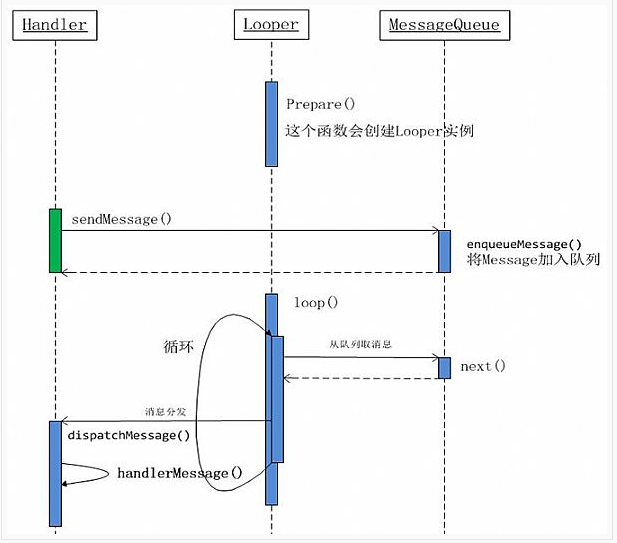
android中,在進行耗時操作更新UI用到最多的方法就是Handler了,一般在子線程中進行耗時操作(訪問網絡等),然後發送消息到UI線程(主線程),使得界面得以更新。
 Android中自定義Window Title樣式實例
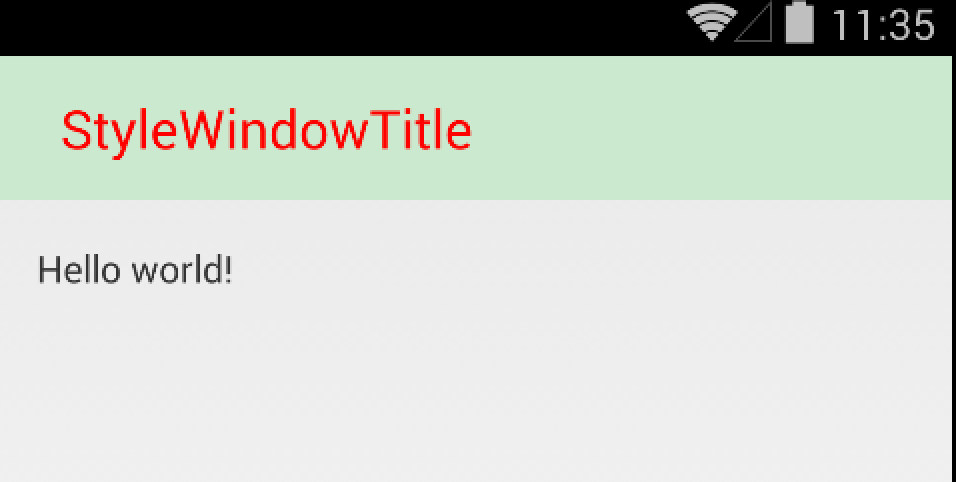
Android提供了很多控件便於開發者進行UI相關的程序設計。但是很多時候,默認的一些UI設置不足以滿足我們的需求,要麼不好看,要麼高度不夠,亦或者是與應用界面不協調。於
 Android進程間通信之----Aidl傳遞對象
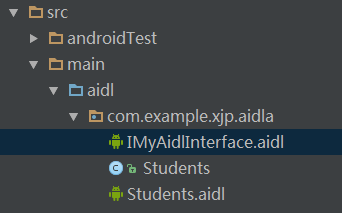
前言有關Android進程間通信之Aidl編程的基本使用步驟已經在上一篇博客中有講解,Android studio 下的aidl編程實現Android的誇進程間通信。上一
 Android控件系列之ImageView使用方法
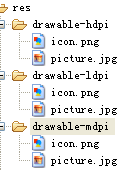
學習目的: 1、掌握在Android中如何插入圖片 圖片的加入可以立刻讓您的程序增色不少,我們樣例選用一張Android機器人(picture.jpg),您可以使用自己的